
Introduction
Front desks and accounting teams spend half their morning answering questions they already answered at nine. A courier calls from a locked rear gate, a buyer asks for bank details on an old invoice, and a vendor asks for your registration number before raising a purchase order.
Typing those routine answers out in emails, phone calls, and chat apps eats up hours and breeds mistakes. Pasting an old note from last week can send a guest to a closed door or put a wrong code on a transfer.
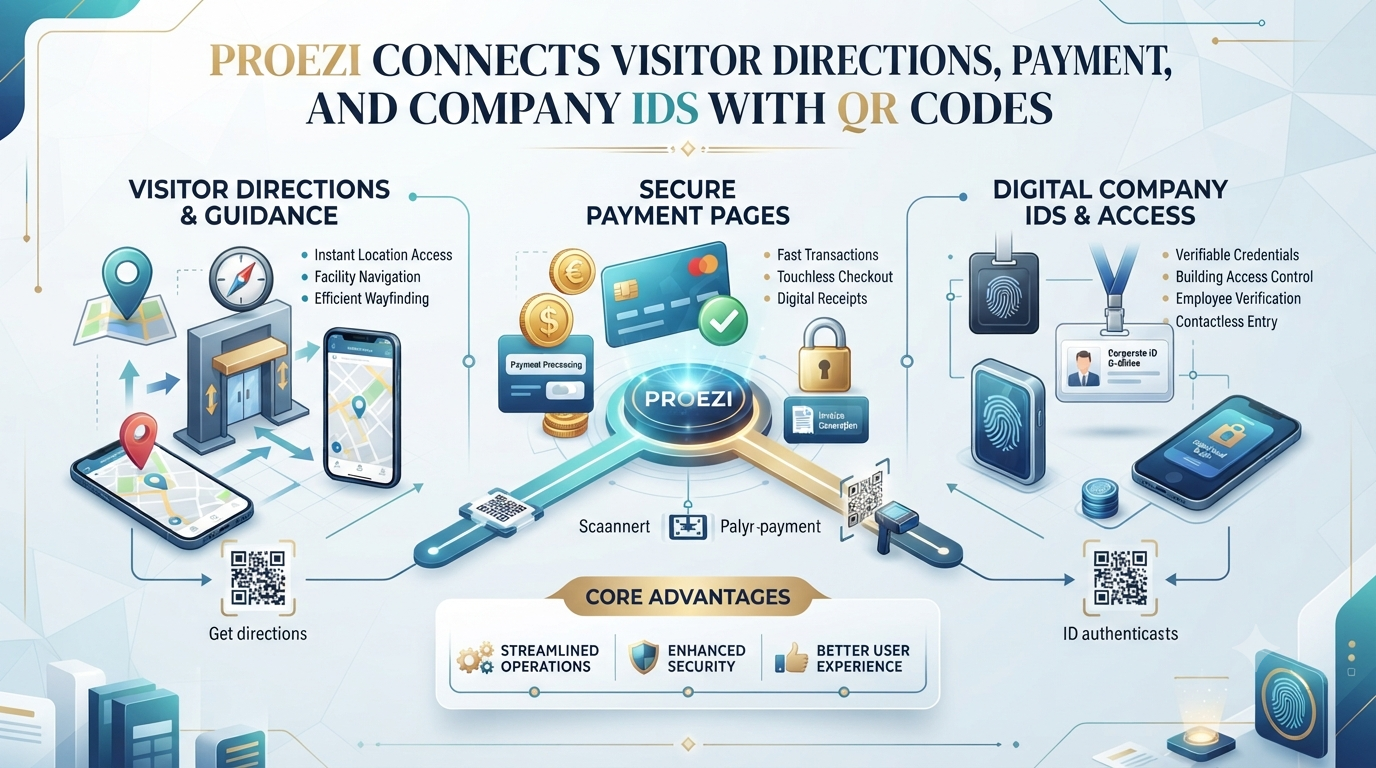
Reusable web pages and QR codes give teams a cleaner habit. Proezi puts visitor arrival instructions, payment information pages, and business identity pages.
What Is Proezi?
Proezi is a web-based business information-sharing platform built for international teams. Businesses publish reusable pages and share them via links and QR codes. Visitors open these pages directly in a browser without installing an app or creating an account.
The platform covers three core capabilities:
- Digital visitor arrival instructions
- Business payment information pages
- Business identity information pages
Teams use Proezi to keep routine operational details organized and easy to reach. It does not process payments or independently verify government registration records; instead, it gives businesses a clear place to publish current facts for visitors, customers, suppliers, and partners.
Why Businesses Need Better Digital Information Sharing
Organizations pass practical details back and forth with guests, buyers, delivery drivers, vendors, and partners every day. Answering each request separately across chat apps and inboxes slows teams down.
Everyday snags show up quickly:
- Typing the same directions, account codes, or registration numbers repeatedly
- Writing vague location notes that leave first-time arrivals guessing
- Circulating stale or mistyped payment details from older messages
- Missing company registration numbers during vendor setup or billing
- Visitors walking up to the wrong entrance or gate
- Keeping information aligned across multiple branches or sites
Centralized, reusable pages cut down that back-and-forth. A team updates one page rather than chasing down scattered threads.
QR Code Directions for Visitors: Making Business Locations Easier to Find
QR code directions for visitors let guests open arrival notes with one scan instead of typing long addresses or digging through chat history. A quick scan pulls up a dedicated arrival page right on their phone.
Practical settings span many environments:
- Office buildings hosting clients, job candidates, and contractors
- Clinics guiding patients to entrances and departments
- Hotels helping guests spot parking and check-in points
- Event venues steering attendees toward gates and halls
- Commercial properties managing multi-tenant entrances
- Warehouses coordinating delivery gates and loading bays
- Educational facilities welcoming students and guests
- Customer service centers handling walk-in visits
Put QR codes on invitation emails, reception stands, parking posts, event tickets, and entrance boards where guests look for guidance on arrival.
Understanding Visitor Wayfinding Software
In plain terms, visitor wayfinding software helps people move from a nearby road or parking spot to their exact destination on site. Outdoor map apps get travelers close, while on-site guidance covers the rest.
Key wayfinding features include:
- Step-by-step directions from arrival to final room
- Entrance details for main and secondary doors
- Parking guidance for visitors and regular staff
- Floor and room numbers for specific offices or suites
- Visual landmarks that confirm turns along the route
- Map coordinates for exact pinpointing
- Accessible routes for step-free movement
- Temporary access notices during maintenance or events
Pick a setup that fits your site layout, visitor volume, accessibility needs, and daily operations. Proezi centers on digital visitor arrival instructions and last-mile guidance to keep those steps clear and easy to share.
Digital Visitor Arrival Instructions: From Road to Reception
Clear digital visitor arrival instructions walk someone through a visit in the order they experience it. Breaking a trip into concrete steps reduces guesswork for first-time guests.
Most visits move through seven stages:
- Reaching the surrounding area
- Finding the correct parking area
- Identifying the correct gate
- Locating the building entrance
- Reaching reception
- Finding the correct floor
- Reaching the final room or destination
Annotated photos, plain instructions, landmarks, map coordinates, emergency contacts, and temporary notices help visitors orient themselves quickly. Teams can also publish separate routes for drivers, pedestrians, taxis, delivery personnel, and visitors needing step-free access.
How to Find Us Page for Business: What Should It Include?
A useful how to find us page for business picks up where a map pin stops. A dot on a map rarely shows which gate to enter or which lift bank leads to reception.
Include practical details such as:
- Business or venue name
- General location
- Map coordinates
- Nearby landmarks
- Parking instructions
- Main entrance details
- Gate information
- Reception location
- Floor and room details
- Visitor contact information
- Accessibility instructions
- Temporary access notices
Reusable digital arrival pages pair naturally with standard location pages, giving guests both general context and exact on-site steps.
Event Venue Directions QR Code: Simplifying Event Arrivals
An event venue directions QR code helps attendees, speakers, vendors, and staff find their way around busy sites. Large venues give people plenty of chances to take a wrong turn.
Organizers routinely face arrival snags like:
- Multiple entrances around a venue
- Temporary parking setups for busy days
- Large grounds with long walks between zones
- Security checkpoints and screening lines
- Registration desks placed in specific areas
- Different halls, rooms, or stages
- Separate entrances for guests and staff
- Dedicated gates or routes for deliveries and vendors
Put QR codes on digital invites, registration confirmations, tickets, posters, and venue signs so arrivals move smoothly.
Parking and Entrance Directions for Visitors
Treat parking and entrance directions for visitors as connected halves of one arrival plan. Easy parking helps little if a guest walks up to a locked door or a staff-only gate.
Cover details such as:
- Visitor parking locations
- Reserved parking instructions
- Parking restrictions and limits
- Accessible parking information
- Pedestrian routes from parking to doors
- Main and secondary entrances
- Security gates and check-in rules
- Reception locations
- Building access instructions
Update the page promptly whenever parking rules, gates, or entrances change so visitors do not follow stale directions.
Last Mile Navigation for Businesses: Solving the Final-Destination Problem
Last mile navigation for businesses solves that awkward stretch after a visitor reaches the right street or building. Reaching the address does not always mean someone knows which gate, wing, or floor to use.
Common final-mile hurdles include:
- Offices inside large commercial complexes
- Clinics spread across multi-building campuses
- Event halls with separate entrances
- Warehouses with designated delivery gates
- Hotels with multiple access points
- Businesses located on upper floors
Outdoor apps like Google Maps, Apple Maps, or Waze handle road navigation to the area. Pair them with clear on-site instructions, plus cached or multilingual pages where supported, to guide people right to the door.
How QR Codes Make Visitor Communication More Practical
QR codes give teams a simple way to connect physical signs and digital messages to current instructions. Scanning a code beats typing a long web address on a phone outside a busy building.
Common placements include:
- Printed signs
- Reception boards
- Event invitations
- Confirmation messages
- Business websites
- Parking areas
- Delivery instructions
- Visitor welcome materials
Because a reusable QR code points to a digital page, staff can update the page text without reprinting codes for minor edits. Still, someone must keep the underlying page current so scans stay accurate.
How to Share Bank Details with Customers Securely
Teams can share bank details with customers more cleanly on a dedicated payment page than by typing numbers into chats. One wrong digit in an account number or routing code can hold up a transfer for days.
A payment page may list:
- Registered account holder name
- Bank name
- Account number
- IFSC or relevant local bank code
- SWIFT or BIC details where applicable
- Payment purpose
- Reference information
- Supported international payment identifiers
Double-check every entry before publishing, limit access to sensitive details appropriately, and keep private data off public pages. Proezi shares payment instructions only; it does not process, collect, or transfer payments, and customers pay through their own banking or payment apps.
UPI QR Code Payment Page: Making Payment Instructions Easier to Access
A UPI QR code payment page puts UPI details and a QR code on a shareable web page so customers can scan or copy payment info quickly. Clear references and identifiers cut down on payment follow-ups.
Helpful elements include:
- UPI payment identifiers
- QR code access
- Payment-purpose references
- Copyable payment information
- Printed payment instructions
- Customer payment applications
- Payment confirmation practices
Customers complete payments directly in their own supported banking or payment apps. Opening a payment page shares instructions; it does not process a payment or confirm completed settlement, so check your own banking records to confirm receipt.
Share Business Registration Details Online
Organizations can share business registration details online through a dedicated business identity page. Keeping core identifiers in one clear view helps customers, suppliers, and partners check company details smoothly.
Typical information includes:
- Registered business name
- Company registration number
- Tax identification number
- Business identification details
- Other applicable registration information
Review details before publishing and avoid exposing sensitive information that should stay private. Format and checksum validation checks structure only; it does not independently verify government registration or ownership.
Why Businesses Need Separate Visitor, Payment, and Identity Pages
Keeping arrival instructions, payment details, and business identity info on separate pages prevents confusion. Guests looking for an entrance do not need bank codes, and partners checking company registration do not need parking steps.
| Page Type | Main Purpose | Typical Information | Intended Audience |
|---|---|---|---|
| Visitor directions page | Help people reach a location | Parking, entrances, gates, reception, floors | Visitors and delivery partners |
| Payment details page | Share payment instructions | Bank details, UPI information, payment references | Customers and suppliers |
| Business identity page | Share company information | Registered name, registration numbers, tax identifiers | Customers and business partners |
Separate pages keep each view focused and make updates easier to manage.
How Proezi Helps Offices, Clinics, Hotels, and Event Venues
Different workplaces have different friction points, and clear browser pages help across everyday operations.
Offices: Share exact building doors, reception steps, and visitor rules with candidates, clients, and staff ahead of time.
Clinics: Give patients clear parking, step-free entrance, reception, and department details before appointments.
Hotels and hospitality businesses: Send guests straightforward parking, entrance, and access notes prior to arrival.
Event venues: Help attendees, speakers, vendors, and staff locate gates, check-in desks, and halls.
Warehouses and logistics facilities: Share delivery gate rules and vehicle access details so drivers reach the right area.
How to Create Better Digital Arrival Instructions
Follow the route in order when drafting arrival notes:
- Identify the visitor's starting point
- Define the correct destination
- Mark parking locations
- Identify entrances and gates
- Add recognizable landmarks
- Explain the route to reception
- Include floor and room information
- Add accessibility guidance
- Include relevant contact information
- Review the instructions from a visitor's perspective
Test the route yourself before sharing it widely so unclear turns or missing labels get caught early.
Multilingual and Accessible Visitor Directions
Visitors vary in language comfort, mobility needs, and familiarity with your site. Clear, accessible instructions help more people arrive smoothly.
Useful details include:
- Simple language
- Clear photographs
- Recognizable landmarks
- Step-free routes
- Accessible parking
- Elevator directions
- Alternative entrances
- Mobile-friendly instructions
Plain text, clear photos, and step-free guidance support international guests and visitors with accessibility needs.
How to Keep Shared Business Information Accurate
Reusable pages stay reliable only when teams maintain them as conditions shift. Outdated directions or old payment numbers cause avoidable mistakes.
Watch for routine changes such as:
- New parking arrangements
- Relocated entrances
- Changed reception areas
- Updated bank account details
- Revised registration information
- Temporary building restrictions
- New contact details
Assign someone to review and update each page whenever site access, payment info, or registration details change.
A Practical Digital Information-Sharing Checklist for Businesses
Use this checklist to set up and maintain reusable pages:
- Identify the information customers need
- Create separate visitor, payment, and identity pages
- Check the accuracy of all details
- Prepare clear arrival instructions
- Add useful landmarks and photographs
- Review parking and entrance information
- Generate and test QR codes
- Check payment information carefully
- Review business registration details
- Consider accessibility and language needs
- Display QR codes in suitable locations
- Update information when details change
A clear checklist keeps routine updates consistent across the team.
Plain Language and Honest Limits on Business Pages
Business pages work best when they stick to accurate facts, plain language, and practical examples. Readers rely on clear structure, honest limits, and helpful detail rather than hype or vague promises.
Careful editing does not guarantee rankings or visibility, yet accurate, well-organized pages make everyday information easier to trust and use.
Why Proezi Is Worth Exploring
Proezi brings digital visitor arrival instructions, payment information pages, and business identity pages into one browser-based platform. Visitors and partners open shared links or scan QR codes without installing an app or creating an account.
For organizations managing location details, payment instructions, or company registration info, reusable pages offer a straightforward way to share routine facts.
Share anything with ease.
FREQUENTLY ASKED QUESTIONS
What are QR code directions for visitors?
They are QR codes that open a dedicated arrival instruction page in a visitor's browser. Scanning the code gives visitors quick access to location, parking, entrance, and room guidance.
What is visitor wayfinding software?
It is software that helps visitors navigate from a nearby road or parking spot to a specific destination. It typically covers entrances, parking, landmarks, floors, rooms, and accessibility details.
How do digital visitor arrival instructions work?
They walk visitors step by step from the surrounding area to their final destination. Teams can combine text, photos, map coordinates, landmarks, and separate routes for different arrival types.
What should a business include on its how to find us page?
Include the business or venue name, general location, map coordinates, landmarks, parking rules, gates, entrances, reception details, floor or room info, contact details, accessibility notes, and temporary notices.
How can event venues use QR codes for directions?
Organizers can place QR codes on tickets, invites, confirmations, posters, and signs. Attendees, speakers, vendors, and staff can scan them to find parking, gates, registration desks, and halls.
How can businesses share parking and entrance directions?
Publish clear notes on visitor parking, reserved spaces, restrictions, accessible spots, pedestrian paths, gates, and entrances. Update the page promptly whenever access details change.
What is last mile navigation for businesses?
It is the final stretch of a trip after someone reaches the right street or building. On-site instructions help visitors locate the right gate, lobby, elevator, or room.
How can businesses share bank details with customers?
Publish organized details such as the account holder name, bank name, account number, IFSC or SWIFT/BIC codes, and payment references on a dedicated page. Proezi shares payment instructions only and does not process payments; customers pay through their own banking or payment apps.
What is a UPI QR code payment page?
It is a shareable web page showing UPI payment details and a QR code for easy access. Customers pay through their own supported apps, and opening the page does not process payments or confirm completed transactions.
How can businesses share registration details online?
Organizations can publish their registered business name, company registration number, tax ID, and related identifiers on a dedicated identity page. Format or checksum validation does not independently verify government registration or ownership.
FINAL THOUGHTS
Reusable pages spare teams from repeating the same directions, payment details, and registration numbers day after day. Visitors, customers, suppliers, and partners get clear answers in one place instead of hunting through.



Top comments (0)