
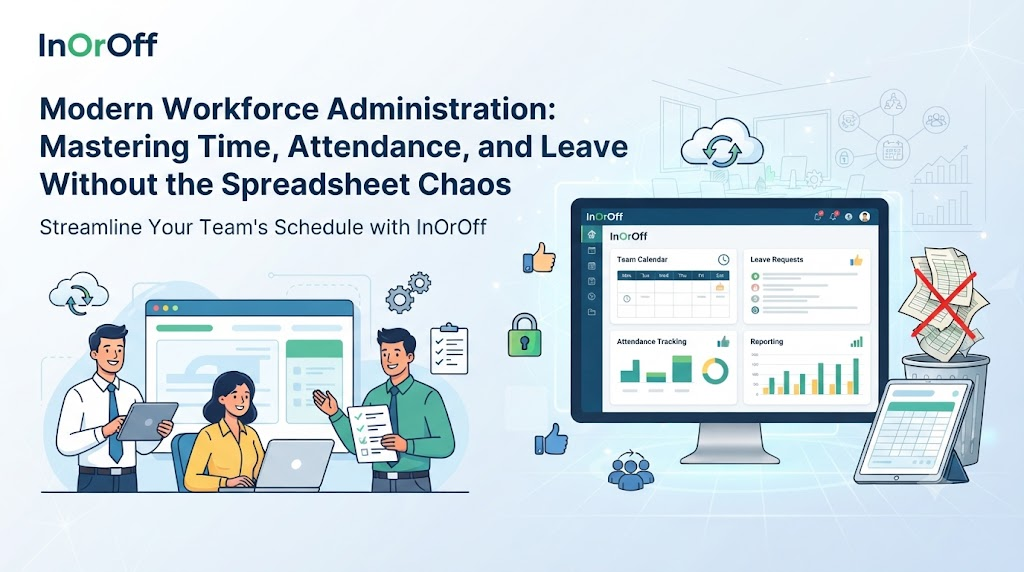
Managing a growing team often means juggling more than just daily projects—it means keeping track of changing work schedules, unexpected absences, vacation requests, and monthly payroll data. When organizations rely on a mix of paper sign-in sheets, email threads, and multiple disconnected spreadsheets, simple administrative tasks can quickly consume valuable time.
Establishing a smooth, reliable workflow for workforce administration requires clear internal policies, consistent tracking methods, and unified digital tools that provide both employees and managers with clear visibility into attendance and leave data.
What Is InOrOff?
InOrOff is a cloud-based employee attendance and leave management platform built specifically to help small and growing businesses organize their workforce operations.
The platform brings daily attendance records, working hours, breaks, late arrivals, check-in and check-out activities, leave requests, vacation policies, holiday calendars, leave allowances, and administrative reports together into a single online workspace. Employees can record their working hours directly through a standard web browser using server-verified timestamps.
Its approval workflow supports reviewing leave requests, approving or rejecting applications, and managing necessary attendance corrections. The platform's paid time off features support half-day leave, holiday exclusions, accrual policies, carry-forward rules, and automated leave balance calculations. Additionally, an optional office IP attendance feature can restrict check-ins and check-outs to approved office network ranges without requiring physical biometric hardware or continuous location surveillance.
InOrOff also generates monthly attendance summaries, reviewed corrections, and versioned CSV and PDF exports designed to support external payroll processing. Its leave balance tracking gives staff and HR administrators instant visibility into available time off, upcoming approved absences, pending requests, used leave days, and approaching expiry dates.
Why Growing Businesses Need Better Attendance Tracking
When attendance records and time-off requests live in separate locations, HR teams and managers frequently spend hours verifying hours worked and answering questions about remaining leave balances.
Key administrative hurdles often include:
- Maintaining consistent attendance records across remote or multi-location teams.
- Tracking late arrivals, shift durations, and daily breaks accurately.
- Knowing which leave requests are waiting for review or already approved.
- Calculating leave balances correctly when navigating complex accrual or carry-forward policies.
- Preparing clean records for monthly payroll review without manual data entry mistakes.
- Ensuring that any attendance corrections remain fully traceable and transparent.
Implementing a structured operational approach helps organizations minimize these administrative bottlenecks and keeps workforce data clear, accurate, and accessible.
Core Pillars of Workforce Administration
Recording Daily Working Hours Accurately
Tracking daily attendance, working hours, breaks, late arrivals, and check-in/check-out activities helps organizations maintain a reliable historical record of time worked. Utilizing dedicated Employee Attendance Management Software enables businesses to replace manual paper logs and messy spreadsheets with a centralized digital system.
Consistent attendance records allow managers to evaluate daily work patterns, spot missing entries early, and address attendance questions proactively. However, software is only part of the solution; companies still need clear workplace attendance policies and a defined process for handling exceptions.
Centralizing Vacation Requests and Absences
Managing vacation requests, company holiday calendars, leave allowances, and employee absences requires a structured framework. Implementing Employee Leave Management Software centralizes these requests so supervisors can review time-off applications without searching through cluttered email inboxes.
A clear request process helps HR teams track absences accurately while helping staff members understand their current leave standing. Organizations should define specific leave types, eligibility criteria, and approval responsibilities to keep time-off management fair and predictable.
Unifying Attendance and Leave Data
Deploying a comprehensive Attendance and Leave Management System brings attendance records, leave tracking, managerial approvals, and administrative reporting together into one unified environment.
Keeping these records in a single platform reduces the need to cross-reference multiple standalone documents. While software simplifies data organization, accurate recordkeeping and timely managerial reviews remain essential for maintaining reliable workforce data.
Choosing Time Tracking Tools for Smaller Teams
Selecting the appropriate Time and Attendance Software for Small Business use involves evaluating day-to-day operational needs rather than chasing an endless list of advanced features. Small teams benefit from solutions that are intuitive, support flexible work schedules, offer straightforward attendance correction workflows, and provide clear reporting.
Businesses should choose tools based on actual team size, work arrangements, and administrative capacity.
Managing Check-Ins and Check-Outs
An effective Employee Check In Check Out Software solution helps record the precise times employees start and finish their workday. Platforms like InOrOff utilize browser-based recording backed by server-verified timestamps.
Reliable timestamps support straightforward recordkeeping. Nevertheless, teams must still account for occasional missing entries, incorrect records, shared devices, or flexible work arrangements that require supervisory review.
Streamlining Managerial Leave Reviews
Managing leave applications and attendance corrections can be simplified using Leave Approval Workflow Software. A structured approval workflow organizes requests, manager decisions, and necessary adjustments through a centralized review pipeline.
Clear request statuses and defined responsibilities help avoid confusion regarding pending, approved, or rejected applications. Managers should follow consistent internal guidelines and communicate decisions clearly to maintain team alignment.
Handling Paid Time Off and Complex Rules
Managing paid time off, half-day leave, holiday exclusions, accrual policies, carry-forward rules, and leave balance calculations requires clear policy definitions. Utilizing PTO Tracking Software helps organizations manage these rules consistently as employees earn time off over time or carry unused days into a new period.
Calculations must align with the organization's established policies and applicable employment regulations.
Securing Attendance via Approved Office Networks
Organizations looking to verify that attendance entries originate from authorized locations can use an Office IP Attendance System. This approach restricts check-ins and check-outs to approved office network IP addresses, offering a practical alternative to biometric devices or continuous location tracking.
Practical considerations include managing office network updates, accommodating remote work policies, and establishing clear exception procedures. It is important to note that an IP address confirms network connection rather than proving an employee's exact physical location.
Preparing Data for Payroll Review
Using Payroll Ready Attendance Software helps administrators prepare data for external payroll processing by generating monthly attendance summaries, reviewed corrections, and versioned CSV and PDF exports.
An export streamlines the transfer of information, but it is important to remember that attendance exports support payroll preparation rather than automatically calculating net salaries, taxes, or deductions. Administrators should review working hours, approved leave, and corrections before finalizing payroll.
Providing Employee Visibility Into Leave Balances
An effective Employee Leave Balance Tracker provides both staff members and HR administrators with visibility into available leave, used days, pending requests, upcoming approved absences, and approaching expiry dates.
Transparent balances reduce misunderstandings and empower employees to plan their time off effectively. Accurate settings for accruals, carry-forward rules, and holiday exclusions ensure that balance calculations remain correct.
Protecting Workforce Data and Maintaining Reliability
Workforce management platforms must handle employee data responsibly. Key practices include limiting data access to authorized personnel, maintaining clear correction logs, reviewing exports before sharing, and collecting only the information required for legitimate administration.
Platforms like InOrOff maintain a privacy-focused approach centered on secure data handling and controlled user access.
Practical Steps for Improving Attendance and Leave Management
How a Business Can Organize Its Workforce Records
Implementing an organized approach to attendance and leave tracking involves a few straightforward steps:
- Define Policies: Establish clear attendance schedules, leave types, company holidays, and approval guidelines.
- Configure Records: Set up employee profiles and apply the relevant attendance and leave rules within your system.
- Establish Recording Habits: Instruct employees on how to record their daily working hours and submit time-off requests.
- Review and Approve: Set up a consistent procedure for managers to review corrections, handle approvals, and check leave balances.
- Prepare for Payroll: Generate and review monthly attendance reports before using them for payroll preparation.
Common Mistakes Businesses Should Avoid
Attendance and Leave Management Pitfalls to Watch For
When managing workforce records, organizations should be mindful of common pitfalls:
- Setting vague attendance or leave policies that lead to employee confusion.
- Forgetting to update company holiday calendars at the start of the year.
- Approving leave requests without verifying current leave balances or applicable policies.
- Ignoring missing check-in or check-out records until the end of the month.
- Failing to keep attendance corrections traceable and documented.
- Using incorrect accrual or carry-forward settings in tracking tools.
- Exporting payroll data without performing a final quality review.
- Granting access to employee records to individuals who do not require it.
A Realistic Workplace Example
How a Small Business Could Improve Its Records
Consider a hypothetical creative agency where the office administrator manages staff schedules using separate desktop spreadsheets for attendance logs, email threads for vacation requests, and manual calculations for monthly payroll preparation. During busy project periods, tracking down missing time cards or verifying remaining leave days becomes time-consuming.
By moving attendance tracking, leave requests, balance tracking, and reviewed monthly exports into a single online workflow, the agency can reduce administrative friction. Employees can log their hours through browser-based check-ins, managers can review leave requests directly through an approval workflow, and the administrator can generate clean CSV exports for payroll review without cross-referencing multiple separate files.
Frequently Asked Questions
What is employee attendance management software?
It is a digital tool that helps businesses record daily attendance, working hours, breaks, and check-in and check-out activities in a centralized system.
How does employee leave management software work?
It organizes vacation requests, holiday calendars, leave allowances, and employee absences into a single platform, making it easier for managers to review and track time off.
What is the difference between attendance tracking and leave tracking?
Attendance tracking records daily working hours, check-ins, and attendance status, while leave tracking manages planned absences such as vacations, sick leave, and holidays.
How can small businesses manage employee working hours?
Small businesses can use cloud-based tools that allow employees to record working hours through web browsers with server-verified timestamps.
What is an employee check-in and check-out system?
It is a software feature that records the specific times employees start and finish their work shifts each day.
How does a leave approval workflow help managers?
It organizes leave requests into a clear review pipeline, allowing managers to approve, reject, or request corrections systematically.
What does payroll-ready attendance reporting mean?
It means the software generates organized monthly summaries and export files (such as CSV or PDF) that administrators can review and use to support external payroll processing.
How can employees check their remaining leave balance?
Employees can use a digital leave balance tracker within their workforce platform to view available days, used leave, pending requests, and upcoming approved absences.
Conclusion
Managing workforce attendance and leave doesn't have to involve endless spreadsheets and manual paperwork. By establishing clear policies, adopting reliable digital tracking tools, and maintaining consistent review processes, growing businesses can reduce administrative overhead.
Platforms like InOrOff bring attendance records, leave tracking, manager approvals, and payroll-ready reporting together in one secure online workspace, helping organizations keep their daily operations organized and transparent.



Top comments (0)