
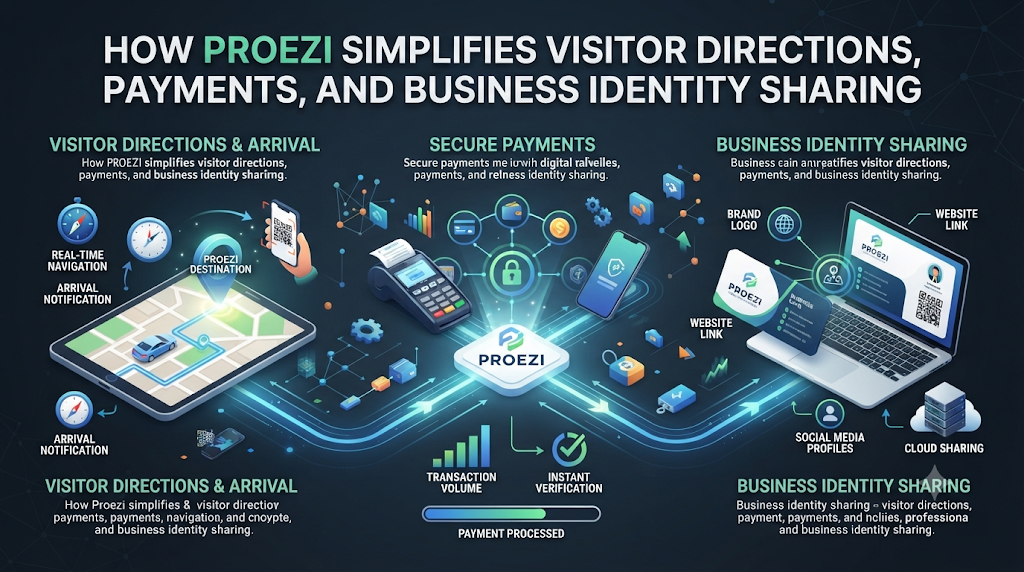
Every business deals with routine questions that slow down daily operations. Guests arrive at the wrong building entrance, buyers ask for bank account numbers over chat, and new vendors request tax registration details before signing contracts.
When organizations send this information through scattered emails, text messages, or static attachments, mistakes happen easily. Platforms like Proezi address this everyday challenge by turning visitor directions, payment instructions, and company identity records into clean, web-based pages. Through reusable links and QR codes, businesses can share accurate, mobile-ready details in seconds.
What Is Proezi?
Proezi is a web-based business information-sharing platform designed to make essential company details easy to access and share. Instead of writing repetitive instructions in emails or messaging apps, organizations create structured online pages that open directly in any web browser.
The platform focuses on three core areas of business communication:
- Digital Visitor Arrival Instructions: Visual, step-by-step guides that lead guests, clients, and couriers from the street to the exact reception desk or meeting room.
- Business Payment Information Pages: Organized, copy-ready pages that display bank transfer numbers, UPI IDs, and payment references without acting as a payment processor.
- Business Identity Information Pages: Dedicated profiles displaying a company's legal name, registration number, and tax identifiers.
Because these pages live online, teams can update details immediately without reprinting signs or resending old links.
Why Structured Information Sharing Matters Today
Small communication gaps create major frustration for customers and staff alike. A calendar invite might include a street address, while an invoice lists a balance due, yet neither explains where a visitor should park or what reference code to include on a bank transfer.
Solving Last Mile Navigation for Businesses
Standard mapping apps bring drivers to a street pin, but they rarely cover the final stretch of the journey. Large business parks, hospitals, multi-tower offices, and gated warehouses often confuse visitors once they turn off the main road. Clear last mile navigation for businesses bridges that final gap, preventing late arrivals and unnecessary calls to the front desk.
Preventing Manual Errors in Payments and Onboarding
Typing bank account numbers or tax IDs manually invites costly errors. One wrong digit delays a transfer, while unclear company registration details slow down vendor approvals. Centralizing these facts into standardized digital pages ensures every client and partner receives accurate information on the first try.
Exploring Proezi's Three Core Capabilities
Each feature on the platform solves a distinct operational bottleneck for modern organizations.
1. Digital Visitor Arrival Instructions
A typical "how to find us" page for business websites offers little more than a street address and a generic map widget. Digital visitor arrival instructions go much further by walking visitors through the physical space step by step.
Organizations can build arrival guides featuring:
- Parking and Entrance Directions for Visitors: Specific notes on visitor parking lots, entry gates, and intercom codes.
- Annotated Photos and Landmarks: Real-world pictures marked with arrows or highlights so visitors recognize the right door right away.
- Routes Tailored by Arrival Method: Separate instructions for car drivers, pedestrians, taxi drop-offs, and delivery trucks.
- Accessibility Information: Clear guidance on step-free access, ramps, elevators, and accessible entrances.
- Temporary Access Notices: Timely alerts for road construction, closed gates, or elevator maintenance.
- Multilingual and Offline Access: Translated directions for international guests and offline availability when mobile signals drop in underground garages.
2. Business Payment Information Pages
Many independent professionals, service firms, and local shops still paste raw bank details into chat apps or emails. Customers then struggle to copy long account numbers on phone screens or forget to add an invoice reference.
Dedicated payment pages allow organizations to share bank details with customers cleanly and reliably. Supported elements include:
- Local bank account numbers, routing codes, and branch identifiers.
- UPI details and a scannable UPI QR code payment page for quick mobile transfers.
- PayPal handles and international payment codes such as IBAN and SWIFT/BIC.
- Clear instructions for payment references so accounting teams can match incoming funds easily.
- One-tap copy buttons that eliminate manual typing errors.
- Printable QR payment signs for reception counters and checkout desks.
It is important to note that Proezi works strictly as an information-sharing tool. It does not process, collect, hold, or transfer money. Customers view the payment details on the page and complete their payment independently using their chosen banking or payment app.
##3. Business Identity Information Pages
Before approving a new supplier or paying a corporate invoice, procurement teams often request formal business credentials. Business identity pages allow companies to share business registration details online using a single link.
Organizations can display their legal registered name, company registration number, VAT or GST tax identifiers, and official address. Supported identifiers undergo automated format and checksum validation to catch typing mistakes. However, this check confirms structural formatting only—it does not independently verify registration ownership with government authorities.
Step-by-Step Guide to Setting Up Arrival and Payment Pages
Building effective information pages requires simple preparation rather than technical expertise. Follow these steps to set up clear resources for your visitors and clients.
Step 1: Gather Common Visitor and Customer Questions
Ask your front-desk staff, sales team, and finance department which questions come up every week. Identify where visitors get lost, which gates cause delays, and what payment details customers struggle to find.
Step 2: Walk the Arrival Path and Capture Photos
Walk from your nearest main road, parking garage, and transit stop to your main entrance. Take clear, well-lit photos at every turn, gate, or elevator bank where a first-time guest could feel unsure.
Step 3: Write Short, Direct Arrival Steps
Upload your photos and add brief visual markers. Use short, active phrases like "Turn right after the security booth" or "Take Elevator A to Floor 5." Pin exact map coordinates for the parking entrance rather than the center of the building roof.
Step 4: Organize Payment and Registration Details
Enter your bank transfer details, UPI ID, or international codes carefully. Specify what customers should write in the payment reference field, such as an invoice number. When creating a business identity page, make sure your legal entity name matches your official tax documents.
Step 5: Deploy Reusable Links and QR Codes
Add QR code directions for visitors to calendar invites, appointment reminders, and email signatures. Print payment QR codes for physical counters or attach payment page links directly to digital invoices.
Practical Use Cases Across Different Industries
Organizations of all sizes use reusable links and QR codes to streamline everyday communication.
Corporate Offices and Coworking Hubs
Guests visiting multi-tenant office towers often enter the wrong lobby or get stuck at security desks. Including a digital arrival link in meeting invitations gives visitors exact parking coordinates, check-in steps, and elevator directions before they leave home.
Event Venues and Conferences
Large event spaces frequently separate general attendee entrances, VIP gates, speaker check-ins, and loading docks. Organizers place an event venue directions QR code on digital tickets and exhibitor packets so crowds move smoothly to the right doors.
Clinics, Salons, and Service Studios
Late arrivals disrupt tightly scheduled appointments. Sending parking and entrance directions for visitors the day before an appointment reduces client stress and keeps daily schedules on track.
Retail Stores, Cafes, and Field Technicians
Local merchants and home-service providers use a UPI QR code payment page or bank transfer link to accept direct payments on-site. Customers scan the sign, tap to copy the details or launch their payment app, and complete the transfer without typing errors.
Agencies, Consultants, and B2B Vendors
Consultants and B2B suppliers include a business identity link inside proposals and onboarding emails. Procurement teams get instant access to tax numbers, legal names, and payment instructions in one place.
Benefits and Limitations of Web-Based Information Sharing
Evaluating both strengths and boundaries helps businesses use digital information-sharing tools effectively.
Key Benefits
- Instant Updates Without Reprinting: If a gate closes for repairs or a bank account changes, updating the web page immediately updates every existing link and printed QR code.
- No App Downloads Required: Visitors and customers view pages directly in their mobile or desktop browser without installing extra software.
- Fewer Errors and Interruptions: One-tap copy buttons prevent account number typos, while annotated photos keep visitors on the right path.
- Clean, Professional Presentation: Structured web pages look far more reliable than hasty chat messages or blurry screenshots.
Important Limitations
- No Direct Payment Processing: Because the platform only displays payment instructions, businesses must still verify incoming transfers through their own bank statements or payment apps.
- Format Checks Are Not Legal Verification: Checksum validation confirms that a registration or tax ID follows the proper format, but partners must still consult official government registries for formal legal verification.
- Requires Accurate Setup: Arrival pages remain helpful only when businesses keep photos, gate codes, and temporary notices up to date.
Best Practices and Common Mistakes to Avoid
Best Practices
- Lead with Visual Landmarks: A clear photo of the building entrance with an arrow pointing to the door helps visitors faster than a long paragraph of text.
- Separate Routes by Visitor Type: Provide distinct instructions for delivery drivers and regular guests so couriers find loading zones while clients find visitor parking.
- Use Short, Actionable Sentences: Keep each arrival step brief and focused on one clear action.
- Audit Pages Regularly: Review your arrival photos, access notices, and payment details every few months to ensure accuracy.
Common Mistakes to Avoid
- Burying Links in Long Messages: Place your arrival or payment link near the top of confirmation emails so readers spot it immediately.
- Forgetting Accessibility Notes: Always mention stairs, ramps, or elevator locations so guests with mobility needs can plan ahead.
- Sharing Unformatted Blocks of Text: Avoid pasting raw bank numbers and addresses into a single paragraph where customers easily copy the wrong line.
- Ignoring Offline Readability: Ensure arrival steps stay readable when visitors enter underground parking garages with weak cell signals.
Frequently Asked Questions (FAQs)
1. What is Proezi?
Proezi is a web-based business information-sharing platform that helps organizations share visitor arrival directions, payment instructions, and business registration details through reusable links and QR codes.
2. How do digital visitor arrival instructions improve guest arrivals?
They give visitors step-by-step guidance featuring annotated photos, exact parking coordinates, entrance landmarks, and accessibility notes, helping guests find the right door without confusion.
3. What does last mile navigation for businesses mean?
Last mile navigation covers the final portion of a visitor's journey after reaching your street address, guiding them to the right driveway, parking lot, security gate, elevator, and reception desk.
4. Does Proezi process or hold customer payments?
No. Proezi only displays your payment details, such as bank transfer numbers, UPI IDs, or PayPal handles. Customers complete payments independently through their own banking or payment applications.
5. How can businesses use a UPI QR code payment page?
Businesses can display a scannable QR code at checkout counters, on invoices, or on mobile screens so customers can quickly open their UPI app or copy payment details without manual typing.
6. Can I update arrival instructions after printing a QR code?
Yes. Because the QR code points to a live web page, you can edit photos, access codes, or temporary notices anytime without reprinting signs or creating new links.
7. Are business registration numbers verified with government registries?
Supported registration and tax numbers undergo format and checksum validation to catch typing mistakes. However, this verifies structural formatting only and does not confirm legal ownership with government authorities.
8. Do visitors need to download an app to open Proezi links?
No. All arrival, payment, and business identity pages load directly in standard mobile and desktop web browsers.
9. How does an event venue directions QR code help event organizers?
Organizers can place a single QR code on tickets and confirmation emails that guides attendees, speakers, and delivery vendors to their specific gates and parking areas.
10. Why is a dedicated digital arrival page better than a basic "how to find us" page for business websites?
A standard website page usually displays only a street address and general map pin, whereas a dedicated arrival page offers annotated entrance photos, separate driver and pedestrian routes, step-free access details, and offline support.
Conclusion
Clear, structured communication removes everyday friction between businesses and the people they serve. Whether guiding a first-time guest through a complex office campus, helping a customer complete a bank or UPI transfer accurately, or sharing official registration details with a new partner, organized digital pages save time and prevent costly errors.
By bringing visual visitor wayfinding software, copy-ready payment information pages, and business identity profiles together under simple links and QR codes, organizations can deliver a smoother, more dependable experience at every touchpoint.



Top comments (0)