
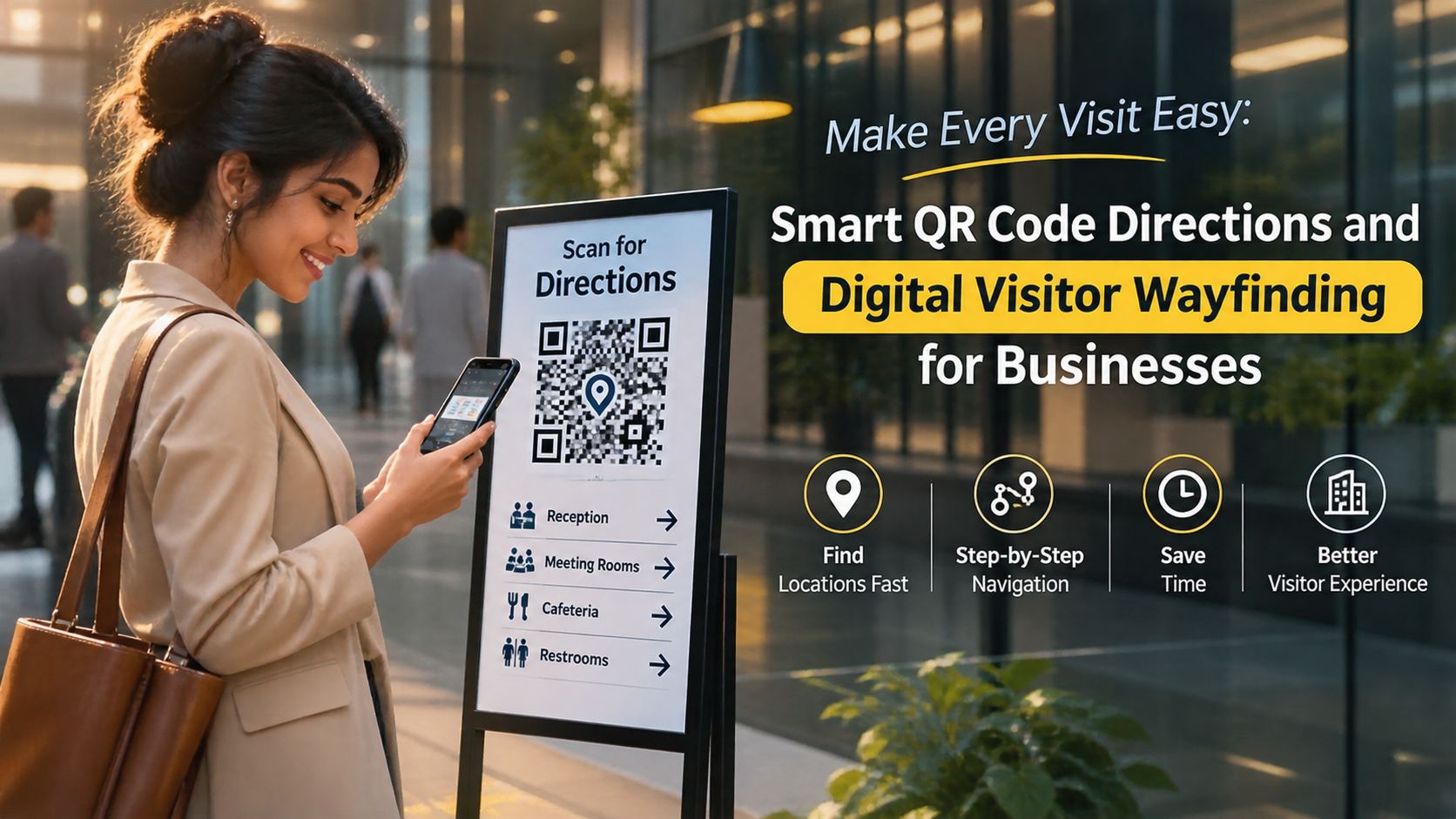
Introduction
A campus visit should begin with clear information.
However, finding the correct building can be difficult for someone visiting an educational institution for the first time. A university may have several academic blocks, administrative offices, libraries, laboratories, hostels, and sports facilities.
A parent may arrive for an admission meeting. A guest lecturer may need to find a seminar hall. A job applicant may have an interview in another department.
Each visitor needs different information.
When directions are unclear, visitors may enter the wrong building or contact several departments for help. This can create extra work for reception staff and campus teams.
A digital campus visitor guide offers a simple way to organize useful information. Visitors can open a web-based page through a QR code or direct link.
The guide can explain where to go, whom to contact, and what visitors should know before arriving.
This article explains how educational institutions can plan, create, publish, and maintain a useful digital campus guide.
1. Why Educational Institutions Need Clear Visitor Information
Educational campuses serve many groups of people. Not everyone knows the campus layout or its internal procedures.
Students may understand the location of academic blocks. First-time visitors may not.
Common visitor challenges include:
- Finding the correct campus entrance.
- Locating an admission office.
- Reaching a particular academic department.
- Finding the examination or administration office.
- Locating a meeting room.
- Understanding visitor entry procedures.
- Finding accessible entrances and facilities.
- Contacting the correct department.
These problems become more noticeable during admission periods, examinations, conferences, placement drives, and public events.
Clear information helps visitors prepare before they arrive.
It also gives reception teams a consistent source of information to share.
2. What Is a Digital Campus Visitor Guide?
A digital campus visitor guide is an online information page that helps people understand an educational institution and its facilities.
The institution can organize information into sections based on visitor needs.
For example, a university guide may include:
- Campus address and entrance details.
- Building and department directory.
- Admission office information.
- Administrative office locations.
- Library and auditorium details.
- Meeting and event locations.
- Visitor entry instructions.
- Campus contact information.
- Accessibility information.
- General campus rules.
Visitors can open the page through a QR code or a direct web link.
A browser-based guide can make information available without requiring visitors to install a separate application.
The guide should provide accurate information. It should not claim to offer live indoor navigation unless the institution actually provides that service.
3. Who Can Use a Digital Campus Visitor Guide?
Different visitors need different types of campus information.
An effective guide should consider these groups.
A. Parents and Guardians
Parents may visit a school or college for admissions, meetings, fee-related questions, or student events.
They may need to find:
- Admission offices.
- Principal or director offices.
- Parent meeting rooms.
- Student support departments.
- Fee or accounts offices.
- Event venues.
The guide should explain the correct entrance and any appointment requirements.
B. Prospective Students
Students exploring an institution may visit for campus tours, admission counselling, or document verification.
Useful information includes:
- Admission enquiry office.
- Academic departments.
- Laboratories.
- Libraries.
- Lecture halls.
- Student support facilities.
- Campus tour meeting points.
This information helps prospective students understand the campus before making a decision.
C. Guest Speakers and Academic Visitors
Educational institutions often invite external speakers, researchers, trainers, and academic partners.
These visitors may need details about:
- Seminar halls.
- Conference rooms.
- Department offices.
- Event registration desks.
- Parking arrangements.
- Event coordinator contacts.
A guide can provide the information they need before reaching the campus.
D. Job Applicants and Interview Candidates
Candidates visiting for teaching or administrative interviews need accurate directions.
The guide can explain:
- Main visitor entrance.
- Human resources office.
- Interview location.
- Required identification.
- Reception contact.
- Appointment instructions.
The institution should confirm interview details separately when personal or confidential information is involved.
E. Vendors and Service Providers
Maintenance teams, suppliers, and other service providers may visit for approved work.
Their information needs can include:
- Authorized entry points.
- Procurement office.
- Facilities management office.
- Delivery instructions.
- Contact person.
- Applicable visitor procedures.
Do not publish restricted building access details on a public guide.
4. What Information Should a Digital Campus Guide Include?
The guide should answer common questions without making visitors search through several pages.
Organize information into clear sections.
A. Campus Overview
Start with a short introduction.
Include:
- Institution name.
- Campus address.
- Main entrance information.
- General contact details.
- Official website.
- Visitor information contact.
Example:
"Welcome to ABC University. This campus guide provides information about academic departments, administrative offices, visitor facilities, and important campus locations."
Keep the introduction short and helpful.
B. Building Directory
A building directory is one of the most useful sections.
List the main campus buildings with their names and purposes.
For example:
Academic Block A
- Computer Science Department.
- Information Technology Department.
- Computer laboratories.
- Faculty offices.
Academic Block B
- Mechanical Engineering Department.
- Civil Engineering Department.
- Electrical Engineering Department.
- Department laboratories.
Administrative Block
- Registrar Office.
- Accounts Department.
- Human Resources.
- Admission Office.
Use the institution's actual building names and department locations.
C. Admission and Enquiry Information
Admission visitors often have specific questions.
Provide details about:
- Admission enquiry office.
- Application support.
- Document verification location.
- Counselling office.
- Admission contact information.
- Published enquiry hours.
If the institution has different admission processes, explain where visitors should ask for help.
Do not publish outdated admission deadlines or unverified fee details.
D. Library and Learning Facilities
Visitors may want to know where important learning facilities are located.
Include information about:
- Central library.
- Digital learning facilities.
- Computer laboratories.
- Research centres.
- Reading rooms.
- Learning support offices.
Mention visitor access conditions where applicable.
Some facilities may be restricted to authorized students and staff.
E. Auditorium and Event Locations
Campuses host seminars, conferences, cultural programs, workshops, and graduation ceremonies.
A guide can explain:
- Auditorium location.
- Seminar hall details.
- Conference room location.
- Event registration desk.
- Visitor waiting area.
- Event coordinator contact.
For individual events, provide the confirmed venue name and any temporary directions.
F. Visitor Facilities
Visitors may need basic facilities during their stay.
List available information about:
- Reception.
- Waiting areas.
- Restrooms.
- Drinking water.
- Parking.
- Elevators.
- Accessible entrances.
- First-aid or medical assistance points.
Only include facilities that actually exist and are available to visitors.
G. Campus Rules and Entry Instructions
Visitors should understand important entry requirements before arrival.
Depending on institutional policy, this section may explain:
- Identification requirements.
- Appointment procedures.
- Visitor registration location.
- Photography restrictions.
- Restricted areas.
- Parking rules.
- Event entry instructions.
Safety and security procedures must follow the institution's approved policies.
5. How to Create a Digital Campus Visitor Guide Step by Step
Creating a useful guide requires planning and accurate campus information.
Follow these steps.
Step 1: Identify the Main Visitor Groups
Start by listing the people who regularly visit the institution.
For example:
- Parents and guardians.
- Prospective students.
- Guest lecturers.
- Interview candidates.
- Vendors.
- Event participants.
- Academic partners.
Ask what information each group needs before and during a visit.
This helps prevent unnecessary content.
Step 2: Review the Campus Layout
Walk through the campus with someone who understands the buildings and departments.
Record important locations.
Include:
- Main and secondary entrances.
- Academic blocks.
- Administrative offices.
- Libraries.
- Laboratories.
- Auditoriums.
- Parking areas.
- Visitor facilities.
- Accessible entrances.
For large campuses, organize locations by zone or block.
Check building names against official campus records.
Step 3: Collect Accurate Department Information
Contact the relevant departments.
Ask them to confirm:
- Department name.
- Building name.
- Floor number.
- Office location.
- Public contact details.
- Visitor access arrangements.
- Published working hours.
Do not rely on old brochures or informal messages without verification.
Step 4: Organize the Visitor Journey
Think about the information a visitor needs at each stage.
Before arrival: Campus address, entrance details, appointment instructions, and contact information.
At the entrance: Reception location, visitor registration instructions, and general campus directions.
Inside the campus: Building directory, department information, and facility locations.
Before departure: Exit information, parking guidance, and contact details for further assistance.
This approach keeps information connected to the visitor's actual journey.
Step 5: Write Simple Directions
Use short instructions with recognizable landmarks.
Example:
"Enter through the main gate. Walk towards the administration building. The admission office is on the ground floor, beside the reception area."
For a multi-floor building, explain the floor and nearby reference point.
Avoid vague directions such as "go straight and turn near the office."
Test every direction with someone who does not know the campus.
Step 6: Create the Digital Information Page
Choose a platform that supports clear, browser-based information pages.
Organize the page with simple headings.
A practical structure could be:
- Welcome to the Campus.
- Campus Address and Entrance.
- Building Directory.
- Academic Departments.
- Administrative Offices.
- Visitor Facilities.
- Entry Instructions.
- Contact Information.
Keep important information easy to find on a mobile screen.
For example, an institution can explore Proezi for creating digital information pages and sharing them through QR codes. Check the platform's current features and terms before deciding how to use it.
Step 7: Generate and Place QR Codes
A QR code can open the digital campus guide.
Consider placing codes at:
- Main campus entrances.
- Reception desks.
- Admission offices.
- Visitor waiting areas.
- Event registration points.
- Approved notice boards.
Add a short instruction beside the code.
Example:
"Scan to view the campus visitor guide."
Explain what visitors will find after scanning.
Also provide a direct web link or printed information. QR codes should not become the only way to access essential visitor details.
Step 8: Test the Complete Experience
Before publishing, test the guide on different mobile devices.
Check that:
- The QR code opens the correct page.
- Building names are accurate.
- Directions match the campus.
- Department contacts are correct.
- Visitor instructions are clear.
- Important links work.
- Text is readable.
- Accessibility needs have been considered.
Ask first-time visitors to test the page.
Their feedback can identify unclear directions that regular campus users may overlook.
Step 9: Assign Responsibility for Updates
Campus information changes over time.
Departments may move. Offices may change working hours. Buildings may close for renovation.
Assign a responsible team or staff member to review the guide.
Ask departments to report important changes.
Keep a record of the last review date so staff can identify outdated information.
6. How to Organize a Guide for a Large University Campus
Large universities may have many buildings spread across a wide area.
A single long page can become difficult to use.
Organize information into campus zones.
Zone A: Academic Area
Include:
- Teaching departments.
- Classrooms.
- Laboratories.
- Faculty offices.
- Research centres.
Zone B: Administration Area
Include:
- Registrar Office.
- Admission Office.
- Accounts Department.
- Examination Office.
- Human Resources.
Zone C: Student Services Area
Include:
- Student support office.
- Counselling services.
- Library.
- Career guidance office.
- Student activity centre.
Zone D: Event and Public Facilities
Include:
- Auditorium.
- Conference hall.
- Sports facilities.
- Guest reception area.
- Approved visitor parking.
Use official building names and zone labels.
If a campus map is available, provide a readable version with clear labels. Include written directions as an alternative.
7. How to Make the Digital Guide Accessible
Campus information should be useful to people with different needs.
Visitors may have mobility, vision, hearing, or other accessibility requirements.
The University Grants Commission's accessibility guidance for higher education institutions discusses accessible campus wayfinding, digital systems, visual and tactile maps, and clear signage. It also highlights the importance of emergency signage.
Institutions should consider the following practices.
Use Readable Text
Use clear fonts and comfortable text sizes.
Avoid small labels that are difficult to read on mobile devices.
Provide Text Alongside Maps
Do not depend only on a campus map.
Include written directions for important buildings and facilities.
Use Clear Contrast
Make sure text stands out from its background.
The W3C Web Content Accessibility Guidelines provide guidance on text contrast, adaptable content, and accessible web information.
Add Text Alternatives to Images
A map or diagram should have an appropriate text description.
Important information should not exist only inside an image.
Explain Accessible Routes
Identify verified accessible entrances, elevators, and step-free routes.
Do not assume that the shortest route is accessible to everyone.
Provide Alternatives to QR Codes
Some visitors may not be able to scan a QR code.
Provide a printed guide, direct web link, reception assistance, or another suitable access method.
Keep Emergency Information Separate and Clear
Emergency instructions should follow official campus safety procedures.
Do not replace required emergency signs with a general visitor guide.
8. How Digital Campus Guides Support Admission Events
Admission periods can bring many visitors to schools and colleges.
Parents and prospective students may visit several offices during one trip.
A temporary admission guide can organize useful details.
It may include:
- Main admission entrance.
- Enquiry desk.
- Counselling rooms.
- Document verification office.
- Fee payment information.
- Waiting areas.
- Help desk contacts.
- Published admission office hours.
For a campus admission event, the institution can also provide a separate event page.
That page should include the confirmed date, venue, entry instructions, and event contact.
Review all details before sharing the link.
9. How to Prepare a Digital Guide for Campus Events
Educational institutions organize many events throughout the year.
Examples include:
- Conferences.
- Workshops.
- Guest lectures.
- Graduation ceremonies.
- Cultural programs.
- Science exhibitions.
- Placement events.
- Parent meetings.
Each event may have a different visitor journey.
A dedicated event guide can include:
Event Information
- Event name.
- Date and schedule.
- Venue.
- Organizer contact.
Arrival Information
- Campus entrance.
- Registration desk.
- Parking instructions.
- Visitor check-in requirements.
Venue Information
- Building name.
- Floor number.
- Hall or room name.
- Nearby facilities.
Additional Information
- Event rules.
- Accessibility information.
- Contact for assistance.
If the venue changes, update the published information and notify registered visitors through the institution's normal communication channels.
10. Common Mistakes to Avoid
A campus guide must be accurate, clear, and easy to access.
Avoid these common problems.
Mistake 1: Using Unofficial Building Names
Visitors may not recognize internal names or abbreviations.
Use the names displayed on campus signs.
Mistake 2: Publishing Incorrect Office Hours
Outdated hours can cause unnecessary visits.
Confirm the schedule with each department.
Mistake 3: Giving Vague Directions
Instructions such as "visit the second block" may not help a first-time visitor.
Include the official building name, floor, and nearby landmark.
Mistake 4: Publishing Restricted Information
A public guide should not reveal sensitive access instructions, internal security details, or restricted locations.
Review content with the campus administration before publication.
Mistake 5: Depending Only on Digital Information
Visitors may have limited connectivity, low phone battery, or difficulty using a mobile device.
Keep physical signs and reception assistance available.
Mistake 6: Ignoring Accessibility
A guide that only uses visual maps may not meet every visitor's needs.
Provide readable text, accessible directions, and suitable alternatives.
Mistake 7: Forgetting Regular Reviews
Old information can confuse visitors.
Set a review schedule and update the guide after important campus changes.
11. Practical Example: A Digital Visitor Guide for a College
Imagine a college with five main buildings.
The college receives parents, admission applicants, interview candidates, and guest speakers.
It decides to create one central digital visitor guide.
The guide includes these sections:
Main Campus Information
- College address.
- Main entrance.
- Reception contact.
- General visitor instructions.
Academic Block
- Computer Science Department.
- Commerce Department.
- Science Department.
- Faculty offices.
- Laboratories.
Administration Block
- Principal's Office.
- Admission Office.
- Accounts Department.
- Examination Office.
Library and Learning Centre
- Central library.
- Reading room.
- Computer facilities.
Event and Visitor Facilities
- Auditorium.
- Seminar hall.
- Visitor waiting area.
- Parking information.
- Restrooms.
A parent visiting for admission counselling can check the admission office location before arrival.
A guest speaker can check the seminar hall details.
An interview candidate can confirm the reception and department locations.
The guide does not need complicated features. Its main purpose is to make accurate campus information easy to access.
12. How to Evaluate Your Campus Visitor Guide
Publishing a guide is only the first step.
The institution should review whether visitors can use it successfully.
Consider these methods.
Collect Visitor Feedback
Ask visitors whether they found the correct building.
Find out which directions were unclear.
Speak With Reception Staff
Reception teams often know which questions visitors ask repeatedly.
Use their feedback to improve the guide.
Test Common Visitor Tasks
Ask someone unfamiliar with the campus to locate:
- Admission Office.
- Examination Office.
- Library.
- Auditorium.
- Principal's Office.
Observe where they become confused.
Review Information Accuracy
Check building names, floor details, department contacts, and visitor hours.
Review Accessibility
Check the digital page, physical signs, and written directions.
Make sure visitors have more than one way to access important information.
Review Platform Information Responsibly
If the selected platform provides relevant usage information, review it according to its actual features and privacy terms.
Do not assume that a QR code automatically provides visitor tracking or detailed analytics.
13. Digital Campus Visitor Guide Checklist
Use this checklist before publishing.
- Main campus address is correct.
- Entrance details are clear.
- Building names match physical signs.
- Department locations are verified.
- Office hours are confirmed.
- Admission information is current.
- Event locations are accurate.
- Visitor entry instructions are approved.
- Restricted information is excluded.
- Accessibility details are included.
- Written directions are easy to follow.
- QR codes open the correct page.
- A non-QR access option is available.
- Physical signs remain visible.
- Emergency information follows official procedures.
- A responsible team reviews updates.
Frequently Asked Questions
1. What is a digital campus visitor guide?
It is an online information page that helps visitors find campus buildings, departments, facilities, and visitor instructions.
2. Can schools and colleges use QR codes for visitor information?
Yes. They can place QR codes at approved locations. Visitors can scan them to open a digital information page.
3. What should a university visitor guide include?
It can include campus entrances, building directories, department locations, administrative offices, facilities, visitor rules, and contact information.
4. Can a digital guide help parents visiting a school?
Yes. It can explain where to find the reception desk, principal's office, admission office, and parent meeting rooms.
5. Should a campus visitor guide include a map?
A campus map can help visitors understand building locations. It should include readable labels and written directions.
6. Can visitors access the guide without installing an application?
Yes, if the institution uses a browser-based information page. Visitors can open it through a direct link or QR code.
7. How can universities make digital guides accessible?
They can use readable text, clear contrast, text descriptions, written directions, and accessible route information. They should also provide alternatives to QR codes.
8. Should emergency procedures be included in a visitor guide?
The guide may direct visitors to approved emergency information. All safety instructions must match the institution's official procedures and required signage.
9. How often should a campus guide be updated?
Review it regularly and whenever buildings, departments, office hours, or visitor procedures change.
10. Can a college create separate guides for different events?
Yes. A college can prepare event-specific information pages with confirmed venue details, arrival instructions, schedules, and organizer contacts.
Final Thoughts
A well-organized campus helps visitors feel more confident from the moment they arrive.
Clear directions can reduce confusion for parents, prospective students, interview candidates, guest speakers, and event participants.
A digital campus visitor guide gives educational institutions another way to share useful information. It can bring building details, department locations, visitor instructions, and contact information together in one accessible place.
Start with the questions visitors ask most often. Verify every location. Use simple directions. Keep physical signs and staff assistance available.
Educational institutions can explore Proezi to create digital information pages and share them through QR codes. Review its current features and terms before choosing a suitable setup.
The goal is simple: help every visitor find the right information and reach the right place with less confusion.



Top comments (0)