
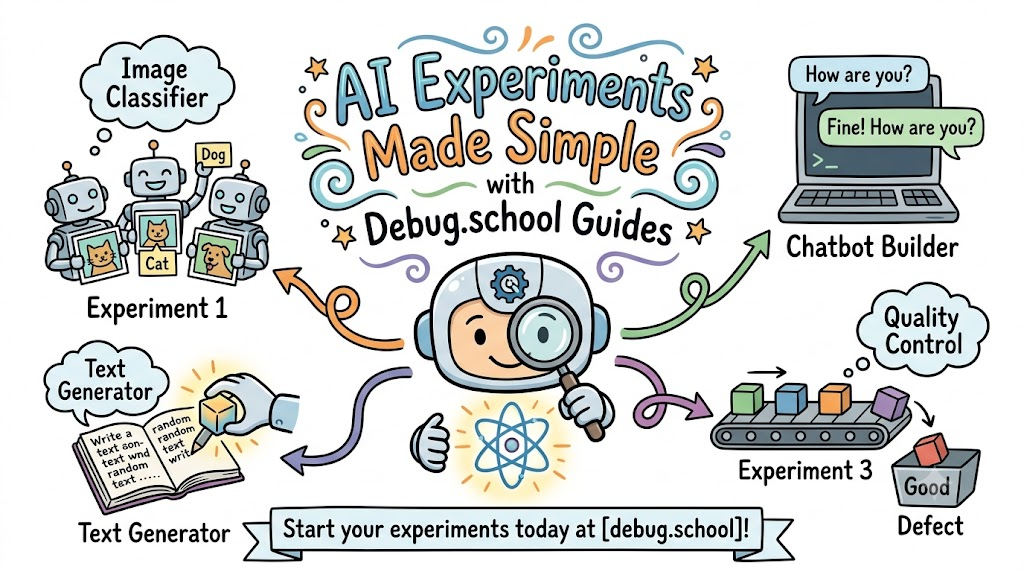
Artificial intelligence sounds super hard. Many people think you need a huge math degree to try it.
The real truth is very simple. Anyone can start testing smart tools today right inside a web browser.
You can learn these skills fast with debug.school. This friendly website gives you easy guides that turn big computer ideas into simple games.
What Is AI in Plain English?
Computers usually follow strict lists of rules. A human writes every rule by hand.
Artificial intelligence works in a different way. You show the computer thousands of examples instead of writing rules.
Next, the computer spots patterns in those examples. It uses those patterns to make smart guesses on its own.
Why Old Tutorials Confuse People
Most tech tutorials are very hard to read. They use long words and scary math symbols.
Also, they make you install messy files on your computer. One tiny error can stop your whole project.
Beginners often feel stuck before they even start. That is not a fun way to learn anything new.
How Debug.school Makes Learning Fun
This platform acts like a digital sandbox for your mind. You read short directions and test things on your screen.
So, you never have to read boring books full of dry theory. You learn by clicking, testing, and seeing what happens right away.
The guides show bright pictures for every single step. You always know what button to click next.
Step 1: Teach a Computer to See
Have you ever wondered how a phone knows your face? You can test this idea in five minutes.
First, you open your web camera. Next, you show the camera twenty pictures of an apple.
Then, you show the camera twenty pictures of a banana. The machine learns the shape and color of each fruit.
[Camera Takes Photos]
       │
       ▼
[Computer Spots Shapes]
       │
       ▼
[Identifies Apple or Banana]
Now, hold up a new fruit in front of the lens. The computer will guess the fruit correctly almost every single time.
Step 2: Build a Quick Chatbot
A chatbot is a computer program that talks with words. It reads your text and sends a reply back to you.
You can build a tiny bot that knows all about your favorite video game. First, you give the bot five simple facts.
Next, you type a question in the chat box. The bot checks its facts and writes an answer in seconds.
- Give facts: Type in simple rules about the game world.
- Test questions: Ask the bot about items, maps, or characters.
- Fix mistakes: Add more facts if the bot gives a silly reply.
Step 3: Make Art with Smart Prompts
You can also use computers to make brand-new pictures. A prompt is just a short text sentence that tells the machine what to draw.
If you write "a blue puppy wearing red boots," the computer gets to work. It studies millions of colors and shapes to draw that exact scene.
- Type clear words to describe your idea.
- Change one word at a time to see how the image changes.
- Save your favorite pictures to show your friends.
How Models Learn from Mistakes
Computers do not get things right on the first try. They make funny mistakes just like humans do.
When a computer guesses wrong, the guide shows you how to fix it. You give the system a gentle nudge in the right direction.
Because you fix small bugs yourself, you learn how the tech works deep down. That hands-on practice builds real confidence.
Safe Ways to Play with Tech
Testing smart tools should always stay safe and fun. You must keep some simple rules in mind while you work.
- Never type private names, home addresses, or secret passwords into a tool.
- Always check the facts because computers can make silly errors.
- Ask a parent or teacher if you ever see something odd on the screen.
Cool Ideas to Try Next
Once you finish your first guide, you can try bigger ideas. Each new project feels like solving an exciting puzzle.
| Project Type | What You Build | What You Learn |
|---|---|---|
| Sound Sorter | A tool that knows the sound of clapping hands. | How machines hear audio waves. |
| Story Helper | A tool that helps you write funny comic books. | How machines predict words. |
| Doodle Finder | A quick drawing game that guesses your sketches. | How machines read line shapes. |
Frequently Asked Questions
Do I need an expensive computer for these guides?
No, you do not need a fancy computer at all. Any basic laptop, Chromebook, or tablet with internet works great.
Does this require hard math?
Not at all. The website handles the hard math behind the scenes so you can focus on building cool projects.
How long does one project take?
Most starter projects take only ten to fifteen minutes. You can build something neat even if you do not have much free time.
Start Your First Test Today
Learning about future tech should never feel scary or boring. Anyone can become an inventor with the right tools in hand.
Debug.school gives you simple steps, fun projects, and clear guides. You gain real skills while having fun on your screen.
Pick a fun project, follow the easy steps, and see what you can create today.



Top comments (0)