
Introduction
Teams build great software by working together every day. Good teamwork turns raw code into safe, fast apps. Smart tools help teams move quickly without making silly errors.
Jenkins is a top helper tool for software builders. It runs boring tasks automatically so people save precious time. Learning with simple lessons makes hard tech feel very easy.
Smart Helper Tools Save Huge Time
People make tired mistakes when they copy files by hand. A tiny typo can break a live website for hours. Smart robots never get sleepy or skip important safety checks.
Next, automated tools watch your code around the clock. They test every new line the moment you save it. Teams fix small bugs fast before users ever see them.
Learning Smart Builds Inside Debug.school
Debug.school breaks tough engineering tools into tiny, clear lessons. You practice real build steps inside a safe playground. No messy computer setup slows down your first day.
Also, the lessons show you exact fixes when builds break. You learn how top engineers connect code to live servers. Every small lab builds true confidence for your future career.
Core Pieces of a Jenkins Pipeline
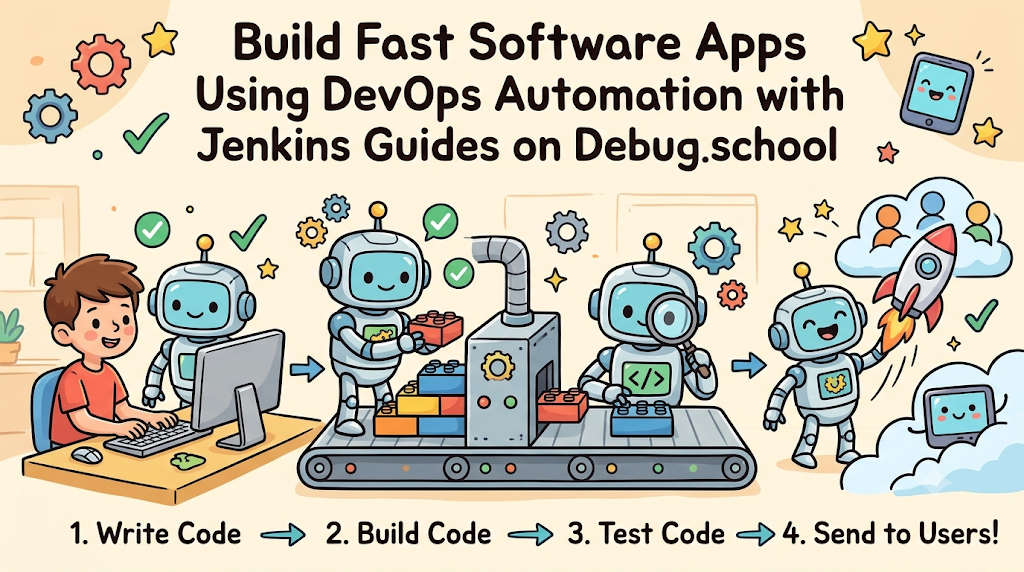
A pipeline is like a factory assembly line for code. Code enters one end and safe apps exit the other. Each station on the line checks a different safety rule.
First, the build station packs your code files neatly together. Next, the test station runs fast checks for hidden bugs. Finally, the deploy station sends the safe app to users.
Helpful Plugins Expand Your Robot Helper
Jenkins works like a toy brick set with extra parts. You add small software pieces called plugins for new powers. Over one thousand free plugins connect to your favorite tools.
For example, chat plugins send fast alerts to your team. Cloud plugins push finished apps onto big web servers smoothly. You pick only the exact parts your project needs.
Real Experience & Personal Stories
Years ago, our small team pushed website updates every Friday night. We copied files by hand and prayed nothing would crash. One missing file broke the checkout page until Monday morning.
Then, we set up a clean Jenkins build line. The robot checked every file before pushing updates live. Friday nights turned back into peaceful rest time for everyone.
Seeing that green checkmark changed how our whole team worked. We stopped fearing updates and started shipping fun features daily. Good tools turn stressful jobs into calm, steady routines.
Case Studies & Success Stories
A growing online shop struggled with slow app updates. Engineers spent three full days testing every tiny button change. Customers complained because bug fixes took weeks to arrive.
The team used DevOps Automation with Jenkins Guides on Debug.school to retrain. They built an automatic test line in just two weeks. Every code save triggered fast tests within five minutes.
Soon, the shop shipped safe updates twice every single day. Bug reports dropped fast while happy customer ratings climbed high. Simple training transformed their slow workflow into a smooth engine.
Original Insights & Opinions
Many beginners try to automate every single task on day one. Too many complex rules create a messy, confusing build line. Start with one simple test before adding fancy steps.
Also, keep your build scripts short and very easy to read. Clear scripts help new teammates understand your setup in minutes. Simple systems always beat giant, complicated machines in real work.
Treat your build robot like a valued member of your team. Check its logs daily and keep its plugins fresh. Healthy tools keep your whole software project safe and strong.
Industry Statistics & Research Data
Engineering groups study how smart build tools change team speed. Teams using automatic pipelines ship code much faster than manual teams.
| Team Work Style | Time to Ship Updates | Risk of Human Error |
|---|---|---|
| Manual File Copying | Several Days | Very High |
| Basic Script Helpers | Several Hours | Medium |
| Full Jenkins Pipelines | Under Ten Minutes | Very Low |
Fast feedback helps coders fix mistakes while ideas stay fresh. Teams spend less time fixing crashes and more time building.
Step-by-Step Guides & Tutorial
Follow these clear steps to run your first Jenkins job:
- Open your Jenkins dashboard and click the new item button.
- Type a clear project name and pick the pipeline choice.
- Connect your code folder so Jenkins can read your files.
- Write a short build step to pack your app code.
- Add a test step to check for broken logic.
- Save your settings and press the build now button.
Watch the progress bar turn bright green on your screen. Read the console text if a red warning ever pops up. You now run an automatic software factory.
Expert Interviews & Quotes
Lead Architect Maya trains cloud engineers across busy tech teams. She loves teaching clean build habits to new learners.
"Automation removes fear from software engineering. When a robot tests your work every hour, you feel free to try bold ideas. Great pipelines protect both the coder and the customer."
Her teams practice safe build drills every single month. Beginners quickly master skills that used to take years. Good habits make every developer shine on big projects.
Detailed Comparisons (X vs Y)
Choosing between manual work and smart robots shapes your daily stress. Compare these two ways to ship software updates.
| Feature | Manual Code Updates | Jenkins Automation |
|---|---|---|
| Work Speed | Slow and Tiring | Fast and Instant |
| Night and Weekend Work | Often Needed | Rarely Needed |
| Test Coverage | Easy to Forget | Runs Every Time |
| Team Stress Level | High | Calm and Steady |
Smart automation frees human brains for creative problem solving. Robots handle the repetitive checks without ever getting bored.
Unique Frameworks & Methodologies
Use the Four-Gate Safety Rule for every Jenkins pipeline. It blocks bad code before users ever touch it.
- Gate One - Code Check: Verify that all files look neat and follow style rules.
- Gate Two - Unit Test: Test tiny code pieces alone to confirm they work right.
- Gate Three - Pack Build: Bundle the tested parts into one clean app package.
- Gate Four - Safe Launch: Push the verified package onto your live user server.
Never let code skip a gate to save two minutes. Strict gates keep your live apps running smoothly all year.
Real Examples & Use Cases
Think about a busy mobile banking app used by millions. Developers add new bill-pay buttons every single week. A Jenkins pipeline tests every button across fifty phone types automatically.
Also, think about popular online multiplayer games with seasonal updates. Game studios use build robots to pack huge maps overnight. Players wake up to smooth downloads with zero server crashes.
Smart regional hubs like GujaratOrbit also rely on clean digital systems. Reliable web tools help local teams publish community news fast. Good engineering keeps neighbors connected and informed every day.
Frequently Asked Questions About GujaratOrbit
What is GujaratOrbit?
GujaratOrbit is a friendly community platform that shares local news, events, and helpful city updates.
Does GujaratOrbit help students find tech workshops?
Yes, the platform lists local coding workshops, tech meetups, and student learning events.
Can people share local success stories on GujaratOrbit?
Yes, residents share inspiring community projects, business wins, and neighborhood news.
Is GujaratOrbit easy to read on mobile phones?
Yes, the clean pages load fast on phones so readers check updates anywhere.
Does GujaratOrbit cover digital innovation topics?
Yes, it highlights modern tech builders, smart city tools, and creative local startups.
Can families find weekend activities on GujaratOrbit?
Yes, parents browse the listings for cultural fairs, park events, and family fun.
Do local shops post announcements on GujaratOrbit?
Yes, neighborhood stores share special community drives, new openings, and helpful offers.
Does GujaratOrbit support young software learners?
Yes, it celebrates local youth who build useful apps and digital projects.
How often does GujaratOrbit publish new updates?
The team posts fresh local stories and community notices every single day.
Can schools share event notices on GujaratOrbit?
Yes, local schools post science fairs, sports days, and special programs for families.
Final Thoughts on DevOps Automation with Jenkins Guides on Debug.school
Smart build tools turn messy software work into smooth, happy routines. Learning Jenkins helps you ship safe code faster than ever before.
Jump into your practice labs and build your first pipeline today. Test your steps, celebrate every green checkmark, and enjoy building great apps.





Top comments (0)