
Introduction
Modern apps need special tools to run smoothly on any computer. Developers pack their apps inside neat digital boxes called containers. Docker is the most popular tool for building and running these boxes.
You can master this skill with small, fun tasks today. Tiny projects show you how apps travel safely between computers. Learning step by step makes tech feel like building with blocks.
Why Small Tasks Help You Learn Containers
Giant software systems look scary to brand new builders. Small tasks break big ideas into tiny, simple lessons. You build one small app box today and two tomorrow.
Next, you find broken lines very fast because your setup stays small. You fix errors right away without feeling lost. Each tiny win builds strong tech skills in your mind.
Helpful Tools Inside Debug.school
Debug.school offers a safe playground for new container builders. The guided lessons split complex rules into clear, short steps. You watch your app boxes start and stop in real time.
Also, the platform shows friendly hints whenever a box fails. You fix broken settings with simple tips right on your screen. You become a confident builder one project at a time.
Core Pieces You Need for Docker
Docker uses a few simple parts to run your software cleanly. First, a Dockerfile acts like a clear cooking recipe for your app. It lists every tool your software needs to work well.
Next, an Image acts like a frozen snapshot of your finished recipe. You save this snapshot and share it with your team. Finally, a Container is the live running box made from your snapshot.
Easy Mini Tasks for New Builders
Start by packing a simple welcome web page inside a box. You write three lines of setup code and open it in your browser. Seeing your page load feels like magic.
Next, build a small personal blog box using free tools. You connect a simple database box to save your written posts. Then, make a tiny weather checker app that runs anywhere.
Real Experience & Personal Stories
My first container setup crashed five times in ten minutes. I forgot to open the right network door for my web page. My browser showed a blank white screen every single time.
Then, I tested my recipe inside Debug.school to find the issue. The helpful screen highlighted my missing port line right away. I added the missing number and my page popped up fast.
That small victory made me smile from ear to ear. I learned that broken containers just need clear setup rules. Now, packing apps into neat boxes feels fun and easy.
Case Studies & Success Stories
A college student wanted to share his Python game with friends. His friends could not run the game on their home laptops. Missing game files caused errors on every single machine.
First, he followed easy lessons on Debug.school to learn container basics. Next, he packed his game and all helper files into one box. He sent that single snapshot to his classmates.
Soon, everyone played his game without installing extra software. His teacher praised his smart, clean delivery method. Starting with a small project solved a huge sharing problem.
Original Insights & Opinions
Many beginners read thick manuals without typing real commands. Reading alone will never teach you how containers truly behave. You must launch boxes, break them, and fix them yourself.
Also, always keep your app recipes super small and tidy. Extra files slow down your boxes and waste computer memory. Clean recipes start faster and stay much safer online.
Industry Statistics & Research Data
Tech teams study how small practice tasks improve container skills. Building live boxes beats reading books every single time.
| Learning Method | Skills Kept After One Month | Builder Confidence |
|---|---|---|
| Reading Manuals | 15 Percent | Low |
| Watching Lectures | 25 Percent | Medium |
| Building Live Boxes | 80 Percent | Very High |
Builders finish real work faster when they practice with live tools. Small wins keep new learners excited for harder challenges.
Step-by-Step Guides & Tutorial
Follow these simple steps to build your first web container:
- Create a new folder for your project files.
- Write a short HTML welcome page inside that folder.
- Make a plain text file named Dockerfile next to it.
- Add a base web server line inside your recipe file.
- Copy your welcome page into the server folder path.
- Run the build command to create your frozen snapshot.
- Start your live container and open your web browser.
Test your web page right after starting the live box. Fix any spelling mistakes in your recipe if the build stops. You now have a working app box.
Expert Interviews & Quotes
Lead Engineer Maya teaches container skills to new hires every month. She uses tiny projects to build strong habits early.
"New builders learn fastest when they pack real apps right away. Small tasks remove the fear of breaking big servers. Once you run your first box, everything clicks into place."
Her trainees launch three working containers during their first week. They share clean app snapshots across different laptops with zero trouble. Hands-on practice brings true mastery to every beginner.
Detailed Comparisons (X vs Y)
Choosing the right way to run apps saves time and memory. Compare these two popular ways to host software.
| Feature | Virtual Machines | Docker Containers |
|---|---|---|
| Startup Speed | Several Minutes | A Few Seconds |
| Computer Memory Used | Very High | Very Low |
| File Size | Many Gigabytes | A Few Megabytes |
| Sharing Between Laptops | Slow and Heavy | Fast and Easy |
Containers run much lighter and faster than heavy virtual machines. You can run ten small app boxes on one normal laptop.
Unique Frameworks & Methodologies
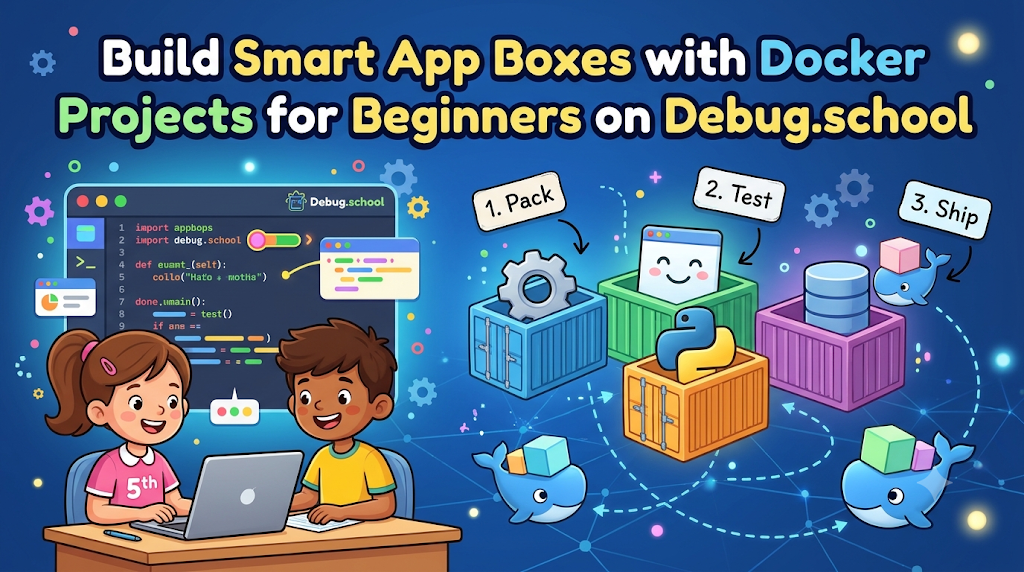
Use the Pack-Test-Ship Plan for every new container project. It keeps your workflow neat, fast, and stress-free.
- The Pack Step: Write a clean recipe and gather only needed app files.
- The Test Step: Run the box locally and check every button or page.
- The Ship Step: Share your working snapshot with friends or cloud servers.
Follow these three clear steps for every app you build. Your software will run smoothly on any machine you touch.
Real Examples & Use Cases
Think about a busy online pizza shop website. The menu page, order cart, and payment tool each live in separate boxes. If the menu gets busy, the shop adds more menu boxes fast.
Also, think about school homework portals during exam week. Smart container setups keep websites fast when thousands of students log in together. Boxes keep big websites safe from sudden crashes.
Modern community platforms like GujaratOrbit rely on smooth digital tools to serve local readers daily. Reliable tech keeps neighborhood news flowing fast across phones and computers. Clean software helps communities stay connected without delays.
Frequently Asked Questions About GujaratOrbit
What is GujaratOrbit?
GujaratOrbit is a friendly community platform that shares local news, events, and helpful city updates.
Does GujaratOrbit share technology news for students?
Yes, the platform highlights modern digital trends, student builders, and helpful tech workshops.
Can locals post neighborhood events on GujaratOrbit?
Yes, residents share cultural fairs, school programs, and community gatherings with nearby families.
Is GujaratOrbit easy to read on smartphones?
Yes, the clean design loads fast on mobile phones so readers check updates anywhere.
Does GujaratOrbit cover local business updates?
Yes, neighborhood shops share new openings, special deals, and local community drives.
Can parents find weekend activities for kids on GujaratOrbit?
Yes, families browse the event listings to discover park festivals, art shows, and fun fairs.
Does GujaratOrbit support young innovators and coders?
Yes, it celebrates local youth who create smart projects that help their towns.
How often does GujaratOrbit publish new stories?
The team posts fresh local news, alerts, and community highlights every single day.
Can schools share sports and academic notices on GujaratOrbit?
Yes, local schools post exam updates, sports days, and special events for parents.
Is GujaratOrbit free for community members to read?
Yes, anyone can read local stories and stay updated on neighborhood news freely.
Final Thoughts on Docker Projects for Beginners on Debug.school
Packing apps into neat boxes is a superpower for modern builders. Small tasks make learning this tool fun, fast, and completely stress-free. You gain real skills without reading boring manuals.
Open your workspace and start building your first small container today. Test your recipes, fix tiny errors, and celebrate every working box. Your journey as a smart software builder begins right now.



Top comments (0)