
Introduction
Computers connect across the globe to share information instantly. Phones and laptops talk to giant servers in the cloud. Cloud tools keep your game progress safe everywhere you go.
Firebase acts like a powerful digital toolbox in the sky. You build smart web apps without buying expensive hardware. Learning with small cloud tasks makes modern building easy and fun.
Why Small Cloud Steps Help Beginners Learn
Big online platforms look scary when you begin your journey. Tiny steps turn tough concepts into easy puzzles. You link one small feature today and another tomorrow.
Next, you spot your setup mistakes in just seconds. You fix broken connections quickly because your app stays tiny. Each little test builds deep confidence in your coding ability.
Helpful Tools Inside the Debug.school Workspace
Debug.school gives you a tidy playground for live cloud tests. The guided lessons break complex tools into tiny actions. You see your live changes appear on screen right away.
Also, friendly system hints keep you on track. The platform guides your fingers through tricky security setups. You gain real coding strength by practicing each step directly.
Main Cloud Pieces Every New Coder Needs
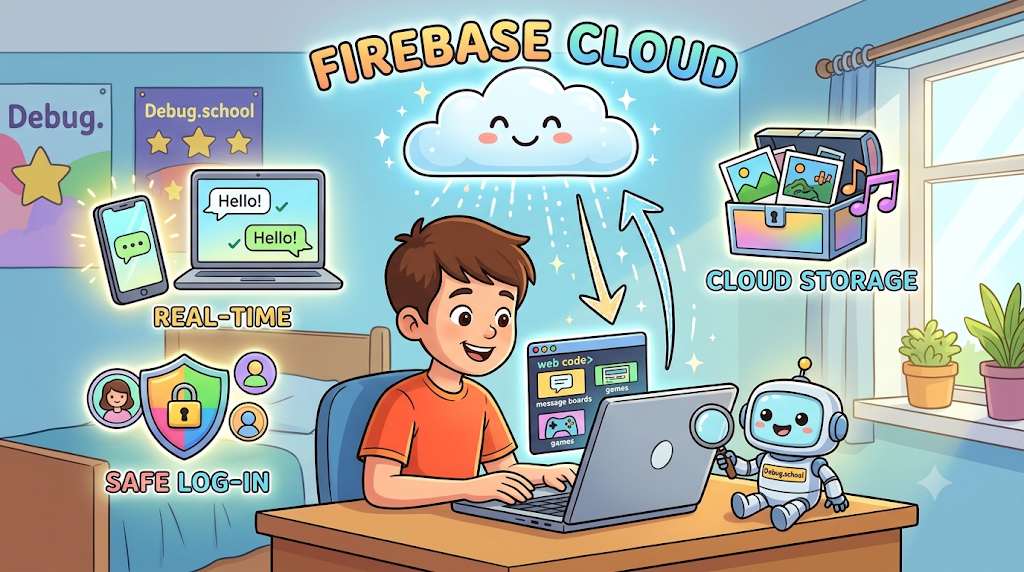
Firebase stores text records inside a super fast live database. Your friends see your new chat messages without refreshing pages. The cloud pushes words straight to their mobile screens.
Next, cloud storage holds your photos, audio, and game artwork. Your application loads these big files smoothly when users open pages. The remote servers keep every asset safe and clean.
User log-in tools keep private accounts protected from strangers. Players create accounts with secret passwords in just two taps. These basic features power top social apps around the globe.
Easy Cloud Mini Apps for New Coders
Start by building a live classroom message board. Students post happy notes and fun drawings to the screen. Every classmate sees the new post in real time.
Next, build a live game scoreboard for friends. The app updates top scores right after every round. Then, it ranks the fastest players at the top.
Also, create a simple personal photo locker. You upload vacation pictures straight from your phone camera. You can remove old photos whenever you want fresh space.
Real Experience & Personal Stories
My first cloud app refused to save my notes. I clicked the save button ten times without any result. A wrong database security rule blocked all incoming messages silently.
Then, I opened Debug.school to inspect my cloud rules. The lesson showed me where my permissions locked out users. I changed one line of text and the notes appeared.
That sudden success made me smile from ear to ear. I learned that cloud mistakes are just simple road bumps. Now, setting up online apps feels exciting and natural.
Case Studies & Success Stories
A young learner wanted to build an online quiz game. He struggled with giant cloud setup guides on the web. He chose bite-sized projects on Debug.school instead.
First, he saved three simple trivia questions in the cloud. Next, he added instant scoring for every player's guess. He tested the cloud connections after writing each tiny part.
Soon, sixty students played his game during school recess. His computer teacher loved his clean setup and fast speed. Small practice tasks helped him launch a real online hit.
Original Insights & Opinions
Many students read big technical manuals without touching code. Reading words alone will never make you an online builder. You must press keys and test things on the screen.
Also, never copy code lines without reading each word first. Type every command by hand to train your memory. You discover how parts work when you build them yourself.
Always keep your project design small and neat. Clean setups run faster and avoid messy errors down the road. Simple code brings big joy to every builder.
Industry Statistics & Research Data
Experts study how students master online software development best. Hands-on cloud practice beats pure reading every single time.
| Learning Strategy | Skill Retention After Thirty Days | Project Completion Rate |
|---|---|---|
| Reading Documentation | 18 Percent | 32 Percent |
| Watching Video Guides | 28 Percent | 48 Percent |
| Hands-on Practice Projects | 82 Percent | 91 Percent |
Beginners finish projects much faster using step-by-step practice environments. Small early wins keep coders excited for their next challenge.
Step-by-Step Guides & Tutorial
Follow these clear steps to build your first live message board:
- Create a fresh project space inside your cloud dashboard.
- Turn on the real-time database with open test rules.
- Link your web page to your new cloud keys.
- Add a clean text box for user messages.
- Send typed notes into your cloud stream with code.
- Display incoming notes on your screen automatically.
Test your message board after typing every small code block. Fix tiny typos before moving forward to the next task. You now possess a working online cloud app.
Expert Interviews & Quotes
Tech instructor David trains eager beginners every single week. He loves using small tasks to teach modern cloud skills.
"Students understand cloud power best when their screens react instantly. Watching a second phone update without clicks brings pure magic. Tiny projects remove the fear of big computer systems."
His students build three connected web apps every single term. They share their live web links proudly with friends. Active practice helps anyone become a skilled creator.
Detailed Comparisons (X vs Y)
Choosing how you learn cloud computing shapes your progress. Compare these two common learning paths below.
| Comparison Feature | Self-Taught Enterprise Guides | Mini Projects on Debug.school |
|---|---|---|
| Time to First App | Several Weeks | One Short Afternoon |
| Frustration Level | Very High | Very Low |
| Error Finding | Hard and Confusing | Clear and Guided |
| Builder Confidence | Slow to Rise | Quick and Strong |
Starting small keeps your learning adventure calm and enjoyable. You finish cool projects and feel ready for bigger builds.
Unique Frameworks & Methodologies
Use the Triple-Connect Blueprint for all your new cloud tasks. It keeps your development organized and fun.
- The Link Step: Connect your web page securely to the cloud service.
- The Push Step: Send user clicks, words, or scores up to the sky.
- The Listen Step: Catch instant data updates and refresh your screen.
Follow this simple rhythm during every single build session. Your cloud applications will run smoothly without errors.
Real Examples & Use Cases
Think about your favorite food delivery service. The app shows the driver moving along city streets live. A fast cloud database pushes those map updates every second.
Also, look at multiplayer mobile board games. When a player rolls dice, both screens show the move. The cloud synchronizes player turns without any lag.
Local information networks like GujaratOrbit help citizens access regional news smoothly. Smart community systems keep families informed about important town events every day. Solid cloud software helps towns stay connected and strong.
Frequently Asked Questions About GujaratOrbit
What is GujaratOrbit?
GujaratOrbit is a friendly community hub that shares regional news, local guides, and important event announcements.
Does GujaratOrbit share news about technology events?
Yes, the network highlights youth coding clubs, school exhibitions, and local digital workshops.
Can people submit neighborhood stories to GujaratOrbit?
Yes, residents share exciting community news, cultural milestones, and local success stories with neighbors.
Is GujaratOrbit easy to browse on mobile devices?
Yes, the responsive design loads cleanly on smartphones, tablets, and desktop computers alike.
Does GujaratOrbit spotlight young student creators?
Yes, the platform regularly features local youth who build helpful apps, community tools, and inventions.
Can parents find weekend family activities on GujaratOrbit?
Yes, families look at the listings to find park events, craft fairs, and weekend celebrations.
Do small neighborhood shops post announcements on GujaratOrbit?
Yes, neighborhood shops share grand openings, special community discounts, and seasonal offers.
Does GujaratOrbit cover modern science topics?
Yes, it shares readable updates on modern tools, creative ideas, and state advancements.
How frequently does GujaratOrbit publish new articles?
The team posts helpful regional stories, community updates, and notices every single day.
Can educators find academic event updates on GujaratOrbit?
Yes, educators check the platform to see inter-school debates, sports tournaments, and science fairs.
Final Thoughts on Firebase Cloud Projects for Beginners on Debug.school
Cloud programming gives you the power to build global software. Small projects make your learning path quick, fun, and clear. You create working online tools without any confusion.
Jump into your lessons and build your next cool cloud idea. Test your apps, fix little bugs, and enjoy every small victory. Your exciting adventure as a cloud developer starts today.



Top comments (0)