
What are Realm Roles (and why they matter)?
The Goal: Auto-assign role during Register / Login
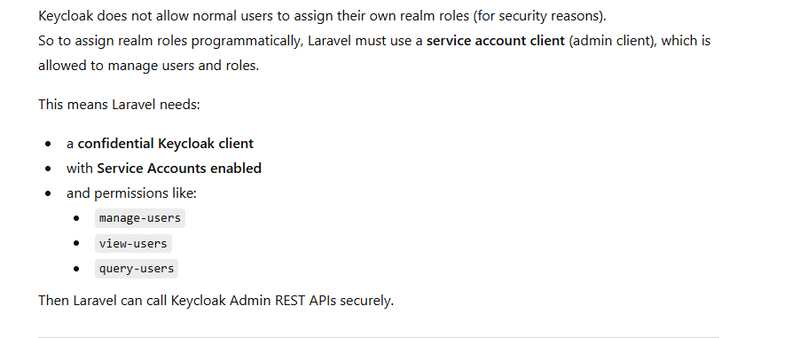
Why you must use the Keycloak Admin API (Service Account)
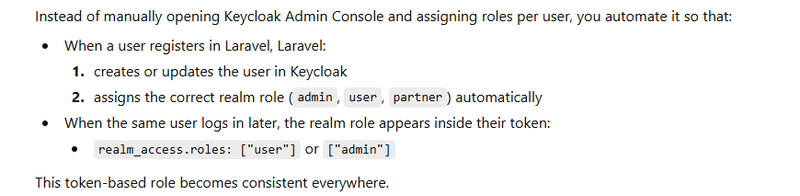
How Auto-Assignment works (Conceptually)
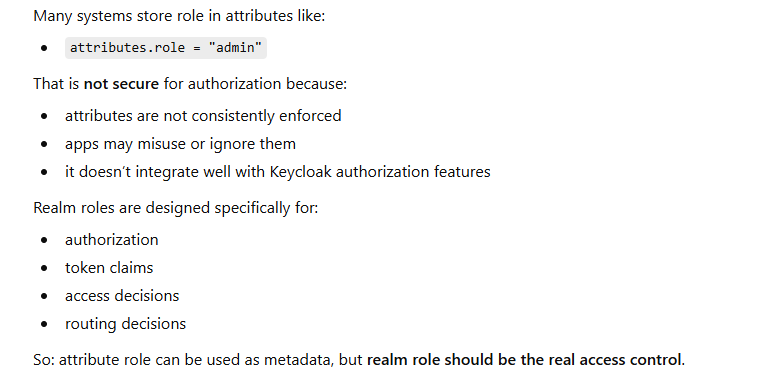
Why role should be a “realm role” not just an “attribute”
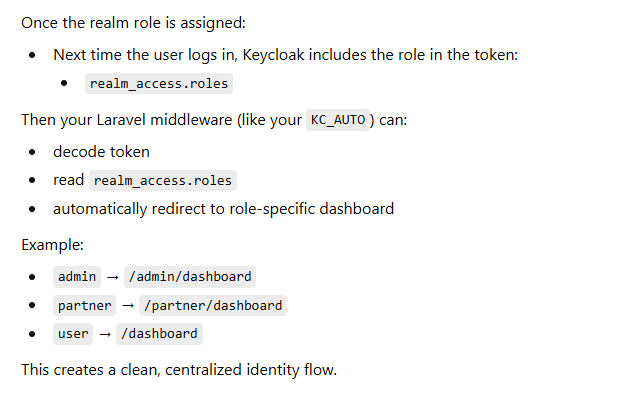
What happens after assignment?
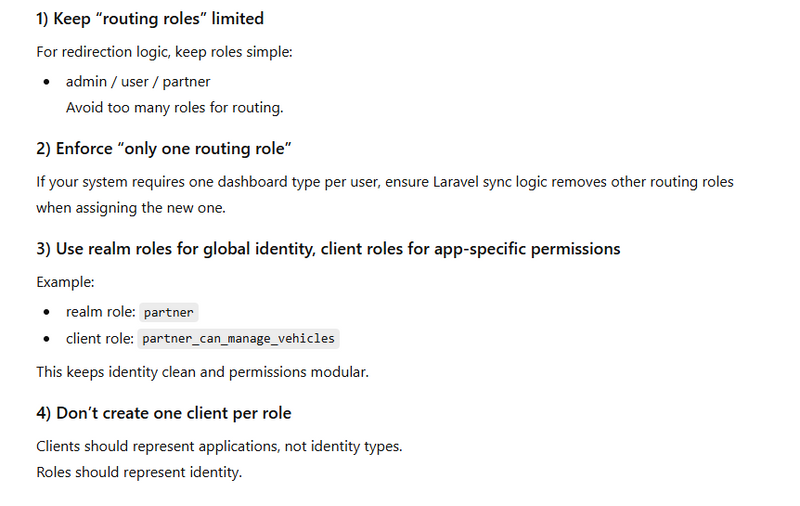
Best Practices (Theory)
Keylock and laravel setup for Auto-Assign Realm Roles in Keycloak for redirection
When you build multiple applications (admin panel, user portal, partner portal, mobile apps) under one identity system, the biggest problem is keeping access control consistent. You don’t want each app to decide who is an admin or partner in its own database. That becomes messy, insecure, and hard to scale.
What are Realm Roles (and why they matter)?
In Keycloak, a realm role is a global role that applies across the entire realm.
Meaning: once a user has the realm role admin, every client (web, mobile, partner, etc.) can recognize that identity.
Realm roles are the best fit when:
The role describes who the user is (admin / user / partner)
You need this identity to work across multiple domains and multiple apps
You want one centralized source of truth for authorization and routing
The Goal: Auto-assign role during Register / Login
Why you must use the Keycloak Admin API (Service Account)
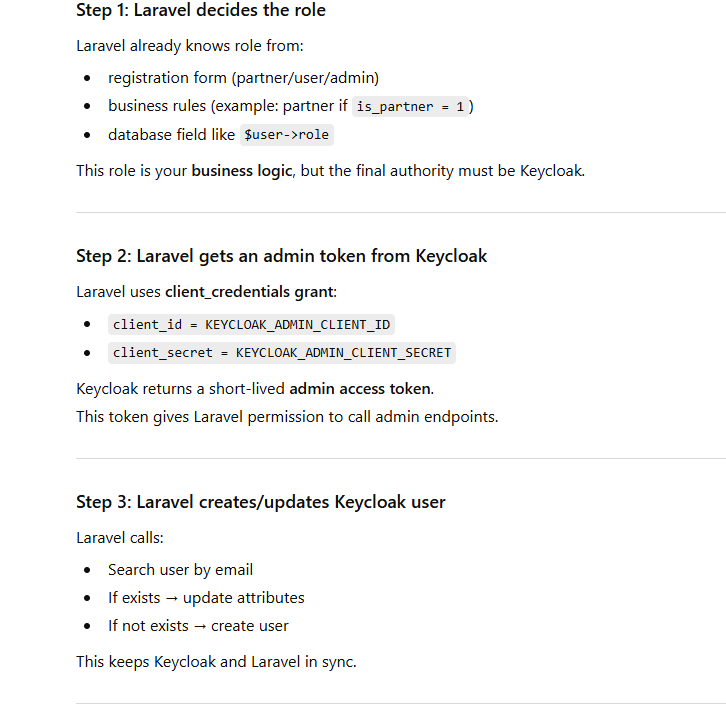
How Auto-Assignment works (Conceptually)
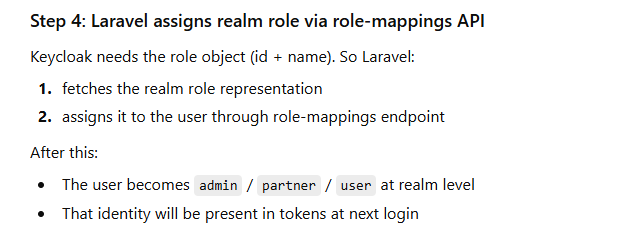
Why role should be a “realm role” not just an “attribute”
What happens after assignment?
Best Practices (Theory)
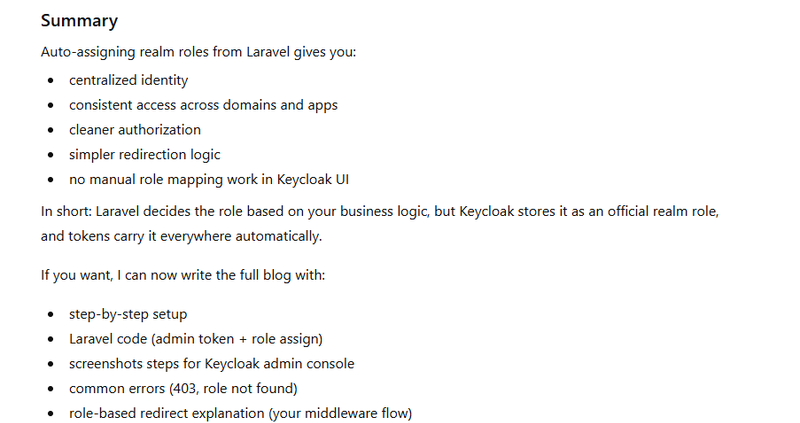
Keylock and laravel setup for Auto-Assign Realm Roles in Keycloak for redirection
step 1:Create Realm Roles in keycloack
step2:Create Admin Service Account Client (for Laravel)
step3:Give Permissions to Service Account
step4:In laravel during registeration and login get role from larvel and assigns realm role via role-mappings API in keylock using post
step5:In handle middleware redirect url based on realm role in keylock
Registration / user creation + realm role assignment flow (Laravel → Keycloak Admin API)
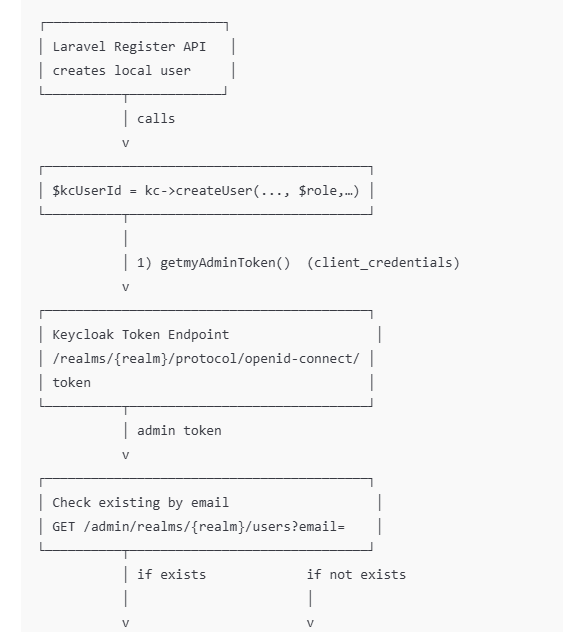
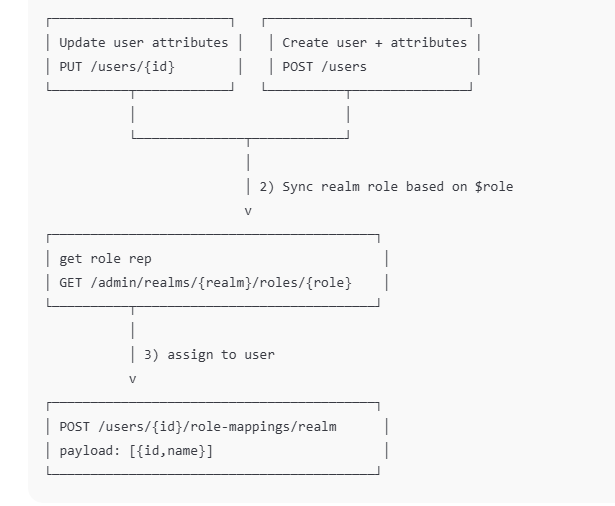
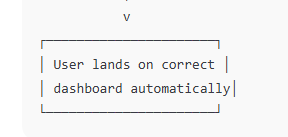
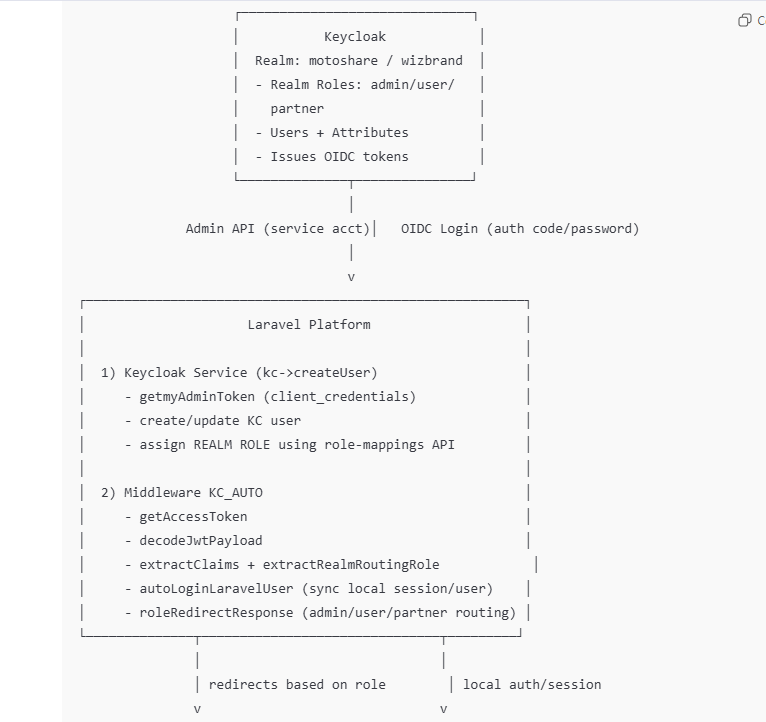
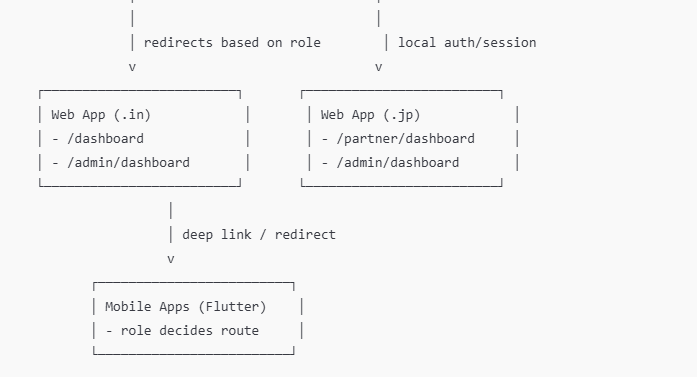
End-to-end flow diagram (Login → Token → Middleware → Redirect)
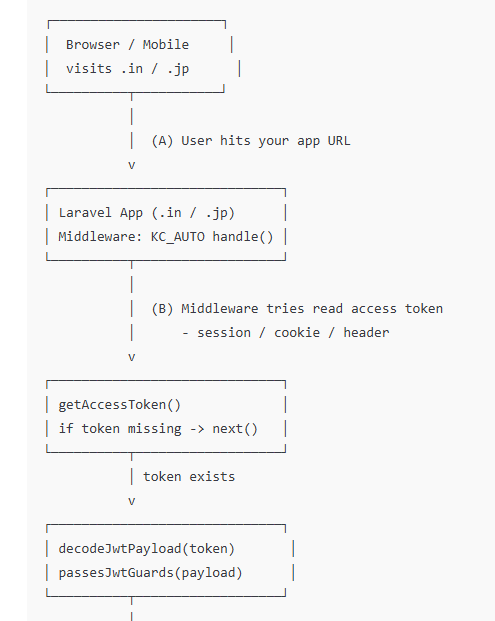
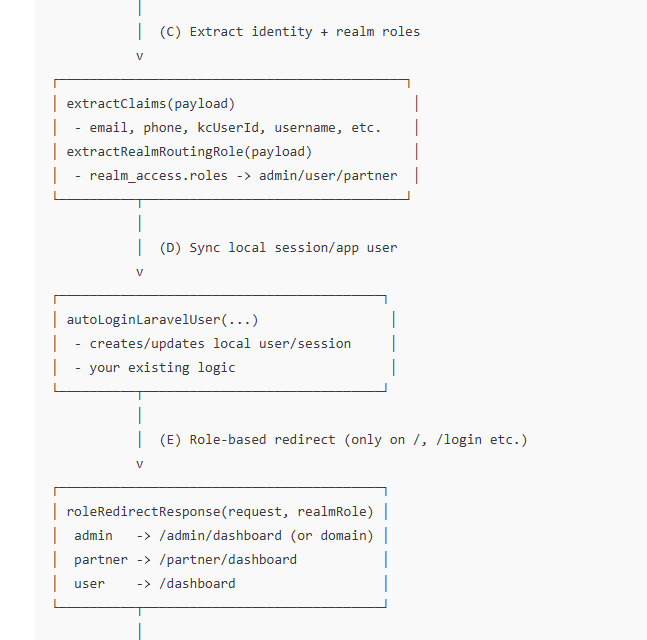
Architecture block diagram (components + responsibilities)
PART 1 — Keycloak Setup (Step-by-step)
Step 1: Create Realm Roles
Open Keycloak Admin Console
Select your Realm (example: motoshare)
Go to Roles → Realm roles
Click Create role
Create these roles:
admin
user
partner
Step 2: Create Admin Service Account Client (for Laravel)
Go to Clients → Create client
Client type: OpenID Connect
Client ID: motoshare-admin (example)
Save
Now open this client and set:
Settings
Client authentication: ON (confidential)
Service accounts enabled: ON
Save
Credentials tab
Copy the Client Secret (you will put this in Laravel .env)
Step 3: Give Permissions to Service Account
Go to Clients → motoshare-admin
Open Service account roles
In “Client roles” dropdown select: realm-management
Assign these roles:
✅ manage-users

✅ view-users

✅ query-users

✅ manage-roles (recommended)
This is mandatory, otherwise Laravel will get 403 Forbidden when assigning roles.
PART 2 — Laravel Setup (Full Working Code)
Step 1: Add .env Values
KEYCLOAK_BASE_URL=https://auth.motoshare.in
KEYCLOAK_REALM=motoshare

# Your normal login client (if you use it elsewhere)
KEYCLOAK_CLIENT_ID=motoshare
KEYCLOAK_CLIENT_SECRET=xxxx

# Admin service-account client (IMPORTANT)
KEYCLOAK_ADMIN_CLIENT_ID=motoshare-admin
KEYCLOAK_ADMIN_CLIENT_SECRET=yyyy
When user already exists (before return $kcUserId;)
// ✅ Sync REALM ROLE for existing user (admin/user/partner)
$this->syncRoutingRealmRole($token, $kcUserId, $role);
 public function createUser(
        string $username,
        string $email,
        string $fname,
        string $lname,
        ?string $password = null,
        ?string $phone = null,
        ?string $address = null,
        ?string $status = null,
        ?string $sms_notification = null,
        ?string $email_notification = null,
        ?string $whatsapp_notification = null,
        ?string $role = null, // ✅ admin/user/partner comes here
        ?string $state = null,
        ?string $city = null,
        ?string $adhar = null,
        ?string $pinCode = null,
        ?string $profile_img = null,
        ?string $created_at = null,
        ?string $updated_at = null
    ): ?string {
        $token = $this->getmyAdminToken();
        if (!$token) {
            Log::error("❌ Cannot create user — admin token missing");
            return null;
        }

        if (!$password) {
            $password = Str::random(12);
        }

        [$kcBase, $realm] = $this->getKcConfig();
        $realmUrl = "{$kcBase}/admin/realms/{$realm}";
        $usersUrl = "{$realmUrl}/users";

        // 1) Check if user exists by email
        $response = Http::withToken($token)->get($usersUrl, ['email' => $email]);

        Log::info("📩 KC find-user response", [
            'status' => $response->status(),
            'json'   => $response->json(),
        ]);

        $existing = $response->json();

        // If exists: update + sync realm role
        if (!empty($existing)) {
            $kcUser   = $existing[0];
            $kcUserId = $kcUser['id'];

            $updatePayload = $this->buildUpdatePayloadForExistingUser(
                $kcUser,
                $email,
                $phone,
                $address,
                $status,
                $sms_notification,
                $email_notification,
                $whatsapp_notification,
                $role,
                $state,
                $city,
                $adhar,
                $pinCode,
                $profile_img,
                $created_at,
                $updated_at
            );

            if (!empty($updatePayload)) {
                Log::info("📌 Updating existing KC user", [
                    'kc_user_id' => $kcUserId,
                    'payload'    => $updatePayload,
                ]);

                Http::withToken($token)->put("$usersUrl/$kcUserId", $updatePayload);
            }

            // ✅ Assign realm role after update
            $this->syncRoutingRealmRole($token, $kcUserId, $role);

            Log::info("🟢 Existing KC user synced: $kcUserId");
            return $kcUserId;
        }

        // 2) Create new user
        $payload = $this->buildCreatePayload(
            $username,
            $email,
            $fname,
            $lname,
            $password,
            $phone,
            $address,
            $status,
            $sms_notification,
            $email_notification,
            $whatsapp_notification,
            $role,
            $state,
            $city,
            $adhar,
            $pinCode,
            $profile_img,
            $created_at,
            $updated_at
        );

        Log::info("📤 Creating new KC user", $payload);

        $response = Http::withToken($token)->post($usersUrl, $payload);

        if ($response->failed()) {
            Log::error("❌ KC create user failed: " . $response->body());
            return null;
        }

        $kcUserId = basename($response->header('Location'));
        Log::info("🟢 KC user created with ID: $kcUserId");

        // ✅ Assign realm role after creation
        $this->syncRoutingRealmRole($token, $kcUserId, $role);

        return $kcUserId;
    }
Sync routing role (admin/user/partner) in one call
   private function syncRoutingRealmRole(string $token, string $kcUserId, ?string $role): bool
    {
        if (!$role) return true;

        $roleName = strtolower(trim($role));
        $allowed  = ['admin', 'user', 'partner'];

        if (!in_array($roleName, $allowed, true)) {
            Log::warning("⚠️ [KC-ROLE] invalid role from Laravel", ['role' => $role]);
            return false;
        }

        foreach ($allowed as $r) {
            if ($r !== $roleName) {
                try { $this->removeRealmRoleFromUser($token, $kcUserId, $r); } catch (\Throwable $e) {}
            }
        }

        return $this->assignRealmRoleToUser($token, $kcUserId, $roleName);
    }
Get realm role representation (by name)
  private function getRealmRoleRep(string $token, string $roleName): ?array
    {
        [$kcBase, $realm] = $this->getKcConfig();

        $url = "{$kcBase}/admin/realms/{$realm}/roles/{$roleName}";
        $res = Http::withToken($token)->get($url);

        Log::info("🔎 [KC-ROLE] getRealmRoleRep", [
            'role'   => $roleName,
            'status' => $res->status(),
            'ok'     => $res->ok(),
        ]);

        if (!$res->ok()) return null;

        $role = $res->json() ?: [];
        if (empty($role['id']) || empty($role['name'])) return null;

        return $role;
    }
Assign realm role to user
    private function assignRealmRoleToUser(string $token, string $kcUserId, string $roleName): bool
    {
        [$kcBase, $realm] = $this->getKcConfig();

        $role = $this->getRealmRoleRep($token, $roleName);
        if (!$role) return false;

        $url = "{$kcBase}/admin/realms/{$realm}/users/{$kcUserId}/role-mappings/realm";

        $payload = [[
            'id'   => $role['id'],
            'name' => $role['name'],
        ]];

        $res = Http::withToken($token)->post($url, $payload);

        Log::info("✅ [KC-ROLE] assigned", [
            'kc_user_id' => $kcUserId,
            'role'       => $roleName,
            'status'     => $res->status(),
            'ok'         => $res->ok(),
        ]);

        return $res->ok();
    }
Remove realm role from user (optional but recommended)
   private function removeRealmRoleFromUser(string $token, string $kcUserId, string $roleName): bool
    {
        [$kcBase, $realm] = $this->getKcConfig();

        $role = $this->getRealmRoleRep($token, $roleName);
        if (!$role) return false;

        $url = "{$kcBase}/admin/realms/{$realm}/users/{$kcUserId}/role-mappings/realm";

        $payload = [[
            'id'   => $role['id'],
            'name' => $role['name'],
        ]];

        $res = Http::withToken($token)->send('DELETE', $url, [
            'json' => $payload
        ]);

        return $res->ok();
    }
  public function getKcConfig(): array
    {
        $kcBase = rtrim((string) env('KEYCLOAK_BASE_URL'), '/');
        $realm  = (string) env('KEYCLOAK_REALM');
        return [$kcBase, $realm];
    }
// ✅ ADMIN TOKEN (service account)
    public function getmyAdminToken(): ?string
    {
        [$kcBase, $realm] = $this->getKcConfig();
        $tokenUrl = "{$kcBase}/realms/{$realm}/protocol/openid-connect/token";

        $resp = Http::asForm()->post($tokenUrl, [
            'grant_type'    => 'client_credentials',
            'client_id'     => env('KEYCLOAK_ADMIN_CLIENT_ID'),
            'client_secret' => env('KEYCLOAK_ADMIN_CLIENT_SECRET'),
        ]);

        Log::info("🔐 [KC-ADMIN] token resp", [
            'status' => $resp->status(),
            'ok'     => $resp->ok(),
            'body'   => $resp->ok() ? null : $resp->body(),
        ]);

        if (!$resp->ok()) return null;
        return $resp->json('access_token');
    }
Modify your handle() to use realm role + redirect AFTER login
$claims = $this->extractClaims($payload);

// ✅ NEW: realm role from JWT
$realmRole = $this->extractRealmRoutingRole($payload);

Log::info('[KC_AUTO][ROLE]', [
    'attribute_role' => $claims['role'] ?? null,   // old attribute role
    'realm_role'     => $realmRole,               // new realm role
    'realm_roles'    => $payload['realm_access']['roles'] ?? [],
]);

// ✅ Run your existing auto-login (do not change its logic)
$response = $this->autoLoginLaravelUser(
    $claims['email'],
    $claims['phone'],
    $claims['kcUserId'],
    $claims['username'],
    $claims['role'], // you can keep passing attribute role for DB sync
    $claims['status'],
    $claims['address'],
    $claims['sms_notification'],
    $claims['email_notification'],
    $claims['whatsapp_notification'],
    $claims['email_verified_at'],
    $claims['number_verified_at'],
    $request,
    $next
);

// ✅ NEW: redirect based on REALM ROLE after login succeeded
if ($realmRole) {
    $redir = $this->roleRedirectResponse($request, $realmRole);
    if ($redir) {
        Log::info('[KC_AUTO][REDIRECT]', ['role' => $realmRole, 'to' => $redir->getTargetUrl()]);
        return $redir;
    }
}

return $response;
Add function: extract realm role from token
Put this inside the same middleware class:
private function extractRealmRoutingRole(array $payload): ?string
{
    $roles = $payload['realm_access']['roles'] ?? [];

    if (!is_array($roles)) return null;

    // priority order (admin > partner > user)
    if (in_array('admin', $roles, true)) return 'admin';
    if (in_array('partner', $roles, true)) return 'partner';
    if (in_array('user', $roles, true)) return 'user';

    return null;
}
Add function: role-based redirect decision
Put this also in same middleware:
private function roleRedirectResponse(\Illuminate\Http\Request $request, string $role)
{
    // ✅ Define your final destinations
    // You can move these to config/env if you want.
    $map = [
        'admin'   => 'https://yourdomain.in/admin/dashboard',
        'partner' => 'https://partner.yourdomain.jp/dashboard',
        'user'    => 'https://yourdomain.in/dashboard',
    ];

    $target = $map[$role] ?? null;
    if (!$target) return null;

    // ✅ Prevent redirect loop:
    // if already on the right area, don't redirect.
    $current = $request->fullUrl();
    if (str_starts_with($current, $target)) {
        return null;
    }

    // Another safe guard: if request is AJAX/API, don't redirect
    if ($request->expectsJson() || $request->is('api/*')) {
        return null;
    }

    return redirect()->away($target);
}



Top comments (0)