
What is a Realm Role in Keycloak?
Real-life Analogy
Examples of Realm Roles
Identify User Type Globally
Central Authorization Logic
Single Source of Truth
Works Perfectly with SSO
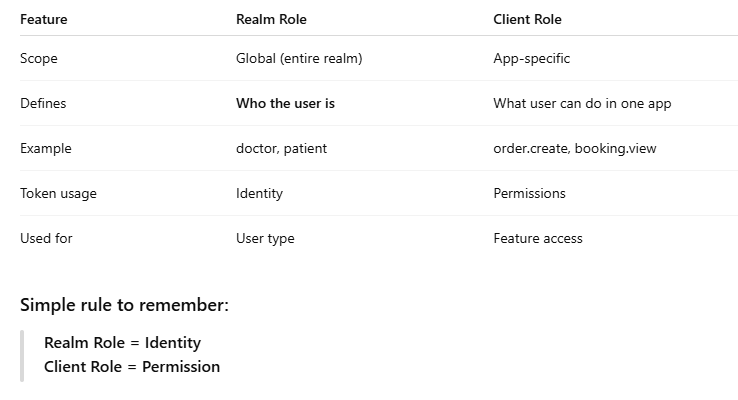
Realm Role vs Client Role (Very Important)
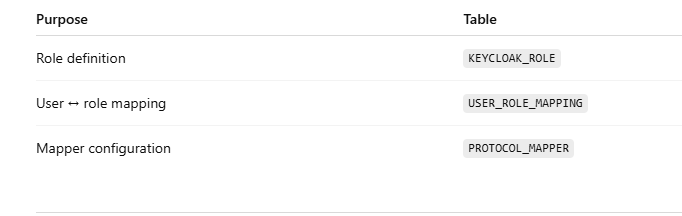
Where Realm Roles Are Stored (Internally)
How Realm Roles Appear in Token
Real Use Case (Your System)
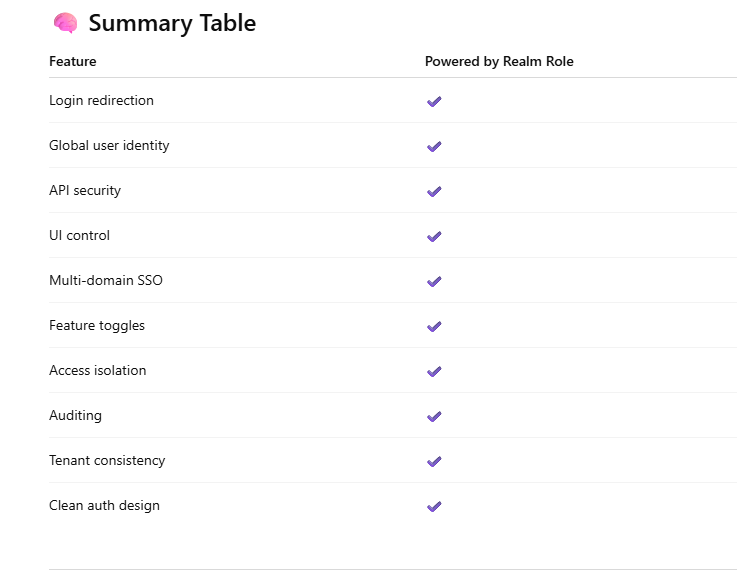
Powerful Features You Can Build Using Realm Roles in Keycloak
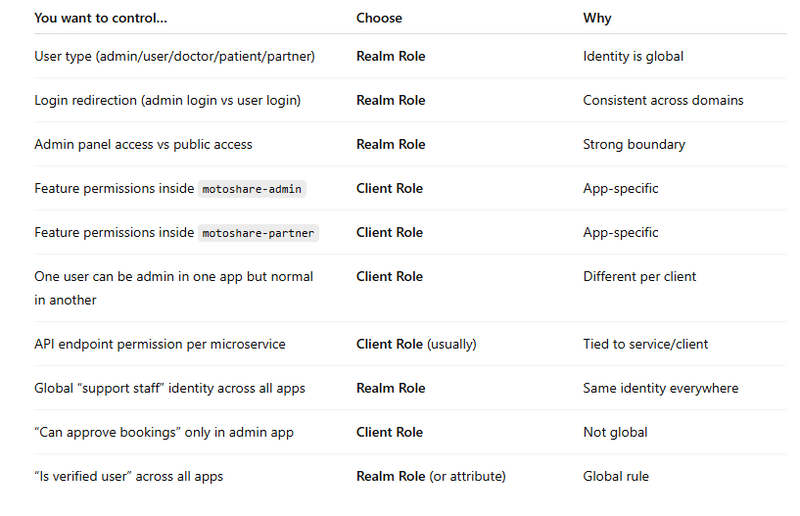
Realm Role vs Client Role Decision Chart
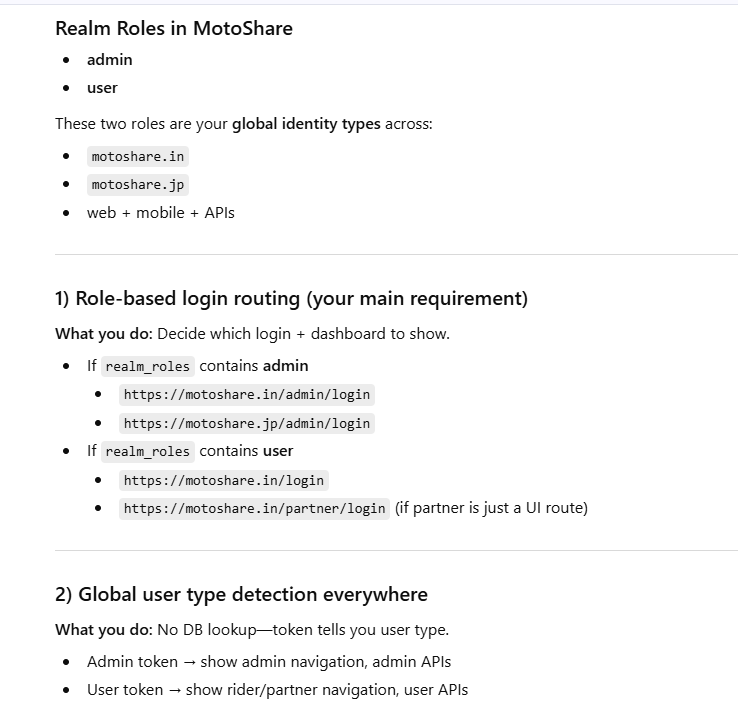
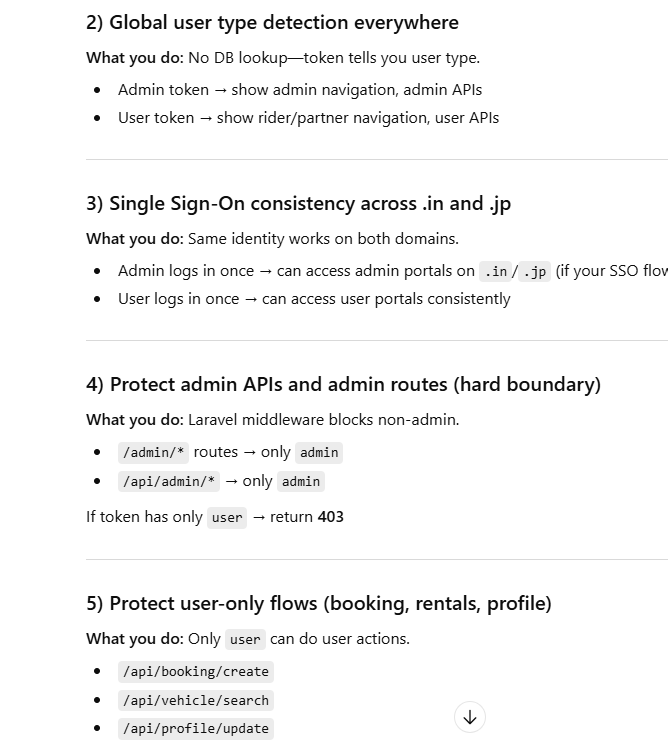
MotoShare: Realm Roles Feature Mapping (Admin vs User)
One-Line Summary (Perfect for Blog)
What is a Realm Role in Keycloak?
A Realm Role is a global role in Keycloak that defines who the user is, not what app they are using.
Think of it as the identity type of the user across the entire system.
In simple words
Realm Role = User Type (at identity level)
Real-life Analogy
Imagine a company building has many applications:
HR App

Hospital App

Booking App

Admin Dashboard
Now ask:
“Is this person a doctor or a patient?”
This answer does not depend on the app.
It depends on who the person is.
That is exactly what a Realm Role represents.
Examples of Realm Roles
Typical realm roles look like this:
doctor

patient

partner

admin

super_admin

support
These roles apply across all clients in the realm.
Purpose of Realm Roles (Why They Exist)
Identify User Type Globally
Realm roles tell the system:
Is this user a doctor?

Is this user a patient?

Is this user a partner?
This identity stays same everywhere.
Central Authorization Logic
Instead of checking user type in every app:
if ($user->type === 'doctor') { ... }
You check the token:
"realm_roles": ["doctor"]
Now every microservice trusts the same identity source.
Single Source of Truth
Realm roles are stored once in Keycloak and reused everywhere:
Laravel backend
Flutter mobile apps
Admin panel
APIs
Reporting services
No duplication, no mismatch.
Works Perfectly with SSO
When user logs in once:
Role is assigned once
Token contains role
All apps understand the user the same way
This is true Single Sign-On.
Realm Role vs Client Role (Very Important)
Where Realm Roles Are Stored (Internally)
How Realm Roles Appear in Token
With User Realm Role Mapper, token will contain:
{
  "realm_roles": ["doctor"]
}
Now any backend can instantly know:
“This is a doctor user”
Real Use Case (Your System)
Example: MotoShare / MyHospitalNow
Doctor logs in from mobile app
Patient logs in from web app
Admin logs in from admin panel
All apps read the same realm role:
"realm_roles": ["doctor"]
Now logic becomes clean:
if (in_array('doctor', $token['realm_roles'])) {
    // show doctor dashboard
}
Powerful Features You Can Build Using Realm Roles in Keycloak
Realm Roles define who the user is globally.
Because of that, they unlock many identity-level features across all apps and domains.
1️⃣ Role-Based Login Redirection
(Admin vs User vs Partner)
Redirect users to different login or dashboard URLs based on role.
Example:
admin → /admin/login

user → /login

partner → /partner/login
✔ Central logic
✔ Works across .in, .jp, mobile apps
2️⃣ Global Identity Classification
(User Type Detection)
Instantly identify user type in every app:
doctor

patient

admin

support
No database lookup needed — just read the token.
3️⃣ Cross-Application Authorization
(SSO with consistent identity)
One role assignment applies to:
Web apps

Mobile apps

APIs
Admin dashboards
User logs in once → identity recognized everywhere.
4️⃣ Secure API Access Control
(Middleware / Gateway Protection)
Block or allow API access globally:
Only admin can call admin APIs
Only user can create bookings
Used in:
Laravel middleware

API Gateway

Microservices
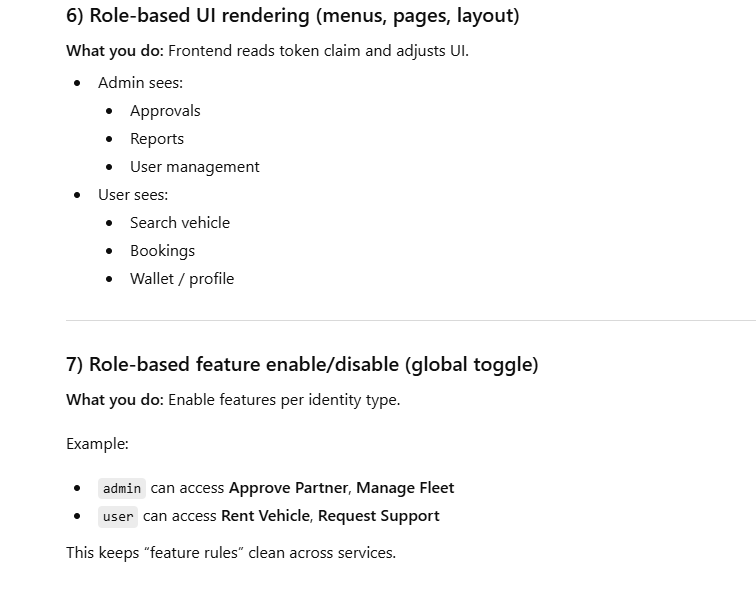
5️⃣ UI / UX Personalization
(Role-Based UI Rendering)
Show different UI based on role:
Admin menus

User dashboards

Partner tools
No extra backend calls required.
6️⃣ Feature Enable / Disable Globally
Turn features ON or OFF for entire role groups.
Example:
user → can book vehicle

partner → can add vehicle

admin → can approve
Clean and scalable.
7️⃣ Security Boundaries Between Roles
Prevent privilege escalation:
User cannot access admin routes
Admin-only pages fully protected
Realm roles act as hard security boundaries.
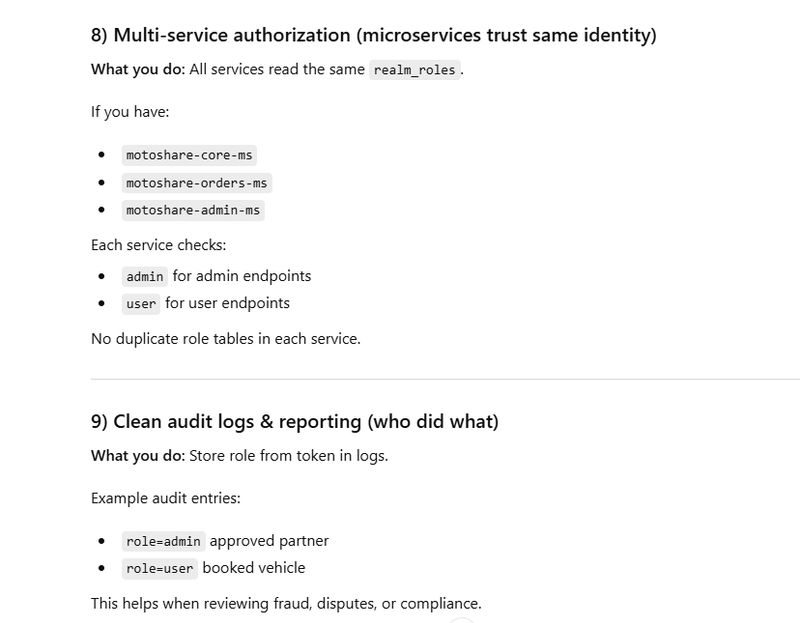
8️⃣ Multi-Domain & Multi-Tenant Identity
Same role works across:
motoshare.in

motoshare.jp

Admin panels

Mobile apps
No duplication of role logic per domain.
9️⃣ Auditing & Compliance Control
Track who did what based on role:
Admin actions

User bookings

Partner changes
Helps in:
Audit logs

Compliance

Security reviews
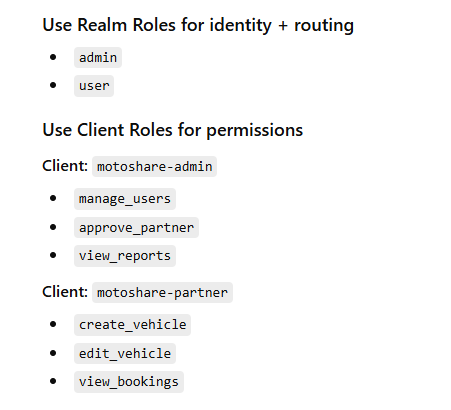
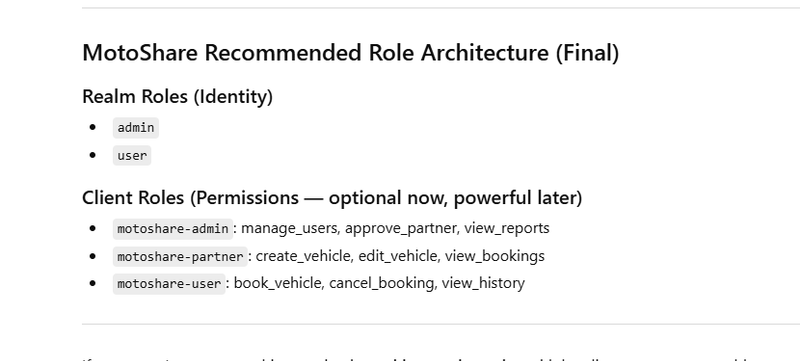
🔟 Clean Separation of Identity vs Permission
Realm Roles handle:
Identity (WHO the user is)
Client Roles handle:
Permissions (WHAT the user can do)
This separation keeps architecture:
✔ clean
✔ scalable
✔ future-proof
Realm Role vs Client Role Decision Chart
Quick Meaning
Realm Role = WHO the user is (global identity)

Client Role = WHAT the user can do (app-specific permission)
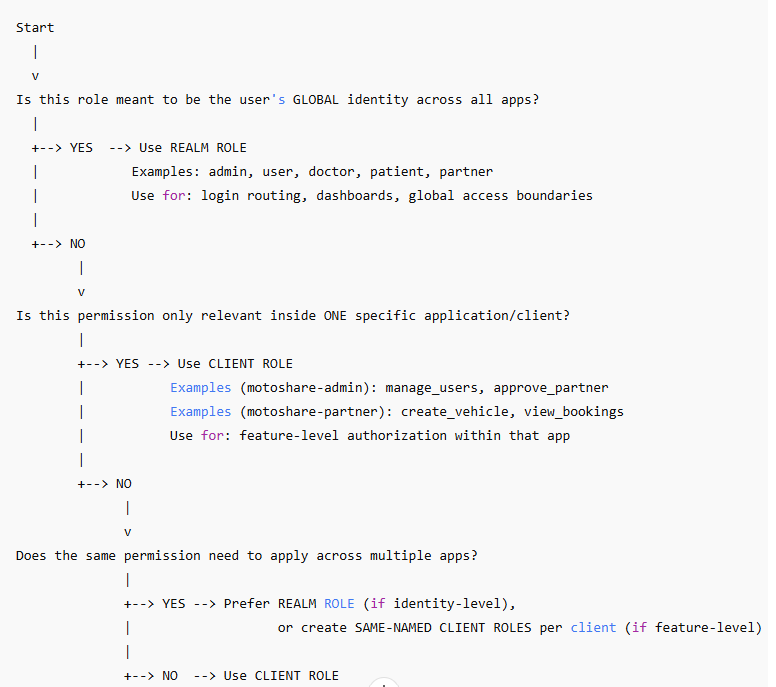
Which one should I choose?” Table (Fastest)
MotoShare Example (Best Practice)
MotoShare: Realm Roles Feature Mapping (Admin vs User)
One-Line Summary (Perfect for Blog)
Realm Roles define the global identity of a user in Keycloak — such as doctor, patient, or partner — and remain consistent across all applications in the realm.
Realm Roles in Keycloak enable global identity-based control, allowing applications to securely manage user types, access, and behavior across all systems from a single source of truth.



Top comments (0)