
What Is a Refresh Token?
Why Do We Need a Refresh Token?
What Is the Role of the Refresh Token?
Why Enable Refresh Token Exchange Specifically?
Relationship Between Refresh Token and User Session in Keycloak
Why “Service Accounts Enabled” Is a MUST in Keycloak Setup
Why Token Exchange Requires a Service Account
Service Account = Required for Refresh Token Exchange
How to Check If Service Accounts Are Enabled
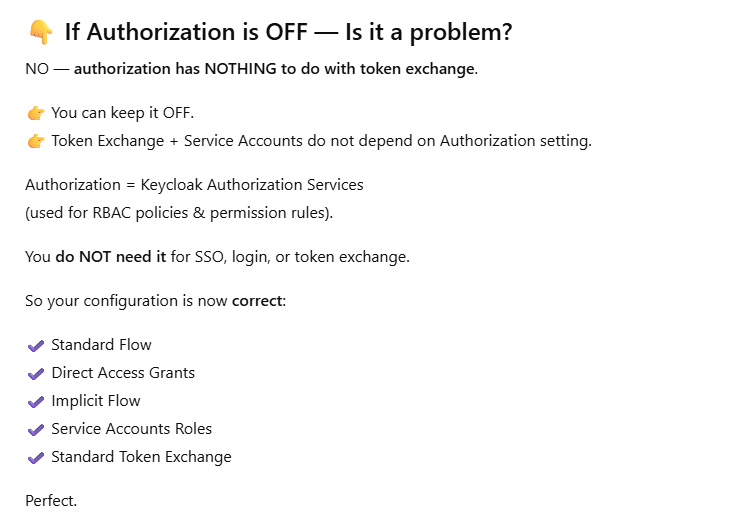
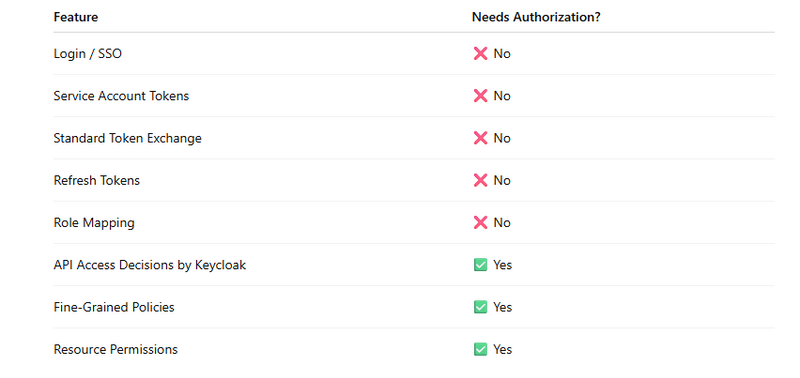
What is the role of “Authorization” in Keycloak?
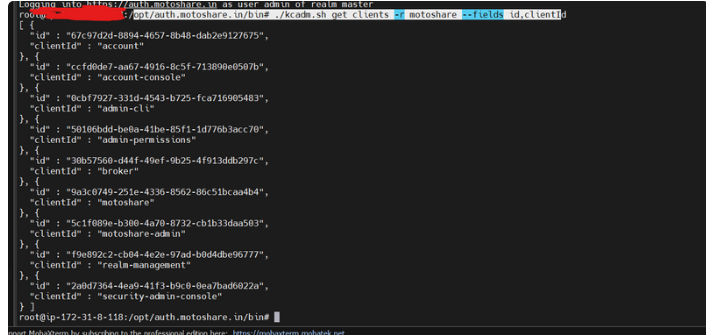
How to get client id and client secreat by command
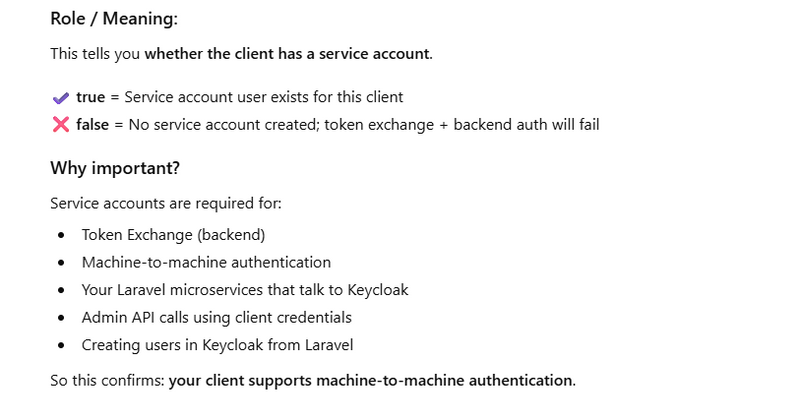
Check if Service Account is Enabled
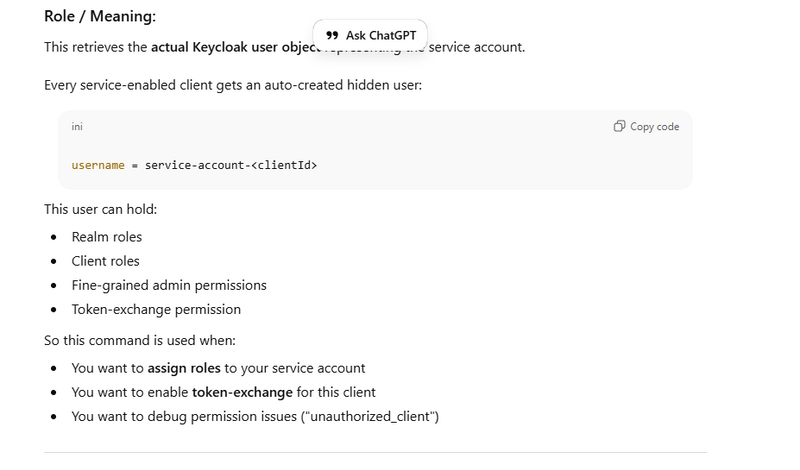
Fetch Service Account User
Trying to Fetch Realm Role Mappings (This fails)
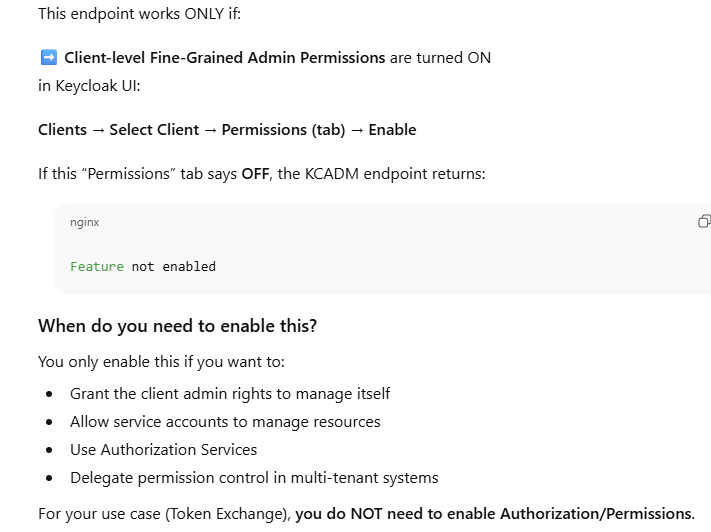
Management Permissions — Feature Not Enabled
What Is a Refresh Token
In OAuth2 / OpenID Connect (OIDC), a refresh token is a special, long-lived credential issued to a user after login.
It is used for one purpose only:
❗ To obtain a new access token WITHOUT forcing the user to log in again.
Meaning:
Access token = short life (5 min, 15 min, 1 hour)

Refresh token = long life (days, months, until revoked)
When the access token expires → the application calls Keycloak:
grant_type=refresh_token
Keycloak validates the refresh token and issues:
a new access token
optionally a new refresh token
This allows the user to remain logged in seamlessly.
Why Do We Need a Refresh Token?
Without a refresh token, the user must log in again every time the access token expires.
Access tokens expire quickly for security reasons, so without a refresh token:
Mobile apps must redirect users repeatedly
Web apps would log out after expiration
API applications lose session continuity
User experience becomes frustrating
A refresh token solves this.
What Is the Role of the Refresh Token?
The refresh token has three main roles:
1️⃣ Maintain Long-Term User Sessions
Access tokens expire fast.
Refresh tokens maintain:
Session continuity

Long sessions without manual login

SSO across multiple apps
A refresh token is basically the "life support" for your session.
2️⃣Avoid Logging in Again
When the access token expires, the client app simply uses:
grant_type=refresh_token
→ The user is NOT prompted for password
→ The app gets a fresh token pair instantly
→ The user remains logged in
This is essential for:
Mobile apps

React / Flutter apps

Multi-tab web apps

Cross-domain SSO
3️⃣ Ensure Security
A refresh token ensures:
No need to store passwords in apps

No need to keep long-lived access tokens (dangerous!)

If stolen, it can be revoked independently

It is rotated frequently
Keycloak also supports:
Refresh token rotation

Session revocation

Offline access tokens
Why Enable Refresh Token Exchange Specifically?
In a normal login flow, refresh tokens are automatically issued.
But in SSO, multi-domain apps, and token exchange, this is different.
Keycloak does not allow generating refresh tokens through token exchange by default.
Meaning:
✔ Exchanging an access token → allowed
❌ Exchanging for refresh token → blocked
So if your architecture has:
Domain A logs in

Domain B wants seamless login

Domain C is mobile app

Backend microservices need long sessions

Drivers app, customers app, admin portal
Then Domain B or Domain C must exchange the user’s token from Domain A.
Without refresh-token exchange:
Domain B cannot maintain session

User gets logged out after access token expires

SSO breaks after 5–15 minutes

Multi-domain apps cannot share session

Mobile apps cannot maintain login
This is why you must manually enable:
Service accounts

Realm roles

FGAP permissions

Token-exchange feature
Otherwise Keycloak does NOT permit issuing refresh tokens via token exchange.
Relationship Between Refresh Token and User Session in Keycloak
Keycloak tracks:
Refresh tokens

Session state

Session expiration
When a refresh token is issued, Keycloak creates/updates a session record:
session_state = <UUID>
This session state:
Appears under Admin → Users → Sessions
Is shared across multiple applications
Updates every time refresh token is used
Can be revoked instantly
So:
🔹 Issuing refresh tokens = creating session
🔹 Using refresh tokens = extending session
🔹 Revoking refresh token = ending session
This is why refresh-token exchange is directly tied to user session creation and maintenance.
Why “Service Accounts Enabled” Is a MUST in Keycloak Setup
To correctly use Token Exchange, especially when you want Keycloak to issue refresh tokens, your Keycloak client MUST have:
✔ Client Authentication = ON
✔ Service Accounts Enabled = ON
What Is a Service Account in Keycloak?
A Service Account is a special, internal Keycloak user automatically created for a client when you enable:
Service accounts roles = ON
For example:
service-account-motoshare
This “user” is NOT visible to normal login pages and does not require a password.
It exists only to perform secure backend operations, such as:
Token Exchange

Acting on behalf of the client

Requesting special types of tokens

Managing users (if assigned roles)

Obtaining refresh tokens through token exchange
Why Token Exchange Requires a Service Account
When you perform Token Exchange:
grant_type = urn:ietf:params:oauth:grant-type:token-exchange
Keycloak evaluates:
"Does this CLIENT have the permission to exchange tokens?"
Not the user.
The permission check is done on the client’s service account.
This means Keycloak asks internally:
Does service-account-motoshare have:
- token-exchange role?
- impersonation role?
- manage-users?
- view-users?
- query-users?
If the service account user does NOT exist (because you did not enable service accounts),
then Keycloak cannot evaluate the permissions.
→ Refresh token exchange always fails
→ You get:
"requested_token_type unsupported"
Service Account = Required for Refresh Token Exchange
Keycloak never gives refresh tokens during exchange unless the client has a service account with the correct realm roles.
These roles are added to the service account user:
service-account-motoshare
Roles required:

token-exchange

impersonation

manage-users

view-users

query-users
Without the service account existing:
These roles cannot be assigned
Fine-Grained Admin Permissions cannot be applied
Token-exchange permission cannot be created
Refresh tokens cannot be issued
SSO session cannot be created
This is why enabling Service Accounts is absolutely required.
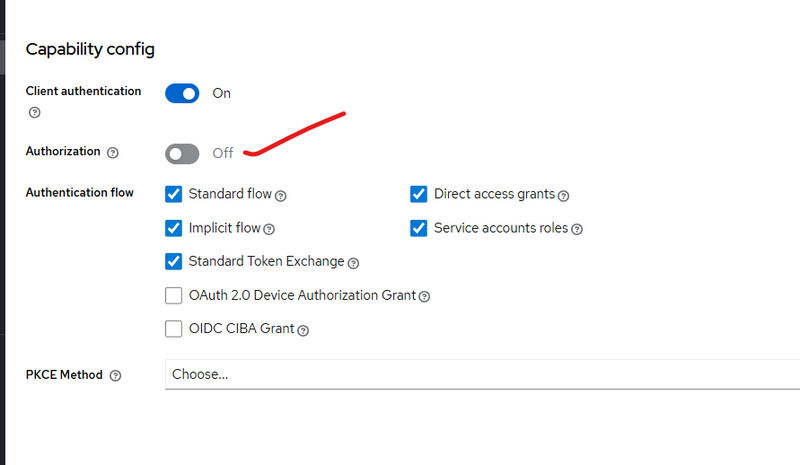
How to Check If Service Accounts Are Enabled
UI
Go to:
Clients → your client → Settings → Capability Config
Ensure:
[ ON ] Client Authentication
[ ✔ ] Service accounts roles
Command
./kcadm.sh get clients/<CLIENT_ID> -r <realm> | grep serviceAccountsEnabled
Should return:
"serviceAccountsEnabled" : true
What is the role of “Authorization” in Keycloak
?
How to get client id and client secreat by command
./kcadm.sh config credentials \
  --server https://auth.motoshare.in \
  --realm master \
  --user admin \
  --password 'YOUR_ADMIN_PASSWORD'
opt/auth.motoshare.in/bin# ./kcadm.sh get clients -r motoshare --fields id,clientId
Check if Service Account is Enabled
./kcadm.sh get clients/9a3c0749-251e-4336-8562-86c51bcaa4b4 -r motoshare | grep serviceAccountsEnabled
Output:
"serviceAccountsEnabled" : true,
Fetch Service Account User
./kcadm.sh get clients/9a3c0749-251e-4336-8562-86c51bcaa4b4/service-account-user -r motoshare
output
{
  "id" : "4864aeaf-3b01-4873-a175-17cb16a1383f",
  "username" : "service-account-motoshare",
  "emailVerified" : false,
  "enabled" : true,
  "createdTimestamp" : 1764826039506,
  "totp" : false,
  "disableableCredentialTypes" : [ ],
  "requiredActions" : [ ],
  "notBefore" : 0
}
Trying to Fetch Realm Role Mappings (This fails)
./kcadm.sh get clients/9a3c0749-251e-4336-8562-86c51bcaa4b4/service-account-user/role-mappings/realm -r motoshare

Management Permissions — Feature Not Enabled
./kcadm.sh get clients/9a3c0749-251e-4336-8562-86c51bcaa4b4/management/permissions -r motoshare
ouptput
For more on this error consult the server log. [Feature not enabled]
==============================================================
Step-by-Step Setup with Commands
1️⃣ Login using KCADM
./kcadm.sh config credentials \
  --server https://auth.motoshare.in \
  --realm master \
  --user admin \
  --password 'YOUR_PASSWORD'
2️⃣ Enable Keycloak Features
Edit:
/opt/keycloak/conf/keycloak.conf
Add:
features=token-exchange
Restart:
systemctl restart keycloak
3️⃣ Enable Service Account for Client
UI or KCADM:
./kcadm.sh update clients/<CLIENT_ID> -r motoshare -s serviceAccountsEnabled=true
4️⃣ Assign Required Realm Roles
./kcadm.sh add-roles \
  --uusername service-account-motoshare \
  --cclientid realm-management \
  -r motoshare \
  --rolename token-exchange \
  --rolename impersonation \
  --rolename manage-users \
  --rolename view-users \
  --rolename query-users
5️⃣ Enable Fine-Grained Admin Permissions (FGAP)
./kcadm.sh update clients/<CLIENT_ID>/management/permissions -r motoshare -s enabled=true
6️⃣ Add Token Exchange Permission
./kcadm.sh create clients/<CLIENT_ID>/management/permissions/token-exchange \
  -r motoshare \
  -b '{"type":"client", "client":"motoshare"}'
7️⃣ TEST Refresh Token Exchange
curl -X POST "https://auth.motoshare.in/realms/motoshare/protocol/openid-connect/token" \
  -H "Content-Type: application/x-www-form-urlencoded" \
  -d "grant_type=urn:ietf:params:oauth:grant-type:token-exchange" \
  -d "client_id=motoshare" \
  -d "client_secret=YOUR_SECRET" \
  -d "subject_token=<ACCESS_TOKEN>" \
  -d "subject_token_type=urn:ietf:params:oauth:token-type:access_token" \
  -d "requested_token_type=urn:ietf:params:oauth:token-type:refresh_token"



Top comments (0)