
What happened
Where the problem was
Why your commands made the homepage work
Mitigation checklist
What happened
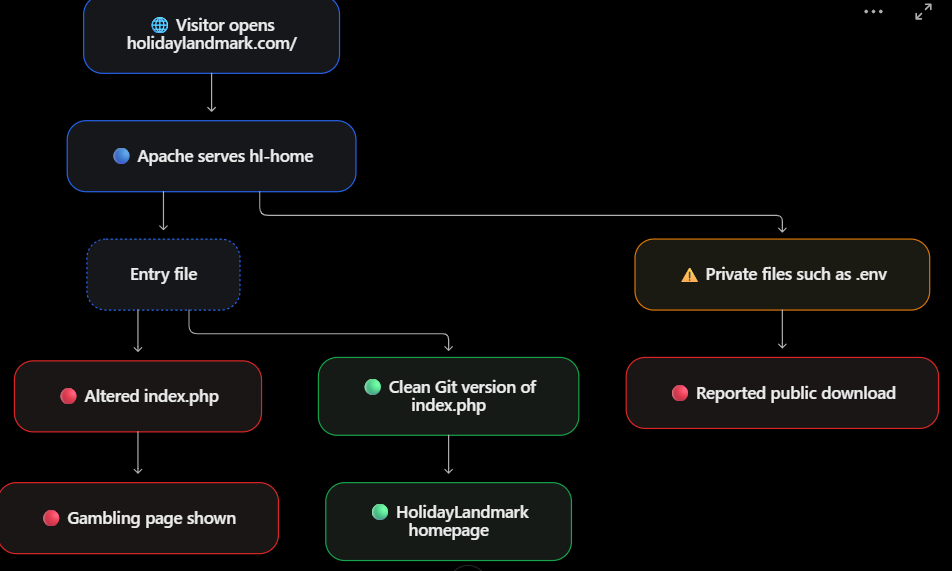
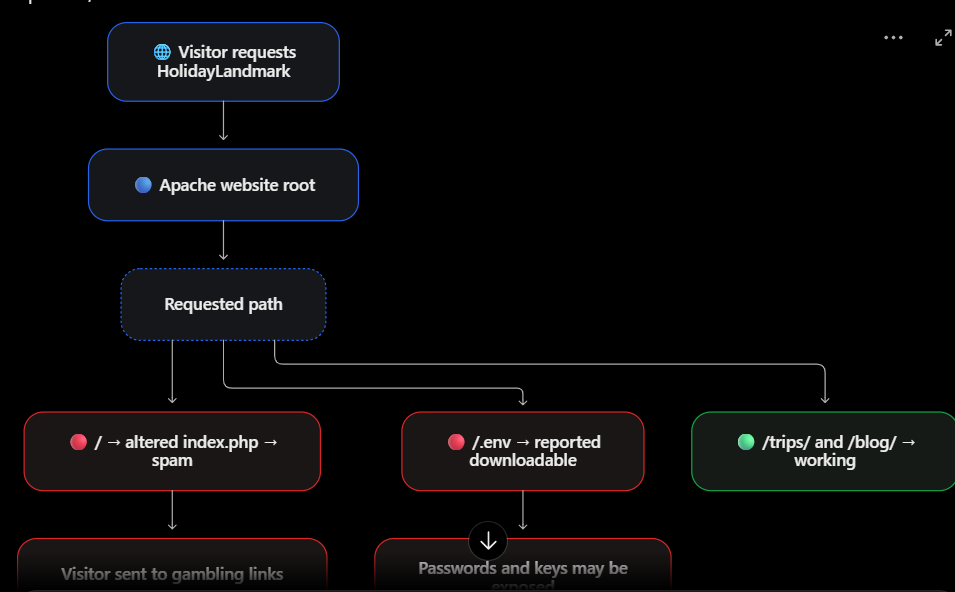
Your screenshot now shows the normal HolidayLandmark homepage. Earlier, requests to / returned the CERUTU4D gambling page, and a server search found cerutu4d inside:
sudo grep -RIlFi --binary-files=without-match 'cerutu4d' \
/opt/lampp/htdocs/holiday-new/hl-home/index.php
/opt/lampp/htdocs/holiday-new/hl-home/blog/index.html
Apache’s HolidayLandmark configuration points to hl-home. That explains why changing a file in this folder could change what visitors saw. The Git copy of index.php was reportedly clean, so the evidence points to a change in the deployed copy. It does not yet establish who made the change or how they gained write access.
There is a second, urgent issue: the investigation reported that visitors could download /.env. The restored homepage does not prove that this exposure is fixed. Laravel warns that serving the project root can expose sensitive configuration files; its intended web entry point is public/index.php
There are two connected security failures:
- The live homepage was changed. Everyone requesting / receives the gambling page. The clean Git repository suggests the unwanted change is in the deployed files, but it does not tell us who changed them or how.
- Private Laravel files are reachable through the website. You report that .env is downloadable, along with artisan and composer.json. If the response contains the real .env file, treat every secret in it as exposed. Laravel specifically warns that serving the project root can expose sensitive configuration files.
Where the problem was
Why your commands made the homepage work
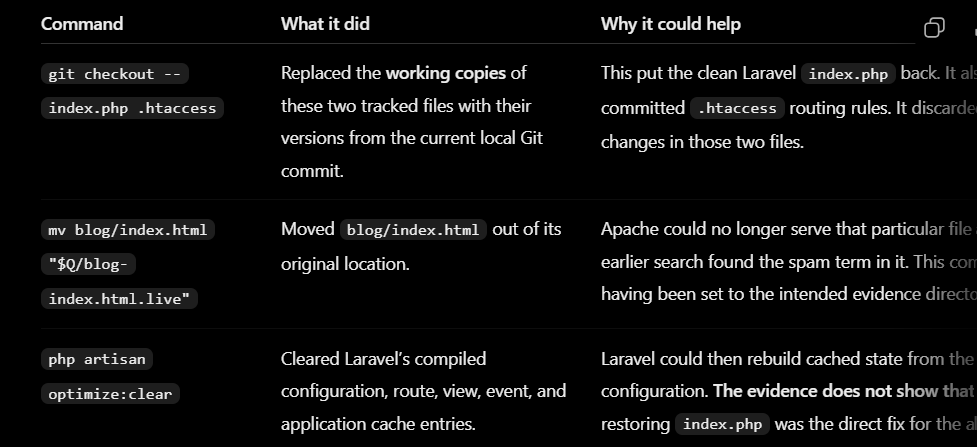
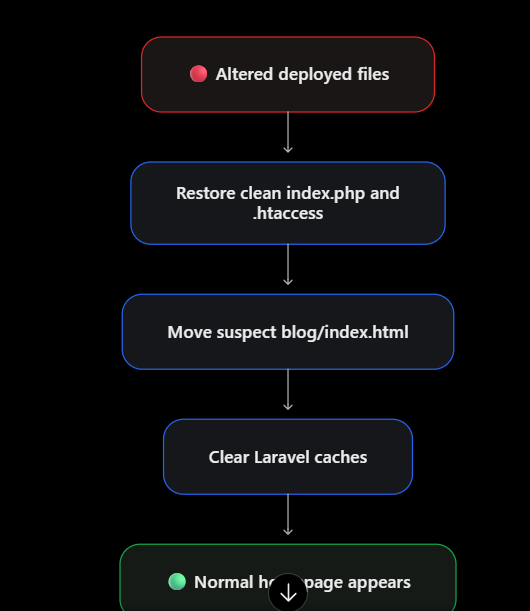
You ran:
git checkout -- index.php .htaccess
mv blog/index.html "$Q/blog-index.html.live"
php artisan optimize:clear
Mitigation checklist
Fix it in this order
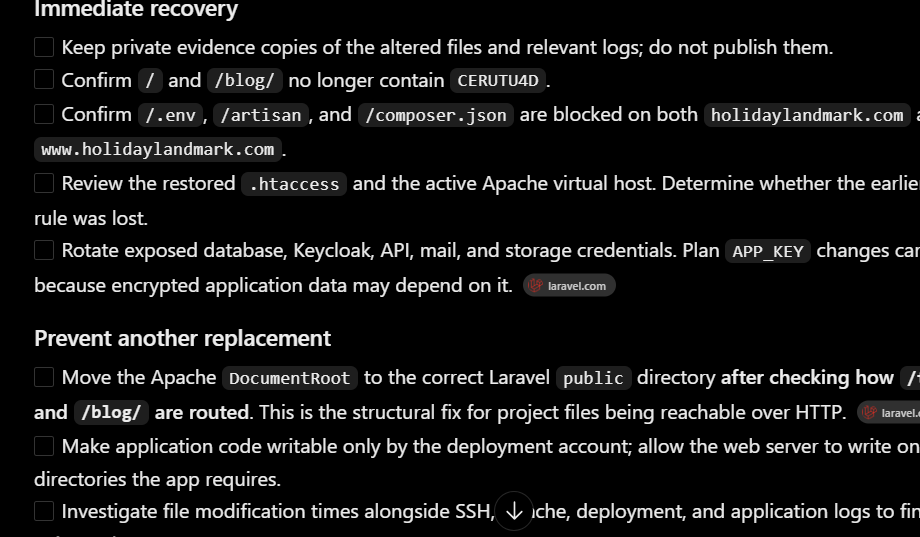
- Preserve evidence Keep private copies of the altered index.php and blog/index.html, their stat output, Apache access/error logs, and Git status. Do not delete the spam files before saving them; their timestamps and contents may help identify the entry point. CISA’s incident guidance calls for preserving evidence while responding. CISA
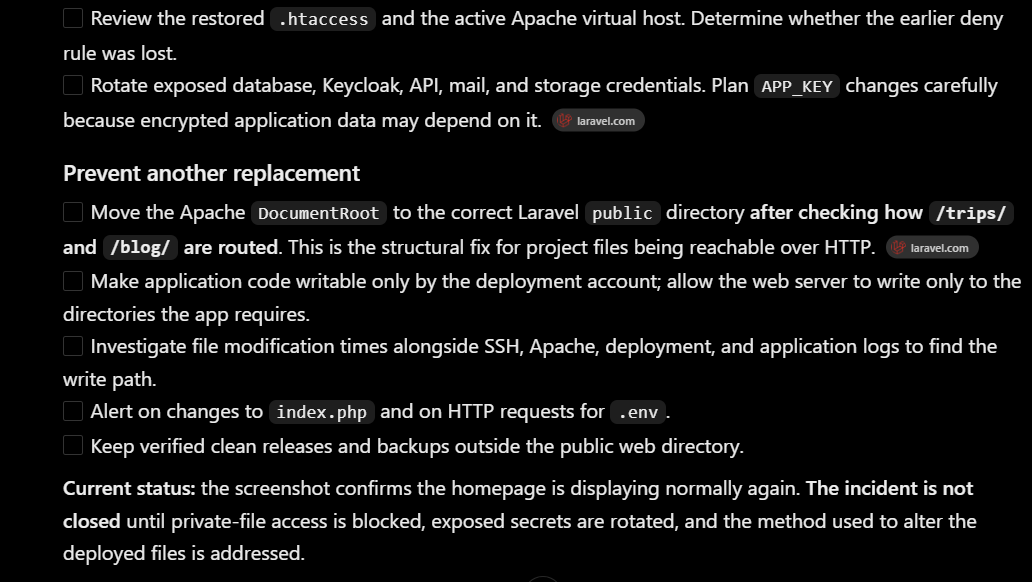
- Stop public access to secrets immediately The lasting fix is to configure this Laravel application’s Apache DocumentRoot to the correct public directory, with the project and .env outside that web root. First map the current /trips/ and /blog/ routing so the change does not break them. Laravel documents public/index.php as its intended entry point. laravel.com Until that layout is corrected, add an Apache access rule in the HolidayLandmark virtual host to deny the exposed filenames:
<FilesMatch "^(?:\.env(?:\..*)?|artisan|composer\.(?:json|lock))$">
    Require all denied
</FilesMatch>
Apache supports FilesMatch and Require all denied for this purpose. Check the configuration with sudo /opt/lampp/bin/httpd -t before reloading Apache, then confirm those URLs return 403 or 404. This filename rule is temporary protection; it does not make serving a Laravel project root safe. Apache HTTP Server Version 2.4
- Restore the clean homepage Since the Git version of index.php has reportedly been checked and is clean, restore that file only from the verified repository. Check blog/index.html separately: the earlier search found the spam term there too, even though /blog/ currently works. Restore it from a clean version if it is altered. Avoid git reset --hard or a broad pull on production; those can erase unrelated changes.
- Replace exposed credentials After blocking .env access, rotate the credentials listed in it: database users, Keycloak client secret, API/SMTP/storage keys, and any other active credentials. Review their access logs for misuse. Plan APP_KEY rotation carefully: Laravel uses it to decrypt application data, so changing it without a migration plan can affect sessions or encrypted values. laravel.com
- Find how the files were changed Use the saved file modification times to examine SSH logins, deployments, Apache requests, application logs, and writable directories around those times. Also check who can write to hl-home/index.php. A clean Git repository does not rule out a stolen SSH/deployment credential, an unsafe upload path, or an application vulnerability.



Top comments (0)