
Theory explanation
Why not call REST API directly from controller?
Main purpose of Spring AI interface
Why this helps in modern applications
Simple flow
Coding example
Theory explanation
In a normal Spring Boot project, you can call an AI provider directly with REST APIs.
That means your code builds HTTP requests, adds headers, sends JSON, handles authentication, parses responses, and manages retries by itself.
That works for small demos, but in modern applications it becomes repetitive and hard to maintain.
Spring AI simplifies this by putting a Spring-style abstraction layer between your application and the AI provider. Instead of writing low-level HTTP code everywhere, you work with higher-level APIs such as ChatClient, ChatModel, Prompt, and advisors. The Spring AI reference describes ChatClient as a fluent API for communicating with an AI model, where prompts are built from messages like user and system messages.
So the difference is:
REST API only = low-level transport and manual integration
Spring AI = structured, reusable, Spring-friendly AI integration built on top of provider APIs
Why not call REST API directly from controller?
Because controller should mainly handle:
incoming request
validation
response
If controller also manages:
AI API payloads
prompt structure
JSON parsing
retries
embeddings
vector DB lookup

then controller becomes overloaded.
Spring AI keeps the design cleaner.
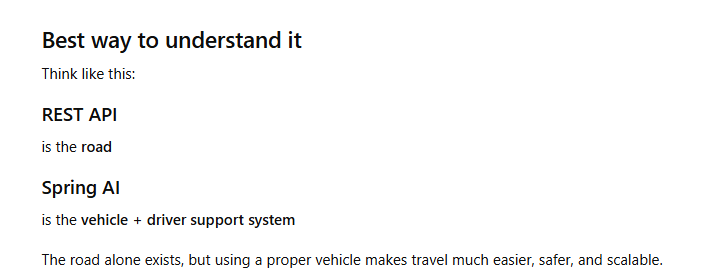
Main purpose of Spring AI interface
It hides low-level HTTP complexity
You do not need to manually build every REST request.
Instead of this:
create URL
create headers
add API key
build JSON
send request
parse result
You can use a cleaner Spring-style approach.
- It gives a Spring-friendly programming model
In Spring Boot, developers like:
dependency injection
beans
service classes
reusable configuration
Spring AI fits that style.
So AI feels like a normal Spring service, not like raw external API handling.
Example idea:
ChatClient
EmbeddingModel
PromptTemplate
These are easier to use in service classes.
- It reduces vendor lock-in
Different providers have different request and response formats.
Without Spring AI:
OpenAI code looks one way
another provider looks different
switching providers means code change in many places
With Spring AI:
you work through a common abstraction
changing provider becomes easier
It supports AI-specific features, not just REST calling
AI integration is not just sending text over HTTP.
It often includes:
prompt templating
chat memory
embeddings
vector search
RAG flow
structured output
model options
REST API does not give these patterns automatically.
Spring AI provides structure for them.
It makes enterprise code cleaner
In small demo projects, direct REST calls are okay.
But in real applications:
chatbot
recommendation engine
support assistant
document Q&A
healthcare AI assistant
you need better architecture.
Spring AI helps separate:
controller
business logic
AI interaction
prompt layer
retrieval layer
That makes the project easier to scale.
Why this helps in modern applications
- Cleaner code
Without Spring AI, you often repeat:
API URL handling
auth token or API key setup
request body creation
response parsing
provider-specific JSON mapping
Spring AI centralizes that interaction. Its model API is designed as a portable interface across providers, which makes the code cleaner and more maintainable.
- Easier provider switching
If you call one provider directly using raw REST, your code usually becomes tightly coupled to that provider’s request and response format.
Spring AI’s Chat Model API is designed to be portable, so moving across supported providers requires fewer code changes than rewriting raw REST integration everywhere.
- Prompt handling becomes structured
Modern AI apps need more than one plain input string. They need:
system instructions
user prompts
templates
placeholders
context injection
Spring AI supports prompts as structured message collections and supports prompt templating, which is much better than building JSON strings manually for each REST call.
- Better support for advanced AI patterns
Modern applications often need:
chat memory
embeddings
RAG
tool calling
streaming responses
Spring AI supports these patterns directly through its APIs and advisors, which is far beyond “just send a REST request.”
- Better fit with Spring Boot architecture
Spring developers prefer:
dependency injection
beans
service classes
configuration properties
starter-based setup
Spring AI fits naturally into that model. For example, the official docs provide Spring Boot starter-based configuration such as spring-ai-starter-model-openai, and the getting-started docs state support for Spring Boot 3.4.x and 3.5.x.
Simple flow
Direct REST approach
Controller → Service → Manual HTTP Client → AI Provider API
Spring AI approach
Controller → Service → ChatClient / ChatModel → AI Provider API
Spring AI still uses provider APIs underneath, but your application code stays much simpler.
Coding example
Below is a simple Spring Boot example using Spring AI with OpenAI-style integration.
1) Maven dependencies
<dependencyManagement>
    <dependencies>
        <dependency>
            <groupId>org.springframework.ai</groupId>
            <artifactId>spring-ai-bom</artifactId>
            <version>YOUR_VERSION</version>
            <type>pom</type>
            <scope>import</scope>
        </dependency>
    </dependencies>
</dependencyManagement>

<dependencies>
    <dependency>
        <groupId>org.springframework.ai</groupId>
        <artifactId>spring-ai-starter-model-openai</artifactId>
    </dependency>

    <dependency>
        <groupId>org.springframework.boot</groupId>
        <artifactId>spring-boot-starter-web</artifactId>
    </dependency>
</dependencies>
The official Spring AI OpenAI chat docs show spring-ai-starter-model-openai as the starter artifact.
2) application.properties
spring.ai.openai.api-key=YOUR_API_KEY
spring.ai.openai.chat.options.model=gpt-4o-mini
Spring AI provides Spring Boot auto-configuration for the OpenAI chat client through properties under the Spring AI namespace.
3) Service class
package com.example.demo.service;

import org.springframework.ai.chat.client.ChatClient;
import org.springframework.stereotype.Service;

@Service
public class AiService {

    private final ChatClient chatClient;

    public AiService(ChatClient.Builder builder) {
        this.chatClient = builder.build();
    }

    public String explainTopic(String topic) {
        return chatClient.prompt()
                .system("You are a helpful Java and Spring expert. Explain in simple English.")
                .user("Explain this topic in a modern application context: {topic}")
                .param("topic", topic)
                .call()
                .content();
    }
}
This uses ChatClient’s fluent API to build a prompt from system and user messages, with runtime parameters. That is exactly the sort of prompt-building model described in the official docs.
4) REST controller
package com.example.demo.controller;

import com.example.demo.service.AiService;
import org.springframework.web.bind.annotation.GetMapping;
import org.springframework.web.bind.annotation.RequestParam;
import org.springframework.web.bind.annotation.RestController;

@RestController
public class AiController {

    private final AiService aiService;

    public AiController(AiService aiService) {
        this.aiService = aiService;
    }

    @GetMapping("/api/explain")
    public String explain(@RequestParam String topic) {
        return aiService.explainTopic(topic);
    }
}
Now your application exposes a normal REST endpoint, but internally it uses Spring AI rather than a manually coded HTTP call to the model provider.




Top comments (0)