
SMTP Password Compromise: How It Happens, Different Ways Credentials Leak, and How to Fix It
SMTP credentials allow a website or application to send emails. Applications use them for OTPs, password resets, booking confirmations, and notifications.
If an attacker steals these credentials, they may send spam or phishing emails through your authorized email service. This can damage your reputation, affect email delivery, and increase sending costs.
How SMTP Credentials Were Exposed in This Incident
According to the incident report, webshells were found in WordPress websites, including sreschool, cloudopsnow, and the HolidayLandmark blog.
A webshell is a malicious script that allows an attacker to access server files or run commands through web requests.
The reported exposure route was:
WordPress webshell → access as the daemon user → access to other application folders → readable .env files containing SMTP credentials.
The attacker browsed /opt/lampp/htdocs, opened /opt/lampp/htdocs/holiday-new/hl-home, and read a file there.
The report identified seven .env files containing SMTP credentials that the web user could read. However, the available logs did not directly prove that the attacker opened those .env files or copied the SMTP passwords.
The initial weakness that allowed the webshells to be uploaded remains unknown.
Why One Hacked Website Affected Other Applications
The main problem was shared access.
The malicious script ran as daemon, and that user could read secrets belonging to other applications. This meant a compromise in one WordPress website could expose credentials used by unrelated Laravel applications.
Keeping credentials in .env is common. The danger comes from allowing public visitors or unrelated applications to read them.
Different Ways SMTP Credentials Can Leak
| Method | How credentials leak | Prevention |
|---|---|---|
| Website webshell | Malicious code reads application secrets from the server. | Remove malicious code, fix the entry point, and isolate applications. |
Public .env file |
A server configuration mistake allows the file to be downloaded. | Serve the intended public directory and deny access to secret files. |
| Shared application permissions | One hacked app can read another app’s credentials. | Use separate application users and restricted permissions. |
| Git repository exposure | Credentials appear in committed files or Git history. | Keep secrets out of Git and revoke exposed credentials. |
| Exposed backups | Files such as .env.bak, ZIP archives, or old deployments contain secrets. |
Store backups outside public directories with restricted access. |
| Debug output and logs | Error pages, diagnostic output, or logs reveal passwords. | Disable public debug output and avoid logging secrets. |
| Screenshots and messages | Credentials are accidentally shared during troubleshooting. | Redact passwords and tokens before sharing. |
| Provider account takeover | An attacker accesses the email-provider account and creates or obtains sending credentials. | Enable MFA and review account access. |
| Compromised developer device | Malware steals credentials from local projects or saved files. | Secure devices and restrict access to secrets. |
| Compromised deployment system | Unauthorized access exposes secrets stored in deployment jobs. | Restrict deployment permissions and protect secret storage. |
These are different possible routes. They are not all confirmed causes in this incident.
Commands to Investigate Webshell URLs
The following commands are read-only checks for a Linux server using XAMPP/LAMPP.
They search /opt/lampp/logs. If a website writes its access logs elsewhere, those logs must also be checked.
1. Find Requests to the Known Webshell URLs
sudo find /opt/lampp/logs -type f -print0 |
sudo xargs -0 -r zgrep -haE '(blue\.php|Ge\.php|PHPMailer/Server\.php|chengse\.php|youtube/v\.php)'
output
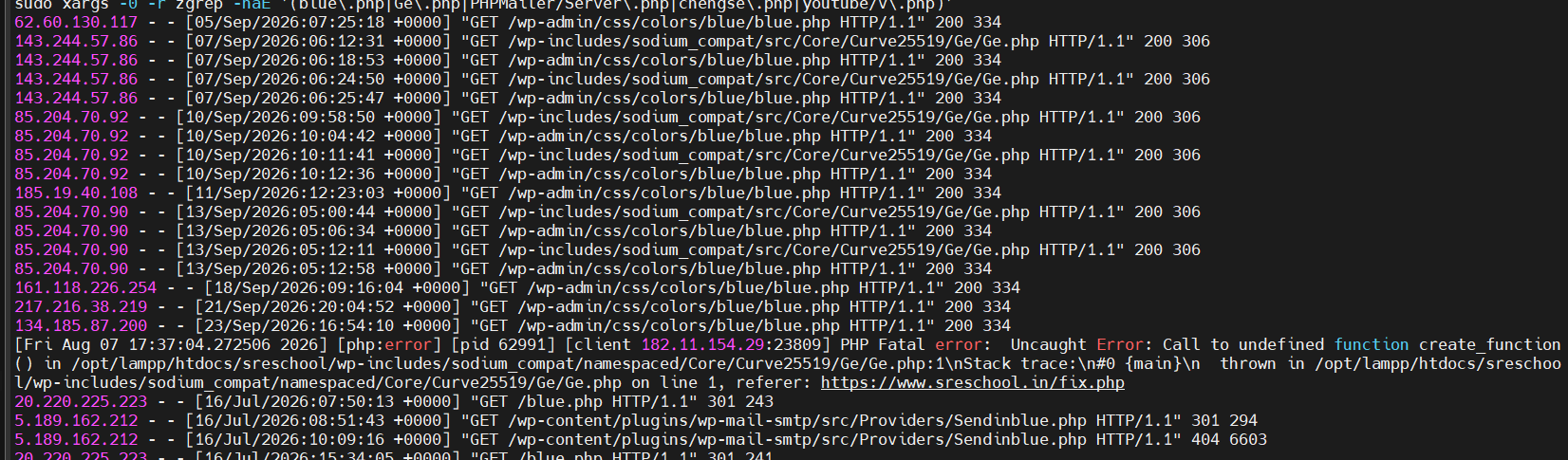
Purpose: Show complete matching log lines, including the requesting IP, timestamp, request URL, and HTTP status when those fields are present.
These filenames came from the incident report. This search will not identify every webshell, especially files with different names.
2. List Matching URLs and Their HTTP Status Codes
For standard Apache common or combined access logs:
sudo find /opt/lampp/logs -type f -print0 |
sudo xargs -0 -r zgrep -haE '(blue\.php|Ge\.php|PHPMailer/Server\.php|chengse\.php|youtube/v\.php)' |
awk '$6 ~ /^"(GET|POST|HEAD|PUT|DELETE|OPTIONS|PATCH)$/ {
    print $7, $9
}' |
sort | uniq -c | sort -rn
output
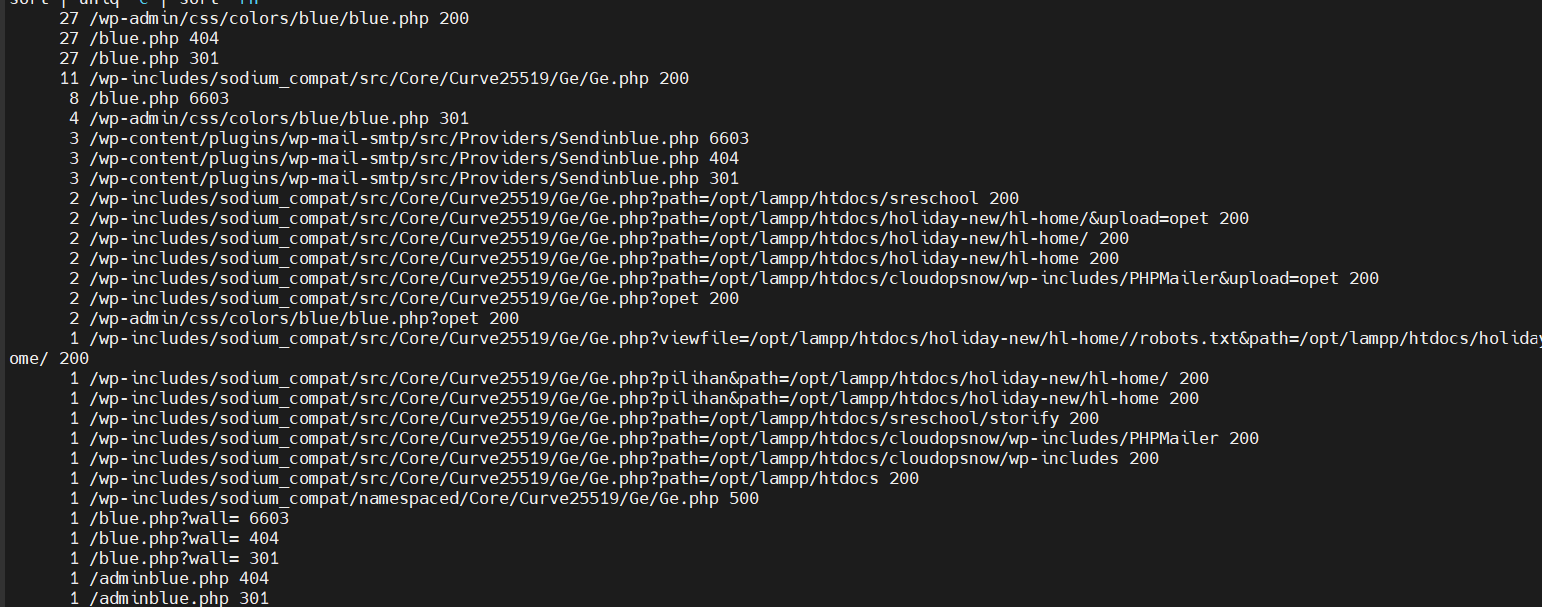
Purpose: Identify which known suspicious URL paths were requested, their response codes, and how often each combination appeared.
Example output:
12 /blog/Ge.php 200
5 /PHPMailer/Server.php 404
This example is illustrative, not an actual finding.
| Status | Meaning |
|---|---|
| 200 | The server returned a successful HTTP response. It does not independently prove malicious execution. |
| 403 | The request was forbidden. |
| 404 | The requested resource was not found at that time. |
| 500 | The server encountered an error while handling the request. |
A suspicious filename alone does not prove that a file is malicious. Confirm it using file analysis and request context.
3. Count IPs Receiving 200 Responses
sudo find /opt/lampp/logs -type f -print0 |
sudo xargs -0 -r zgrep -haE '(blue\.php|Ge\.php|PHPMailer/Server\.php|chengse\.php|youtube/v\.php)' |
awk '$9 == 200 {print $1}' |
sort | uniq -c | sort -rn
output
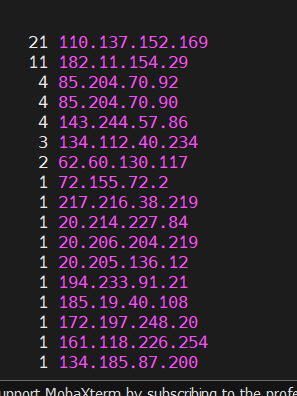
Purpose: Show IP addresses and counts of matching requests with HTTP 200 responses.
Not every matching IP is necessarily an attacker. Security scanners and other visitors may also request these paths.
4. Inspect Activity From a Specific IP
Replace the example IP with the address being investigated:
sudo find /opt/lampp/logs -type f -print0 |
sudo xargs -0 -r zgrep -haE '^110\.137\.152\.169[[:space:]]'
output
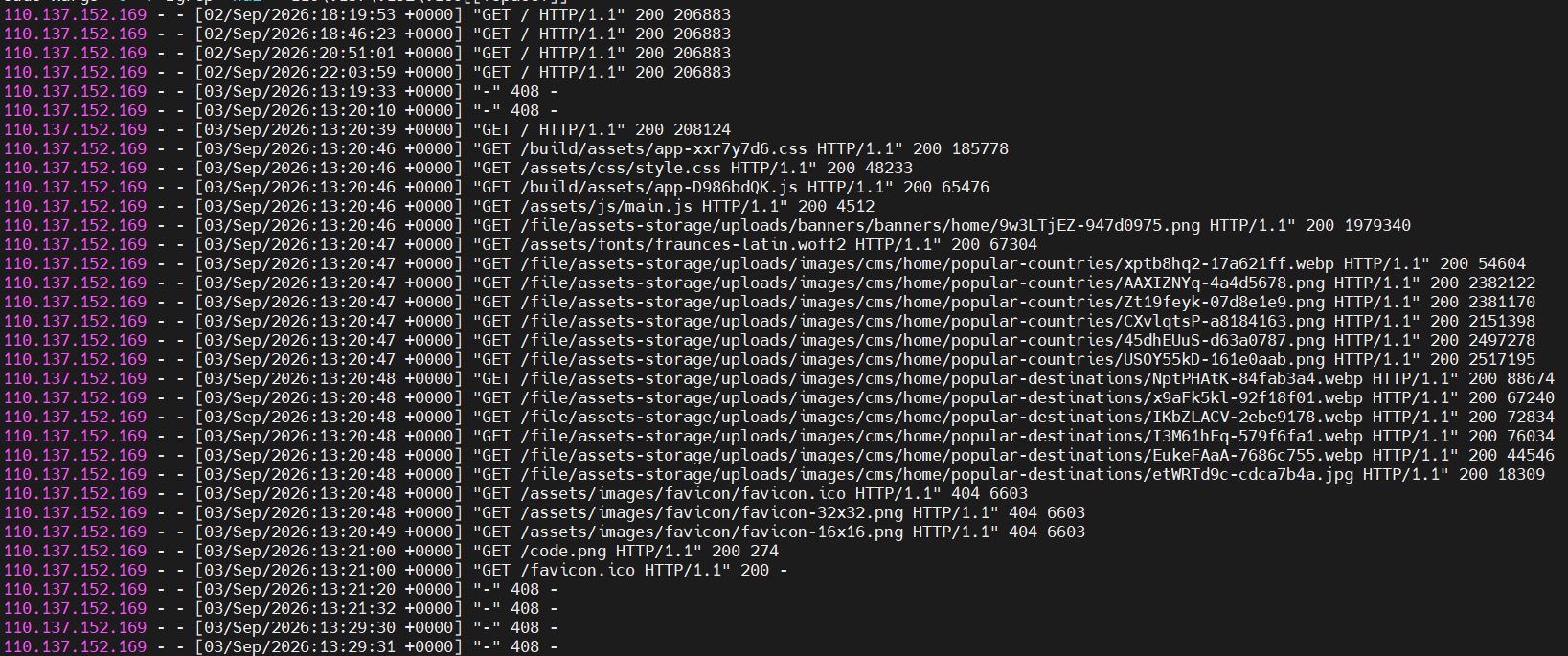
Purpose: Show available requests from that IP, including activity before and after known webshell requests.
This assumes the client IP is the first field in the log. A reverse proxy or custom log format may require a different filter.
5. Search for Folder Browsing, File Reading, and Upload Actions
sudo find /opt/lampp/logs -type f -print0 |
sudo xargs -0 -r zgrep -haiE '(blue\.php|Ge\.php|PHPMailer/Server\.php|chengse\.php|youtube/v\.php)' |
grep -Ei '(path=|viewfile=|upload=|pilihan|POST)'
Purpose: Find matching requests that may relate to folder browsing, file viewing, uploads, or POST actions.
The actual meaning depends on the webshell’s code. Normal access logs usually do not record POST request bodies.
6. Search for Logged .env Access
sudo find /opt/lampp/logs -type f -print0 |
sudo xargs -0 -r zgrep -haiE 'viewfile=[^ ]*(\.env|%2eenv)|[/=](\.env|%2eenv)'
output

Purpose: Find some direct .env requests and webshell file-view requests mentioning .env.
Empty output does not prove that credentials were safe. File reads through hidden commands, POST bodies, or differently encoded requests may not appear in this search.
7. Find Files With the Known Suspicious Names
sudo find /opt/lampp/htdocs -type f \
\( -name 'blue.php' \
-o -name 'Ge.php' \
-o -name 'Server.php' \
-o -name 'chengse.php' \
-o -name 'v.php' \) \
-print
output
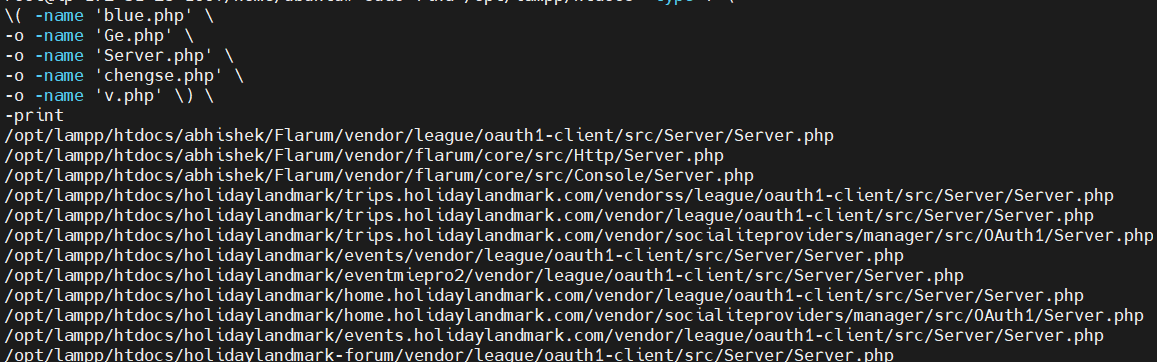
Purpose: Locate files whose names match the known indicators.
Review each file before classifying it as a webshell. A legitimate file can have the same name. Do not execute suspicious PHP files.
8. Search for Other Suspicious PHP Files
sudo grep -rIlE \
'eval[[:space:]]*\(|base64_decode[[:space:]]*\(|gzinflate[[:space:]]*\(|shell_exec[[:space:]]*\(|assert[[:space:]]*\(' \
/opt/lampp/htdocs \
--include='*.php' \
--exclude-dir=vendor \
--exclude-dir=node_modules
output
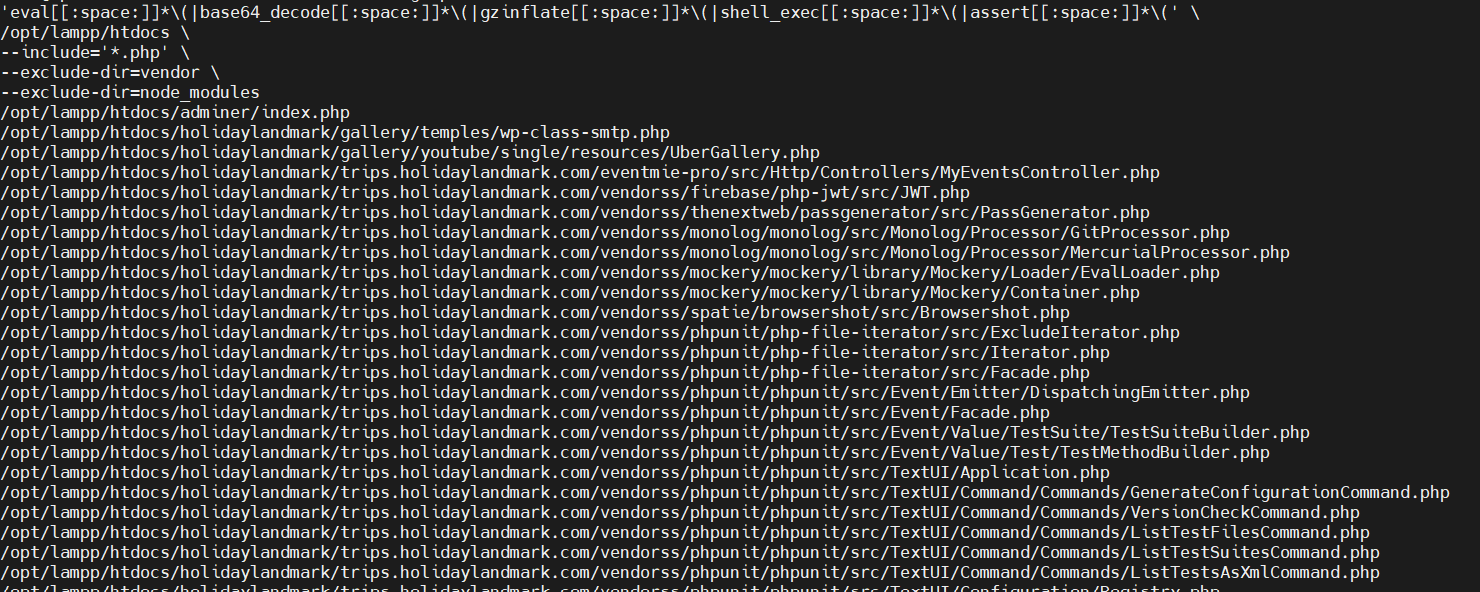
Purpose: List PHP file paths containing functions that may warrant review.
These functions also occur in legitimate software. This is a review list, not a malware verdict. It excludes vendor and node_modules, so it is not a complete server scan.
9. Check Which .env Files the Web User Can Read
Run this if daemon is the relevant PHP/web-server user:
sudo find /opt/lampp/htdocs -type f -name '.env' \
-exec sudo -u daemon sh -c '
for f do
    if test -r "$f"; then
        printf "READABLE: %s\n" "$f"
    fi
done
' sh {} +
output
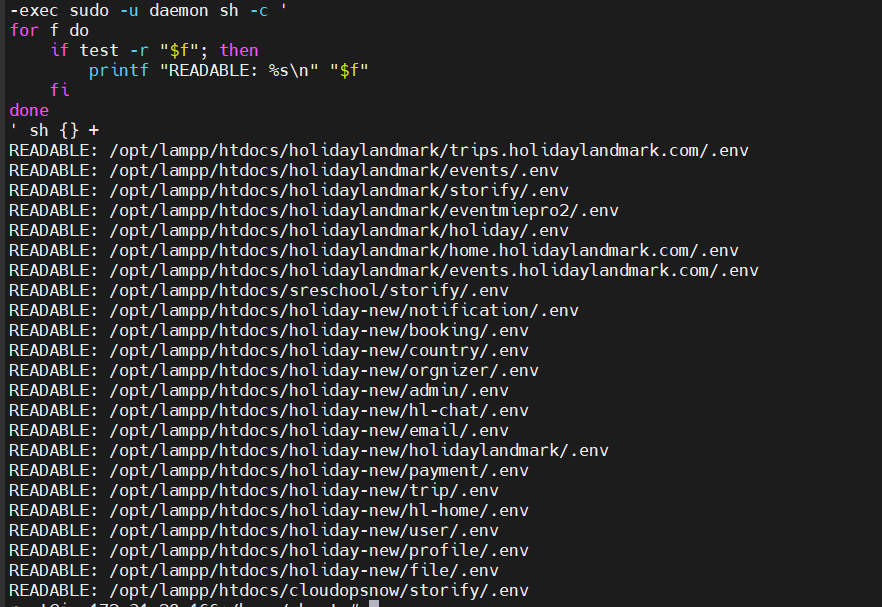
Purpose: Show .env paths readable by daemon, without printing their contents or passwords.
This checks current permissions. It does not prove what permissions existed during the attack or whether a password was stolen.
What These Checks Can and Cannot Prove
| Finding | What it tells you |
|---|---|
| Requests to a known malicious webshell | Evidence of requests to that webshell; review context to determine activity. |
A 200 response |
Successful HTTP response, not automatic proof of command execution. |
.env mentioned in a request |
Evidence of an access attempt; successful reading requires further investigation. |
.env readable by the compromised user |
Credentials were accessible to that user. |
| No matching log lines | No matching evidence in the searched logs; theft may still have occurred. |
| Unexpected provider sending activity | Possible email misuse requiring investigation. |
Logs may contain sensitive query parameters. Redact tokens and passwords before sharing output, and preserve the original logs.
How to Fix SMTP Credential Exposure
1. Contain and Investigate the Website Compromise
Preserve logs and suspicious files as evidence. Quarantine webshells and investigate how they were planted.
Review affected website code, plugins, themes, accounts, scheduled tasks, and permissions. If the server’s integrity cannot be established, rebuild it from a trusted source.
Replacing passwords while attacker access remains can expose the replacements.
2. Create New Credentials and Disable the Old Ones
From a trusted device:
- Create replacement SMTP credentials at the email provider.
- Update every application using the exposed credentials.
- Reload the applications and test email sending.
- Disable the old credentials at the provider.
If active misuse is occurring, disable the exposed credentials immediately, even if email sending temporarily stops.
Editing .env alone does not revoke the old credentials.
3. Reload Laravel Configuration and Queue Workers
After updating credentials, run the appropriate commands from each affected Laravel application folder:
php artisan config:cache
php artisan queue:restart
config:cache rebuilds cached configuration. queue:restart asks standard Laravel queue workers to restart gracefully; a process manager should bring them back.
Use the correct deployment user and PHP executable. XAMPP installations may require /opt/lampp/bin/php. Applications using Horizon or other worker systems need their corresponding restart procedure.
Test OTP, password-reset, booking, and notification emails.
4. Fix Public Exposure and Cross-App Permissions
Serve only the intended public directory. Keep secrets and backups outside publicly downloadable locations.
Run unrelated applications under separate users or isolated environments. Restrict each application’s access to its own secrets.
Moving .env outside the public folder prevents direct downloads, but it does not stop malicious code that still has filesystem permission to read it.
5. Review Email-Provider Activity
Check for unexpected sending volume, unfamiliar recipients, increased complaints, unusual activity, and unexpected costs.
For AWS SES, review sending metrics and any previously configured sending-event records. Review the IAM credentials associated with SMTP access.
CloudTrail alone does not provide a complete history of emails sent through SMTP.
6. Make Future Credential Changes Easier
Maintain an inventory of applications and the credentials they use. Use secure deployment automation or a secrets manager to distribute replacements.
Use separate credentials for unrelated applications where practical, and restrict each credential’s permissions. This reduces the impact of one application being compromised.
Final Takeaway
A hacked website can expose SMTP credentials stored by other applications when server permissions allow shared access.
In this incident, the report identified WordPress webshell activity and readable SMTP secrets. Actual password theft was not directly proven, but the exposure justified replacing the credentials, revoking the old ones, and fixing the access permissions.



Top comments (0)