
google-sign-in-with-flutter
Social Authentication
https://blog.codemagic.io/firebase-authentication-google-sign-in-using-flutter/
client-auth
Video
firebase-authentication
Goal (what will change)
✅ You will still use Google Sign-In UI
✅ But authentication will be handled by FirebaseAuth (so you get a real Firebase user session)
✅ You will optionally send idToken to backend later (recommended), but not required if your backend only needs email/name
Step 1: Create Firebase project
Open Firebase Console
Add project → create project
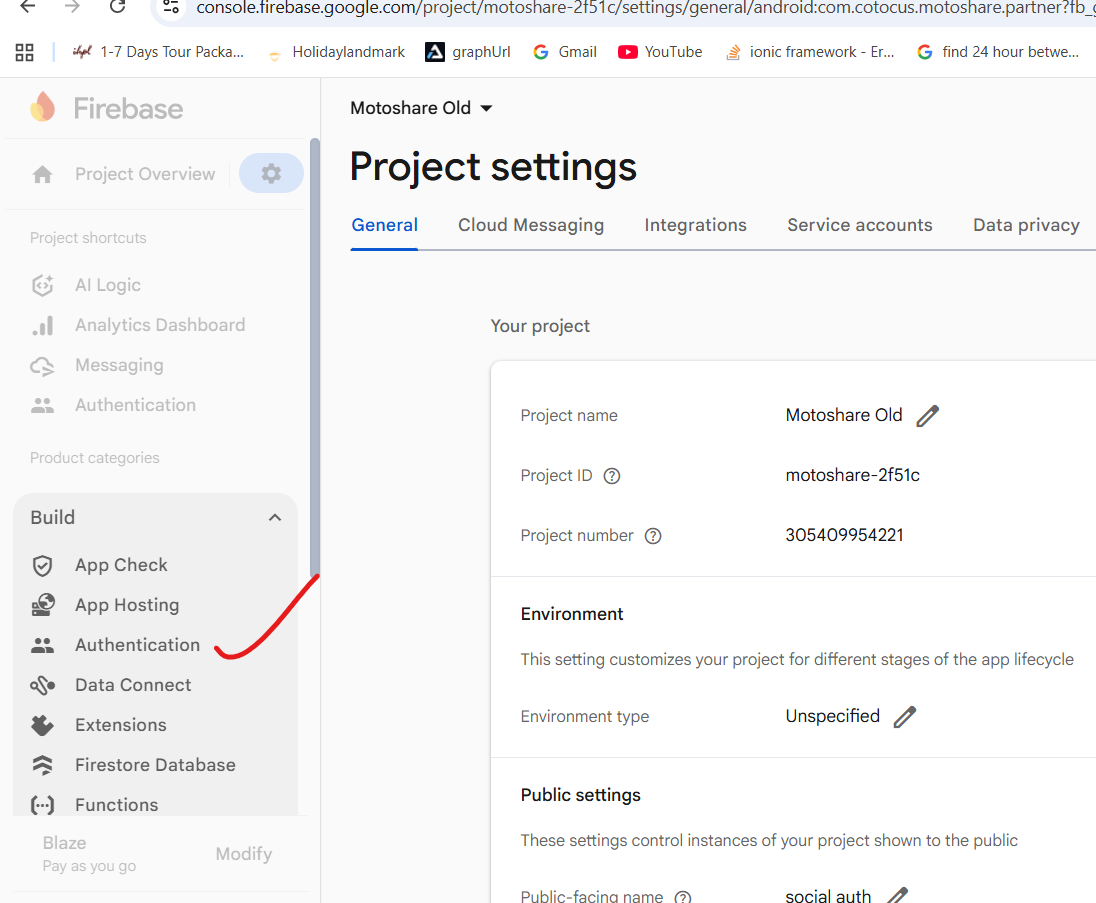
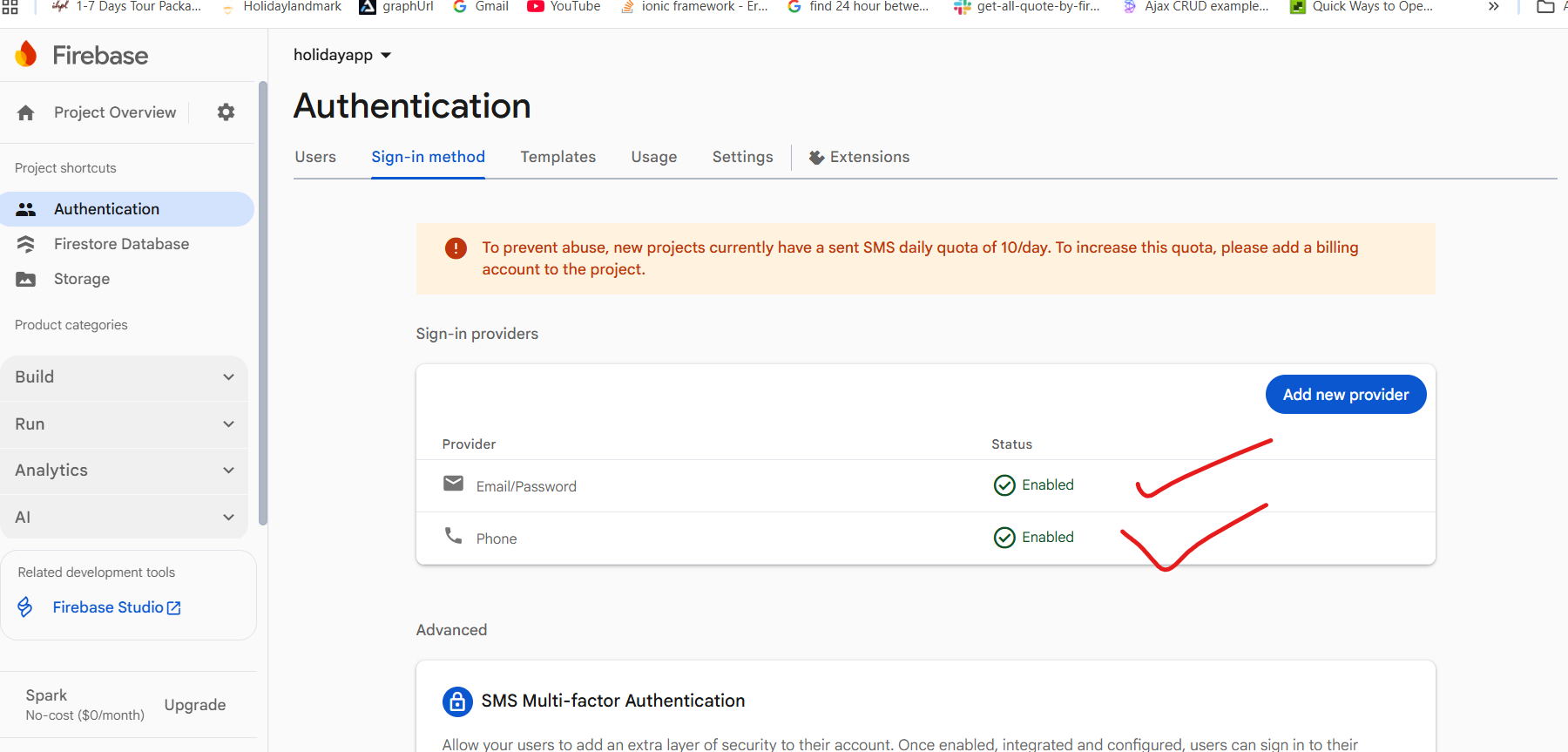
After project created → go to Build → Authentication
Click Get started
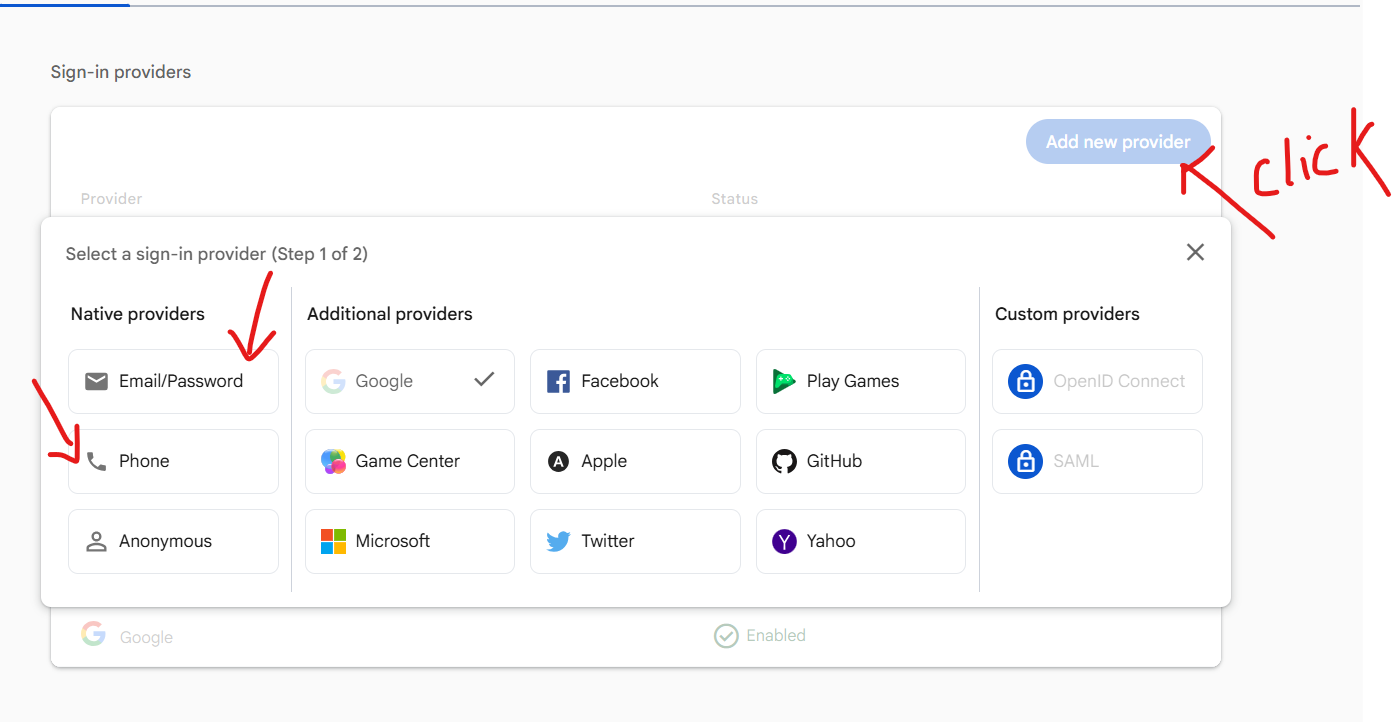
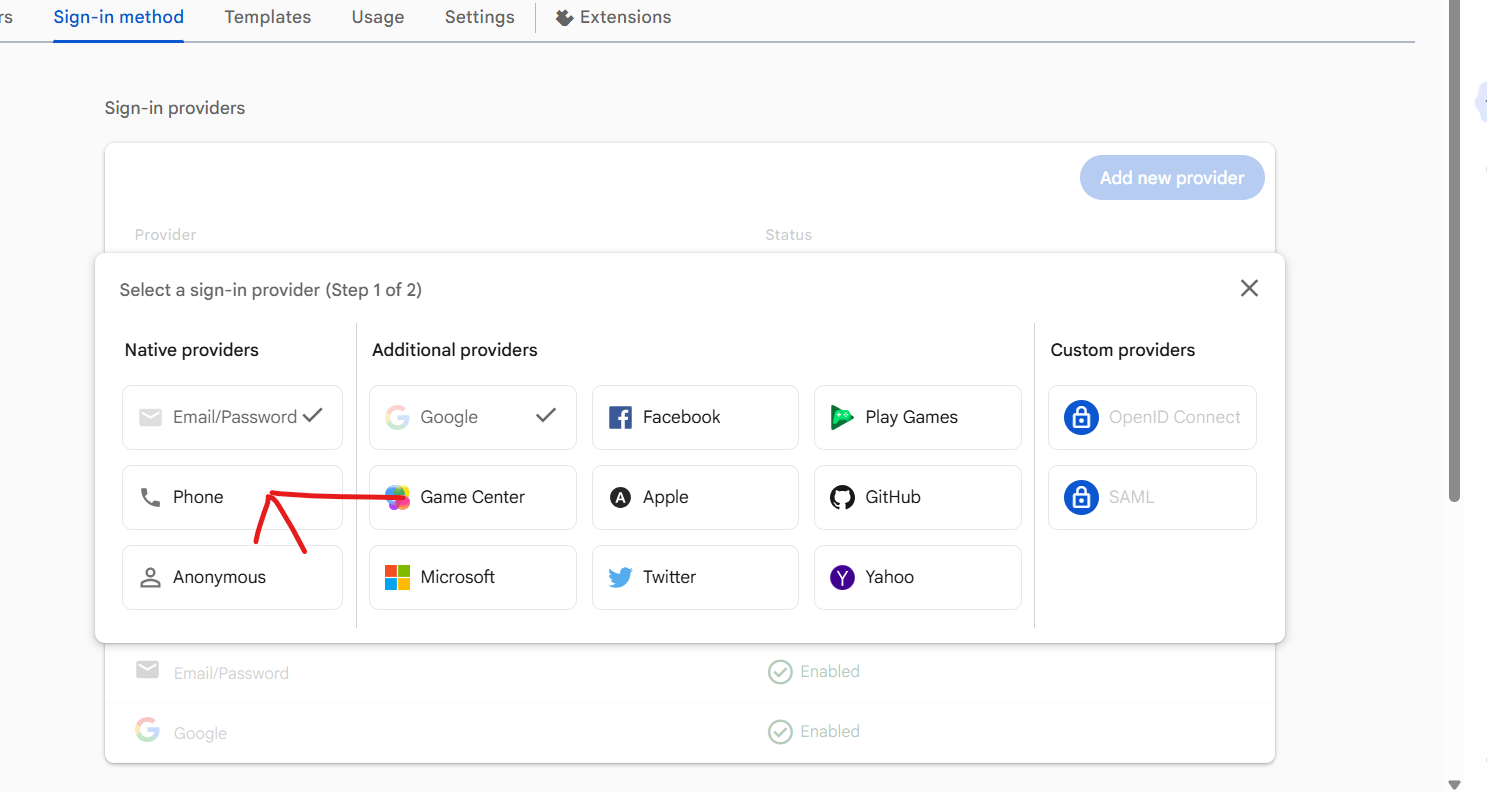
Go to Sign-in method
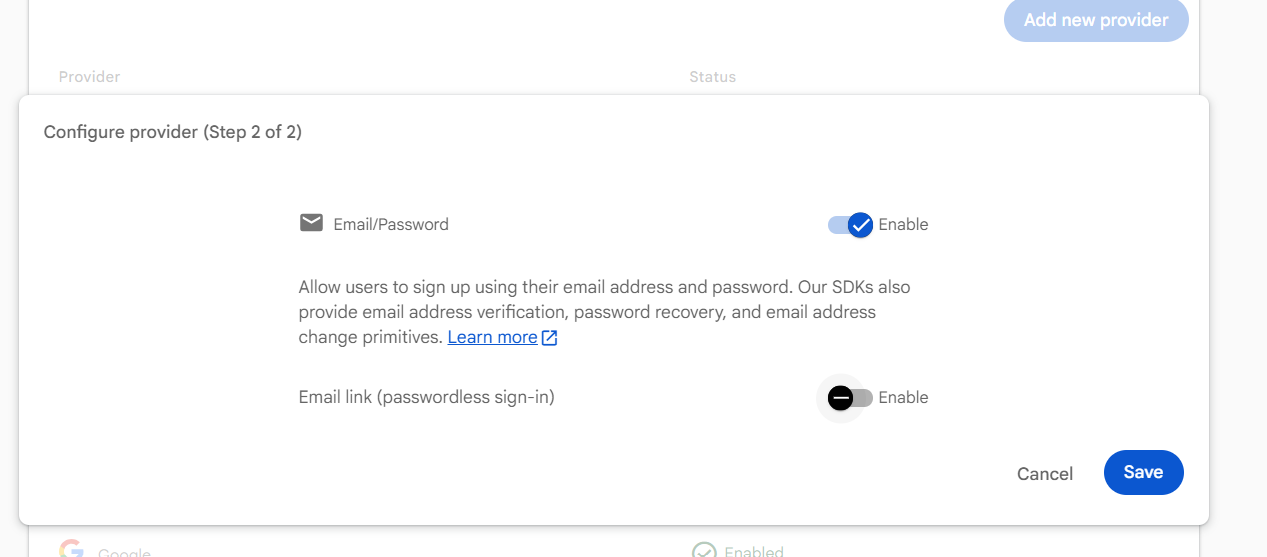
Enable Google provider → Save
Go here inside the same project:
Firebase Console →
Build → Authentication → Get started → Sign-in method
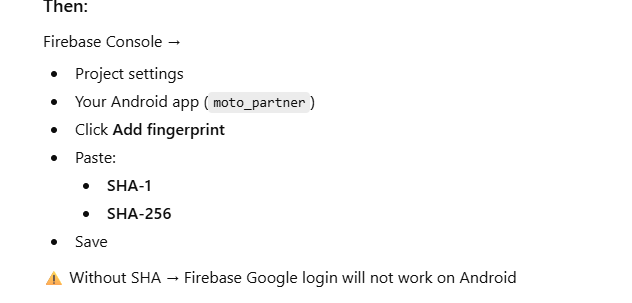
Then:
Click Google
Toggle Enable
Select Project support email
Save
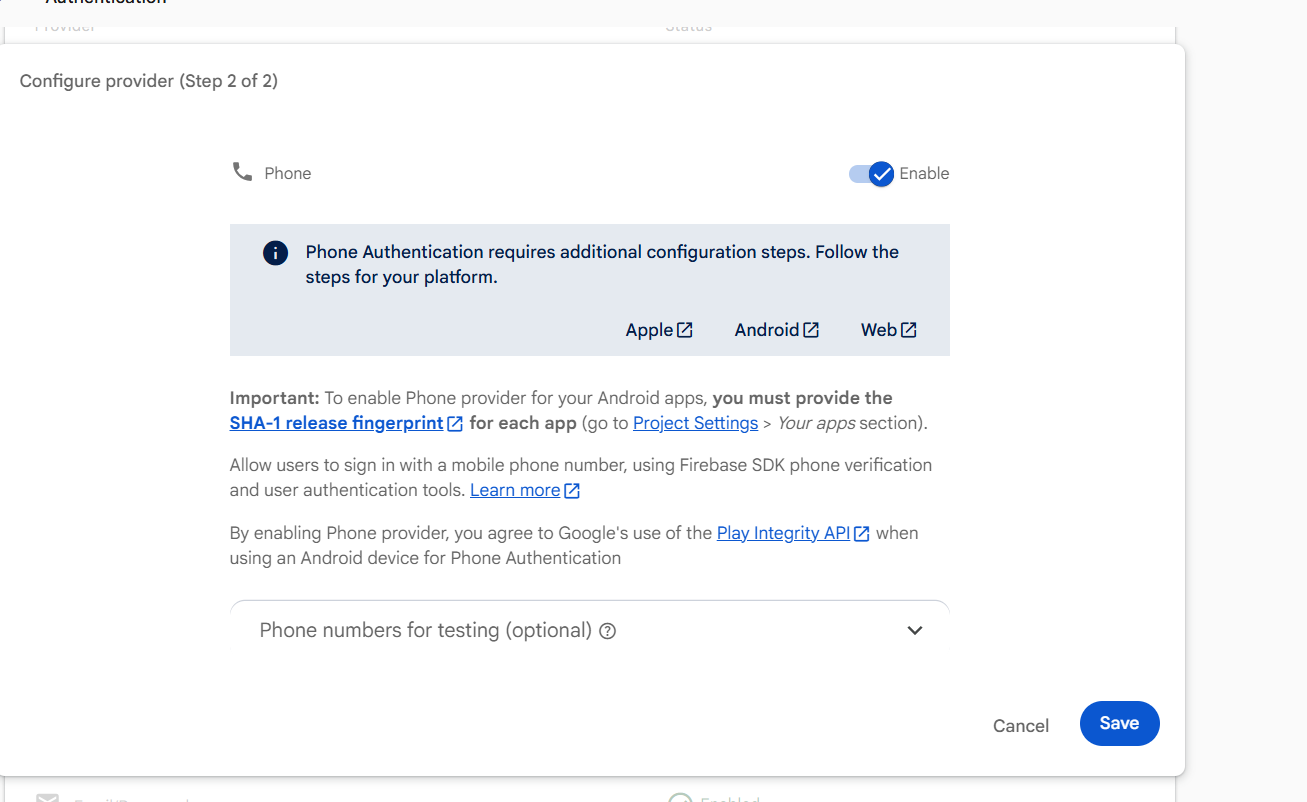
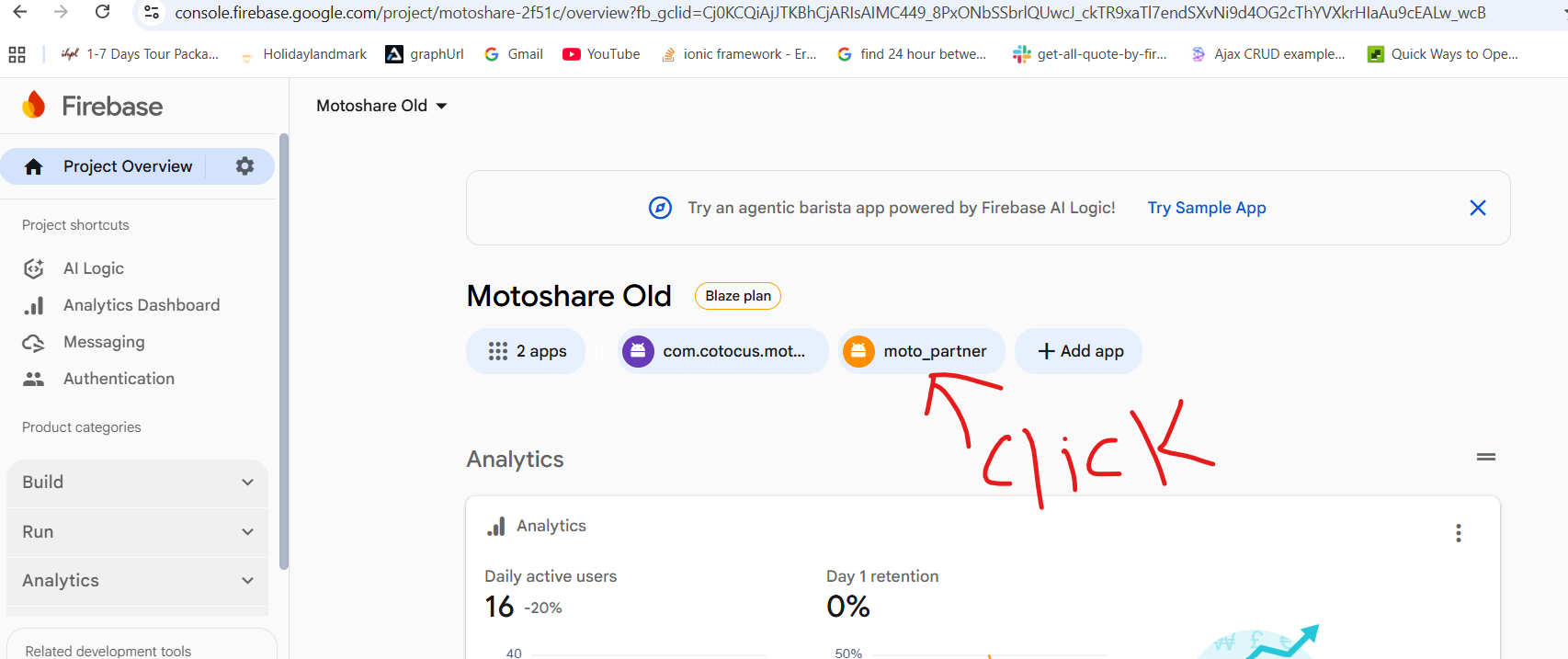
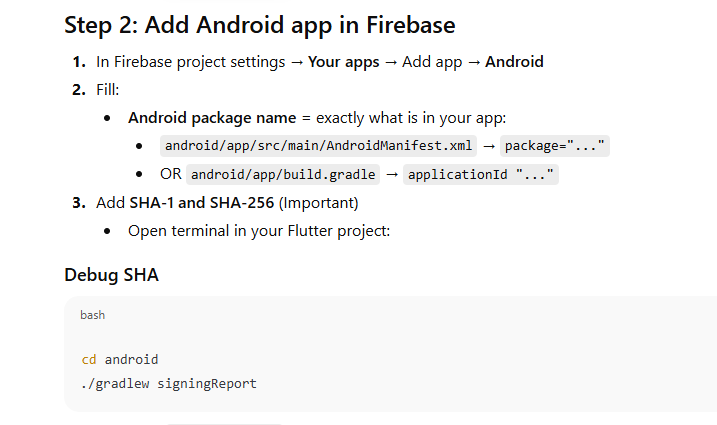
Step 2: Add Android app in Firebase
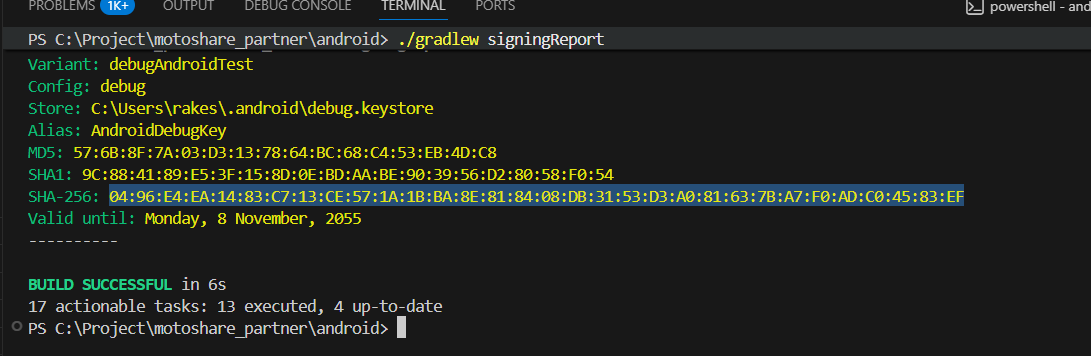
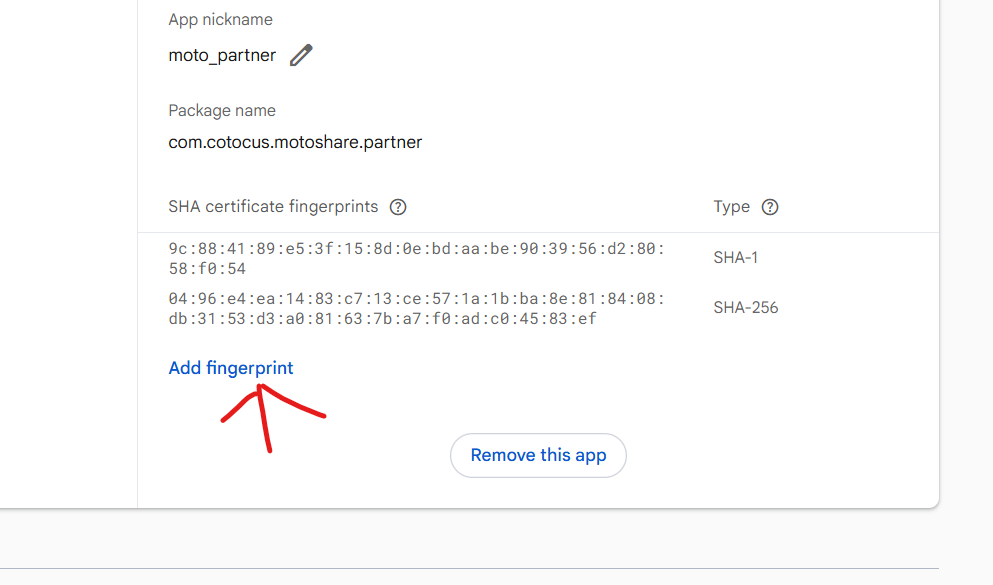
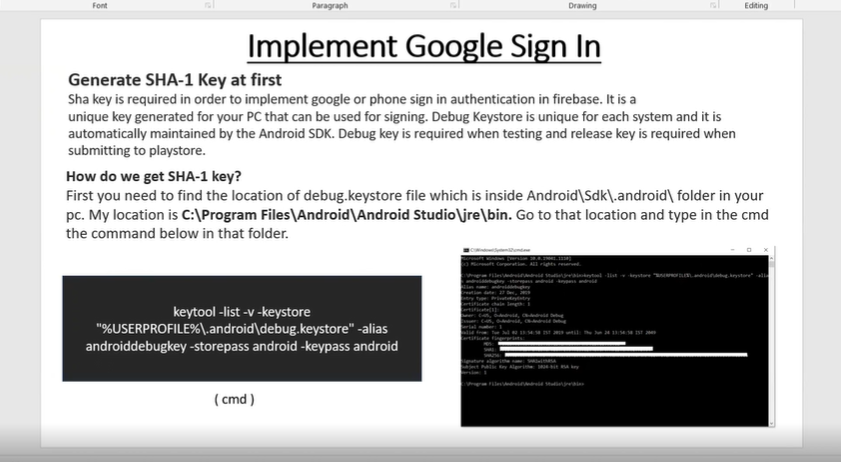
> Task :shared_preferences_android:signingReport
Variant: debugAndroidTest
Config: debug
Store: C:\Users\rakes\.android\debug.keystore
Alias: AndroidDebugKey
MD5: 57:6B:8F:7A:03:D3:13:78:64:BC:68:C4:53:EB:4D:C8
SHA1: 9C:88:41:89:E5:3F:15:8D:0E:BD:AA:BE:90:39:56:D2:80:58:F0:54
SHA-256: 04:96:E4:EA:14:83:C7:13:CE:57:1A:1B:BA:8E:81:84:08:DB:31:53:D3:A0:81:63:7B:A7:F0:AD:C0:45:83:EF
Valid until: Monday, 8 November, 2055
Paste SHA in Google Play Console (only for RELEASE / production)
Step 1
Open Google Play Console → select your app
Step 2
Go to:
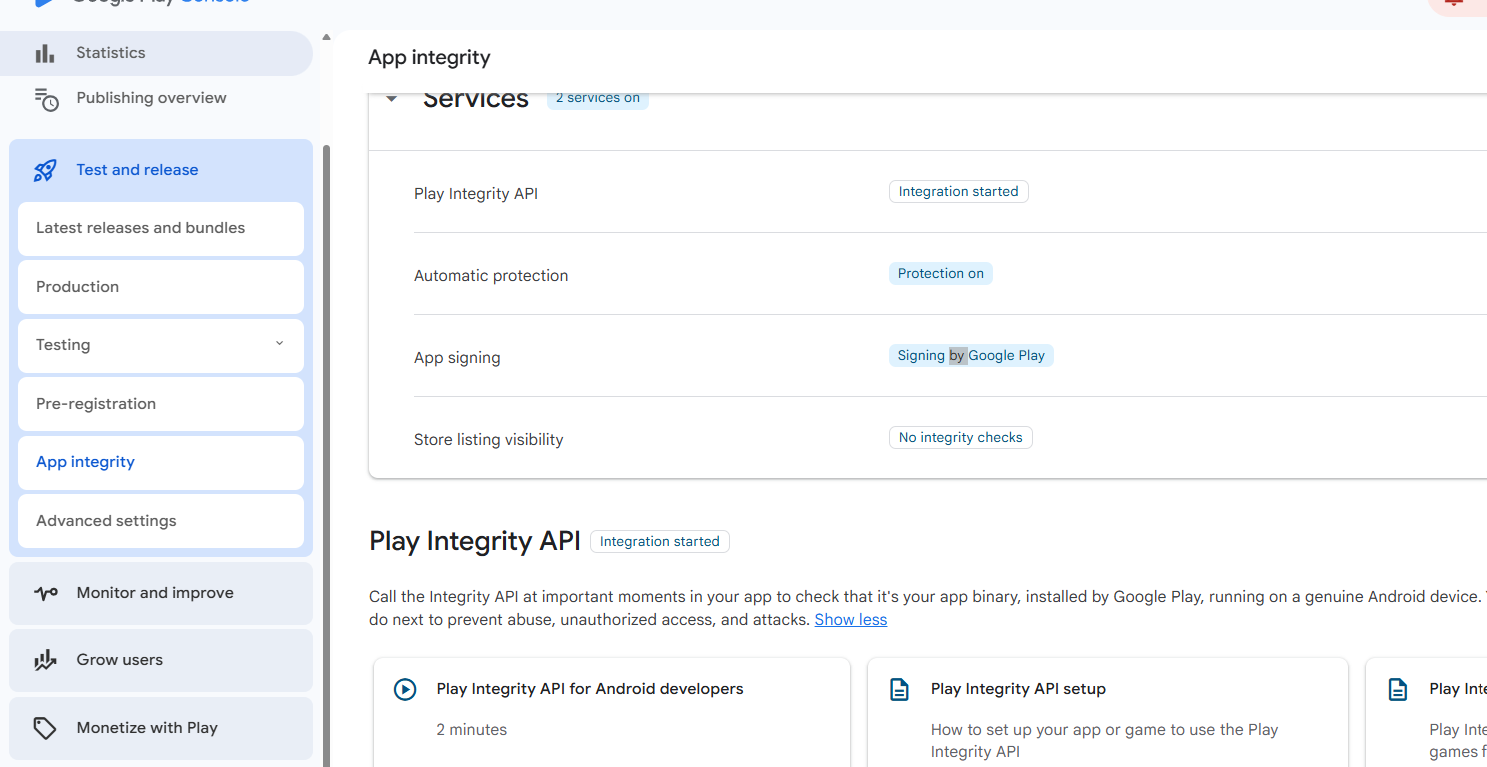
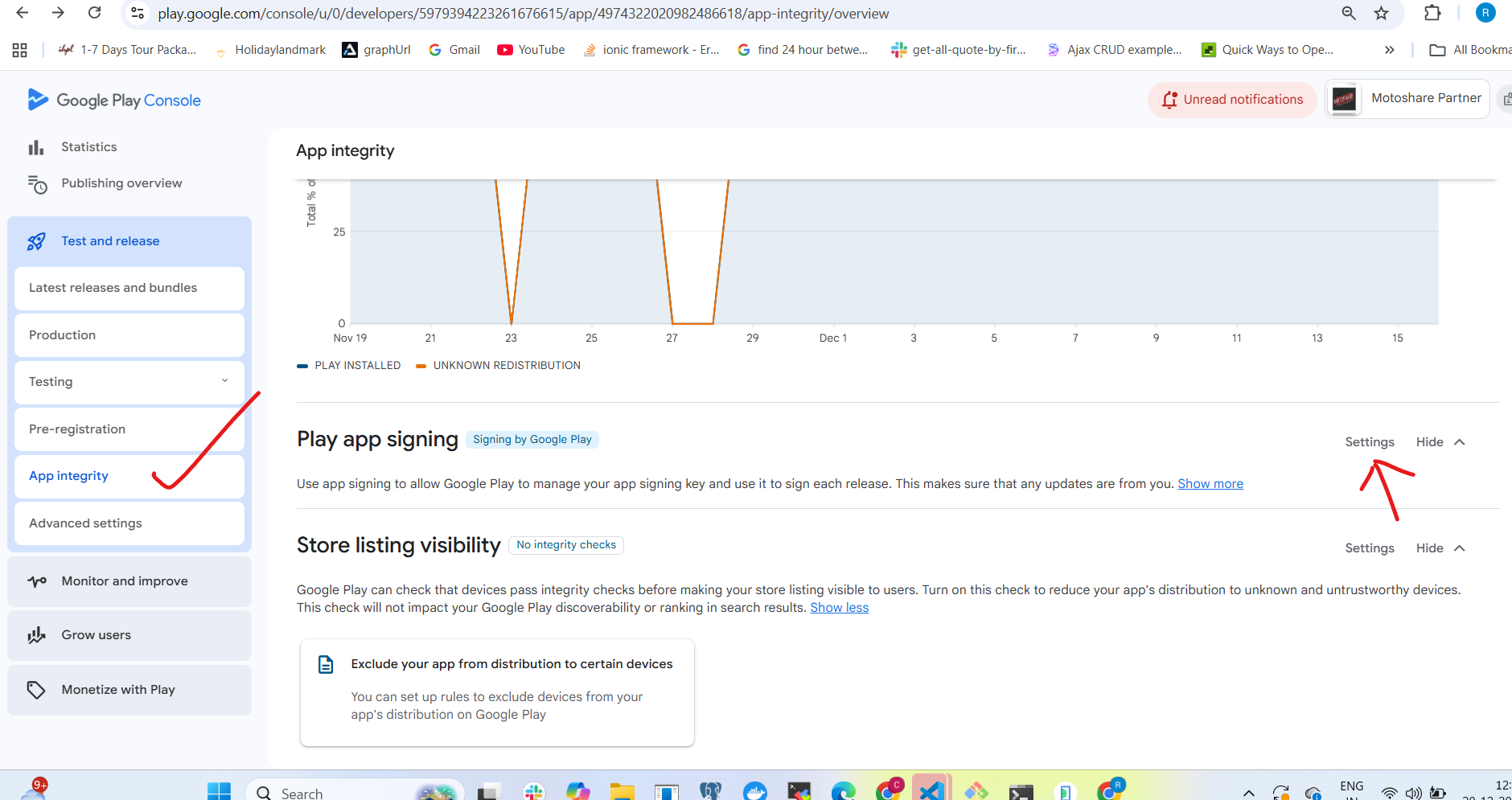
Setup → App integrity
Step 3
Find section: App signing
Step 4
You will see:
App signing key certificate
Upload key certificate
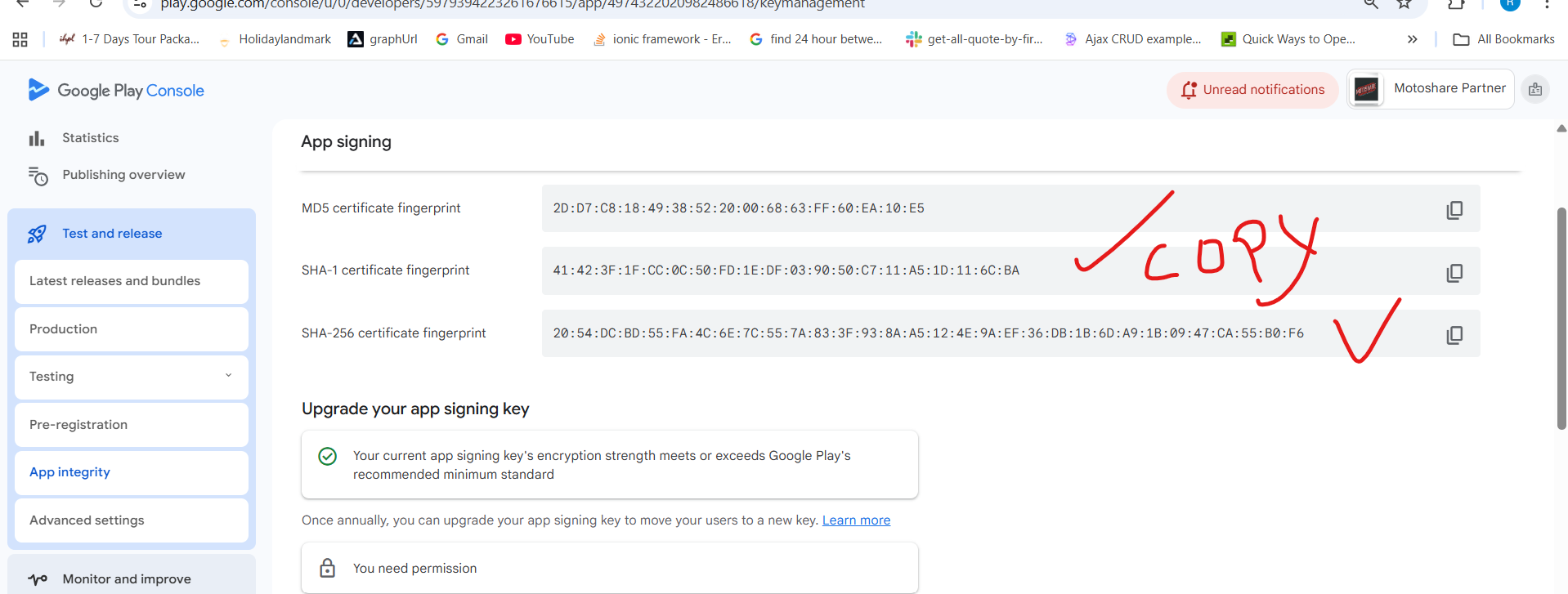
Step 5
Copy:
SHA-1
SHA-256
Now go back to Firebase Console and paste these release SHA values also (same place as above).
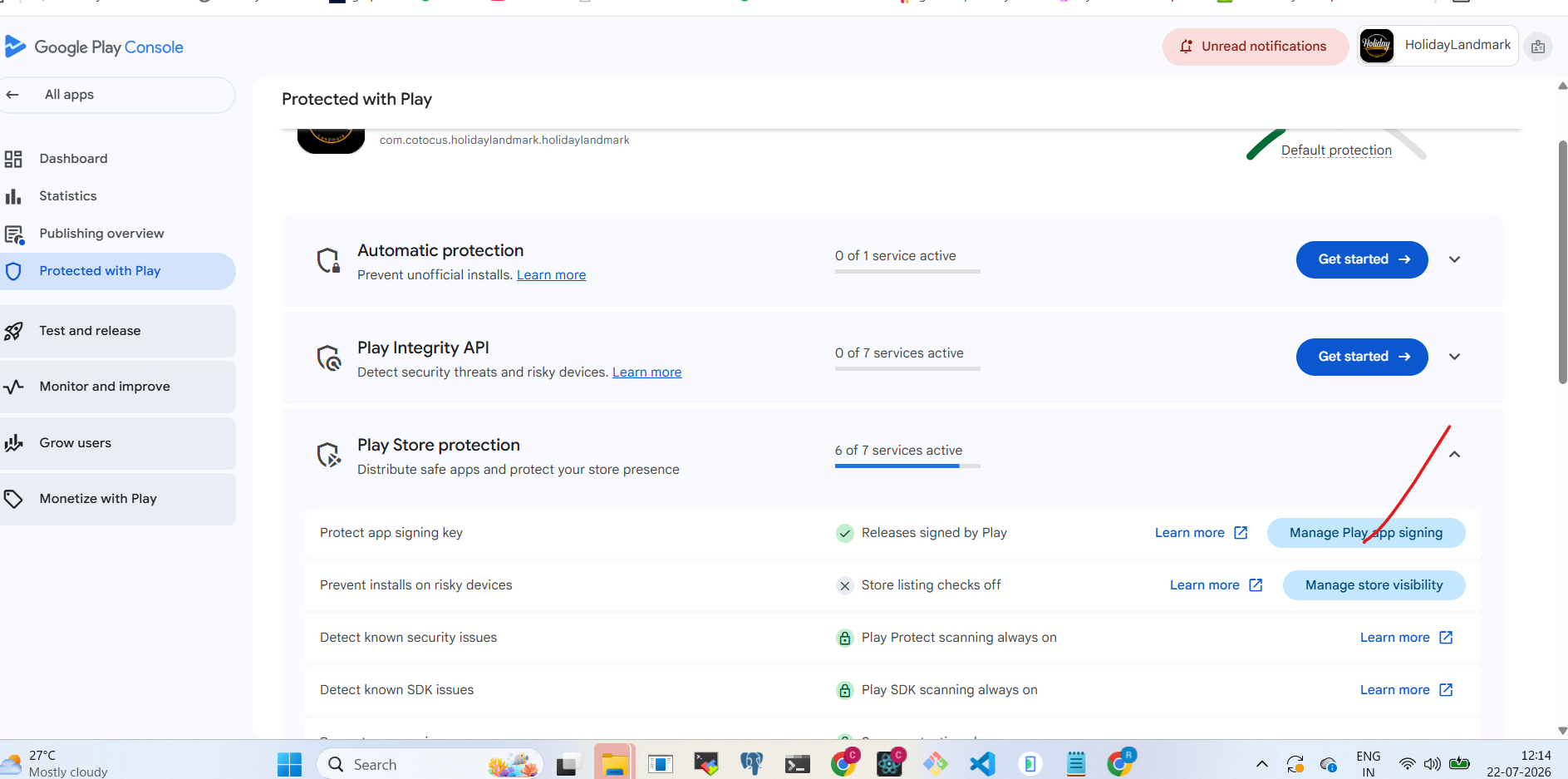
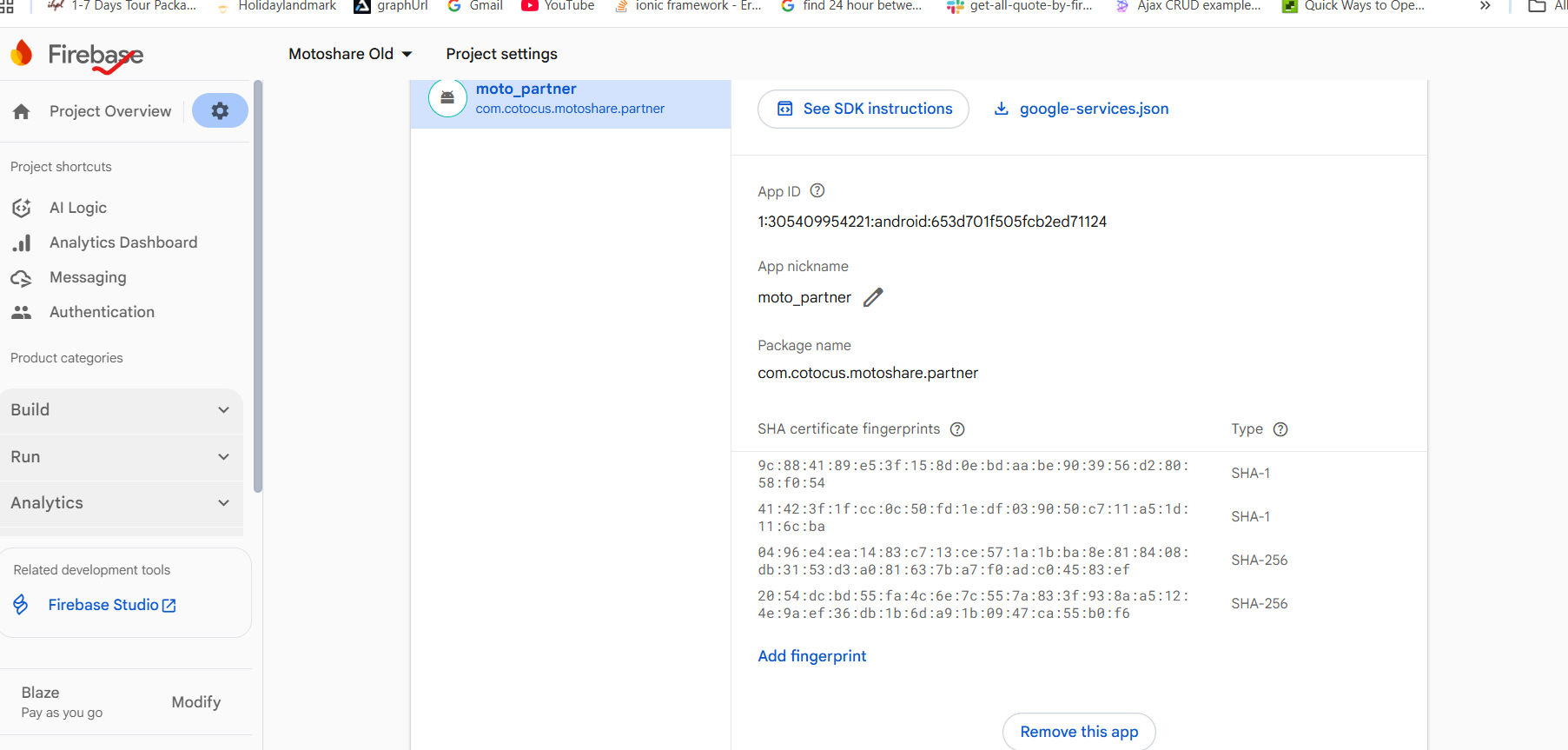
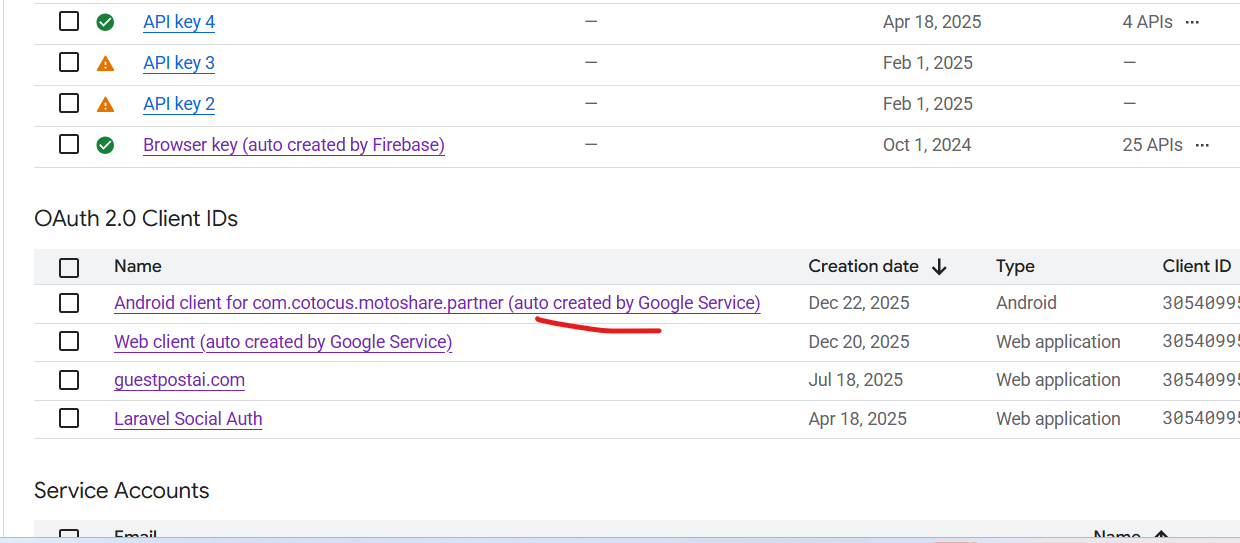
NOTE:IMPORTANT
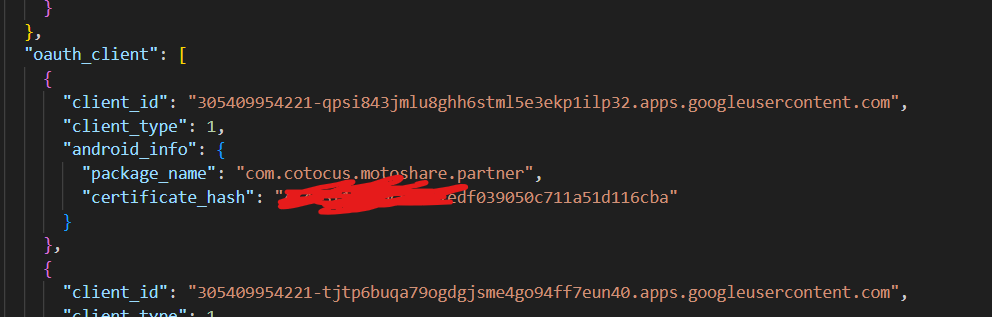
verify in google play console is it auto created or not for corresponding sha1 ,othere wise google login would not work in production it same sha1 which is firebase must be auto created by google play console if it is there in google ply console then download googlr.service.json from firebase and ckeck in certificate hash present in json file
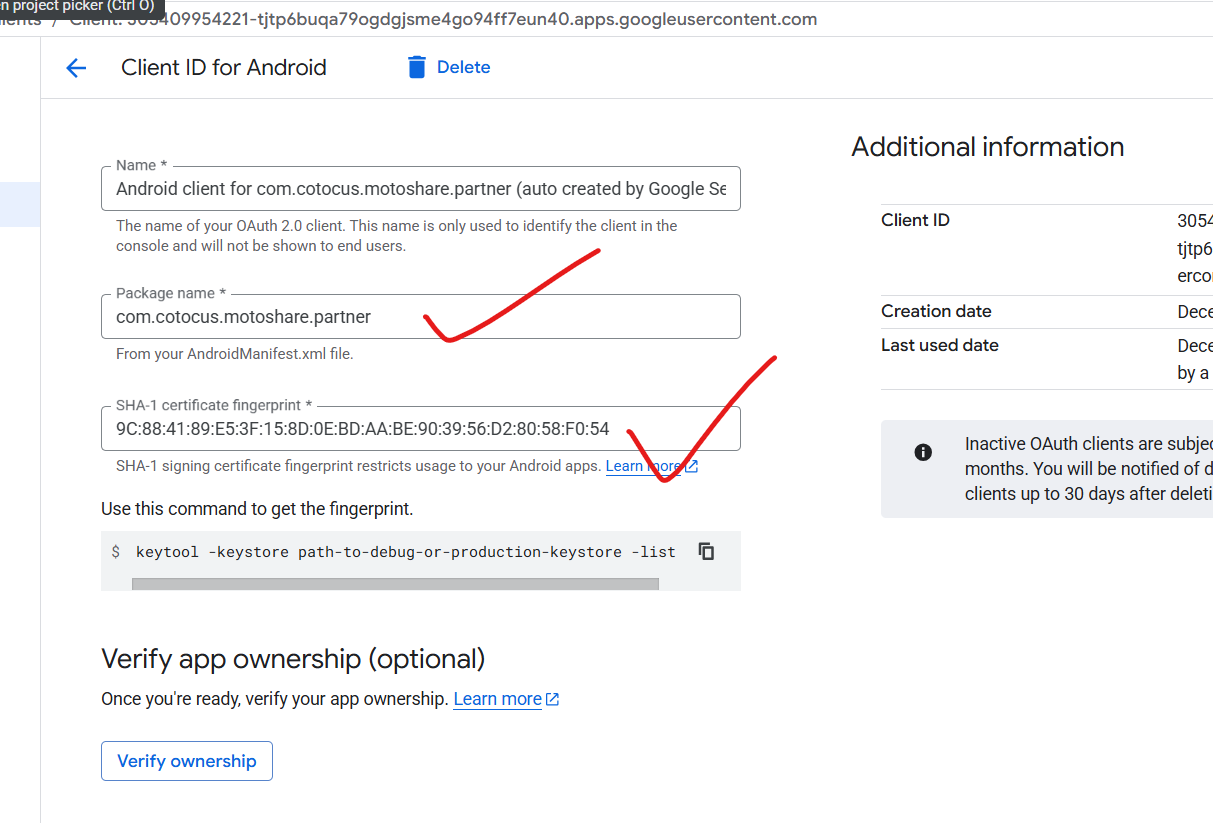
google.service.json
STEP 3: Re-download google-services.json
After adding SHA:
Click google-services.json download again
Replace file here (exact path):
android/app/google-services.json
(Old file may not contain OAuth config)
STEP 4: Verify Android Gradle (Quick Check)
android/app/build.gradle
Make sure this line exists at BOTTOM:
apply plugin: 'com.google.gms.google-services'
android/build.gradle
Ensure:
classpath 'com.google.gms:google-services:4.4.2'
buildscript {
    repositories {
        google()
        mavenCentral()
    }
    dependencies {
        classpath 'com.google.gms:google-services:4.4.2'
    }
}
Also ensure:
gradle
allprojects {
    repositories {
        google()
        mavenCentral()
    }
}
android/app/build.gradle (App level)
Open: android/app/build.gradle
At top ensure:
apply plugin: 'com.android.application'
apply plugin: 'com.google.gms.google-services'
Inside android {} ensure minSdkVersion is at least 21:
defaultConfig {
    minSdkVersion 21
}
STEP 5: Flutter packages (verify)
In pubspec.yaml you should have:
dependencies:
  firebase_core: ^3.0.0
  firebase_auth: ^5.0.0
  google_sign_in: ^6.2.1
Then:
flutter clean
flutter pub get
STEP 6: Firebase initialized? (critical)
In main.dart:
void main() async {
  WidgetsFlutterBinding.ensureInitialized();
  await Firebase.initializeApp();
  runApp(const MyApp());
}
If this is missing → app will crash or login won’t start.
STEP 7: Use Firebase Google login code
You already asked earlier and I gave you correct code.
You should now be using:
FirebaseGoogleAuthService

FirebaseAuth.instance.signInWithCredential()
✅ Your backend login_emails() logic stays unchanged.
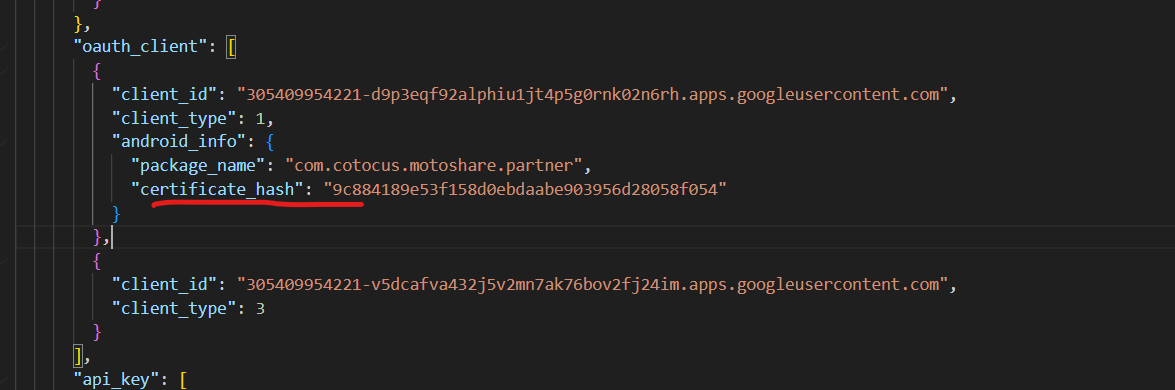
Where is SHA-1 in google-services.json?
✅ This line is the SHA-1 (certificate hash):
"certificate_hash": "9c884189e53f158d0ebdaabe903956d28058f054"
This appears under:
"oauth_client": [
  {
    "client_type": 1,
    "android_info": {
      "package_name": "com.cotocus.motoshare.partner",
      "certificate_hash": "9c884189e53f158d0ebdaabe903956d28058f054"
    }
  }
]
Step 8: Create Firebase Google Auth Service (NEW)
Create file:
✅ lib/services/firebase_google_auth_service.dart

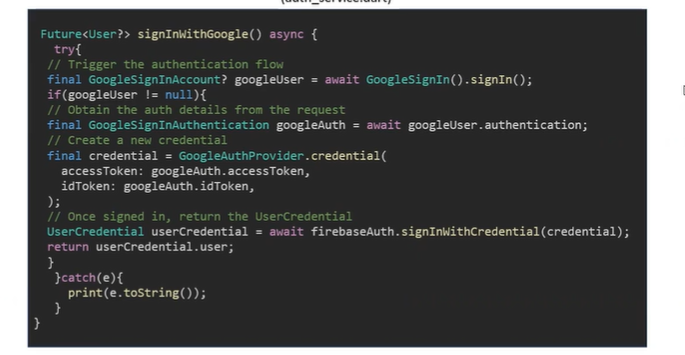
import 'package:firebase_auth/firebase_auth.dart';
import 'package:google_sign_in/google_sign_in.dart';

class FirebaseGoogleAuthService {
  final FirebaseAuth _firebaseAuth = FirebaseAuth.instance;
  final GoogleSignIn _googleSignIn = GoogleSignIn(scopes: ['email', 'profile']);

  /// Sign in with Google + Firebase
  Future<UserCredential?> signInWithGoogle() async {
    try {
      // Always start with clean state to avoid old account confusion
      await _googleSignIn.signOut();

      final GoogleSignInAccount? googleUser = await _googleSignIn.signIn();
      if (googleUser == null) {
        // user cancelled
        return null;
      }

      final GoogleSignInAuthentication googleAuth = await googleUser.authentication;

      final credential = GoogleAuthProvider.credential(
        accessToken: googleAuth.accessToken,
        idToken: googleAuth.idToken,
      );

      final UserCredential userCred =
          await _firebaseAuth.signInWithCredential(credential);

      final user = userCred.user;
      if (user != null) {
        print('[FIREBASE] UID: ${user.uid}');
        print('[FIREBASE] Email: ${user.email}');
        print('[FIREBASE] Name: ${user.displayName}');
        print('[FIREBASE] idToken: ${await user.getIdToken()}');
      }

      return userCred;
    } catch (e) {
      print('[FIREBASE] Google Sign-In Error: $e');
      return null;
    }
  }

  Future<void> signOut() async {
    await _firebaseAuth.signOut();
    await _googleSignIn.signOut();
  }

  User? currentUser() => _firebaseAuth.currentUser;
}
Step 9: Update your existing _handleGoogleSignIn() (minimal change)
You currently rely on GoogleSignInAccount.
Now you will rely on Firebase User.
Replace your method with this version:
Future<void> _handleGoogleSignIn() async {
  setState(() => _isLoading = true);

  try {
    final userCred = await FirebaseGoogleAuthService().signInWithGoogle();

    if (userCred == null || userCred.user == null) {
      ScaffoldMessenger.of(context).showSnackBar(
        const SnackBar(content: Text('Sign in canceled or failed')),
      );
      return;
    }

    final user = userCred.user!;
    final email = (user.email ?? '').trim();
    final name = (user.displayName ?? '').trim();

    print('Firebase Email: $email');
    print('Firebase Name: $name');

    if (email.isEmpty) {
      ScaffoldMessenger.of(context).showSnackBar(
        const SnackBar(content: Text('Email not received from Google')),
      );
      return;
    }

    final loginViewModel = Provider.of<LoginViewModel>(context, listen: false);

    // Keep your backend call as-is
    bool success = await loginViewModel.login_emails(
      email,
      name.isEmpty ? 'User' : name,
      context,
    );

    if (success) {
      Navigator.pushReplacement(
        context,
        MaterialPageRoute(
          builder: (context) => DashboardScreen(email: email),
        ),
      );
    } else {
      Navigator.push(
        context,
        MaterialPageRoute(
          builder: (context) => UpdateProfile(
            dialCode: dial_code,
            googleEmail: email,
            googleDisplayName: name,
          ),
        ),
      );
    }
  } catch (error) {
    ScaffoldMessenger.of(context).showSnackBar(
      SnackBar(content: Text('Error signing in: $error')),
    );
  } finally {
    setState(() => _isLoading = false);
  }
}



Top comments (0)