
Hero — first impression, one headline + one supporting line.
Trust pills — chips of proof under the hero (guarantees, badges, stats).
Trust features — 3–4 column icon+heading+body grid explaining why trust us.
Category grid **— tiled index of the site's main sections or product categories.
**Featured items — curated carousel pulled from a "slot" the editor fills.
Banner — mid-page announcement, time-boxed (beta, sale, holiday).
Call-to-action (CTA) — one button, one destination, one benefit.
Rich text — free-form HTML for FAQ, disclosures, long-form editorial.
Section heading — divider with eyebrow + heading, structures scannable pages.
Hero
Purpose:
Hero is the first and most important section of any page. It appears at the top and gives users a clear idea about the page.
Use for:
Page title, main headline, short description, search box, background image, CTA button.
Example content:
Title: Discover Amazing Trips with Local Experts
Description: Explore trusted destinations, curated travel experiences, and authentic trips designed by local organizers.
Button: Explore Trips / Start Your Journey
{
    "_layout": {
        "width": "full",
        "spacing_top": "none",
        "spacing_bottom": "tight",
        "align": "center"
    },
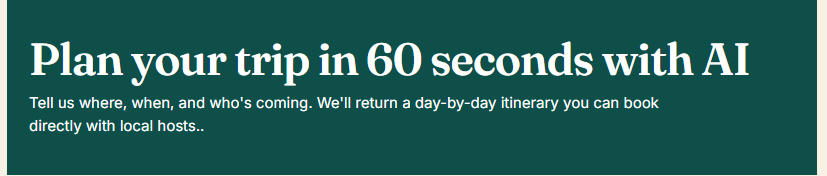
    "heading": "Plan your trip in 60 seconds with AI",
    "body": "Tell us where, when, and who's coming. We'll return a day-by-day itinerary you can book directly with verified local hosts."
}
Trust Pills
Purpose:
Trust pills are small highlighted badges that quickly show why users should trust your platform.
Use for:
Quick trust points like verified organizers, secure payment, local experts, best price, 24/7 support.
Example content:
Verified Local Experts
Secure Booking
Trusted by Travelers
Real Reviews
Best Travel Experience
  "pills": [
        "No credit card required",
        "Verified local hosts",
        "Real bookings, not affiliate links",
        "Refine or restart anytime"
    ]

Trust Features
Purpose:
Trust features explain your platform’s strong points in more detail than trust pills. These are usually shown as cards with icons.
Use for:
Showing benefits, safety, quality, support, verified listings, easy booking.
Example content:
Verified Organizers
Every organizer is reviewed and approved before listing trips.
Secure & Simple Booking
Users can book trips safely with clear pricing and booking details.
Local Travel Experience
Get authentic experiences from people who know the destination best.
{
    "items": [
        {
            "icon": "compass",
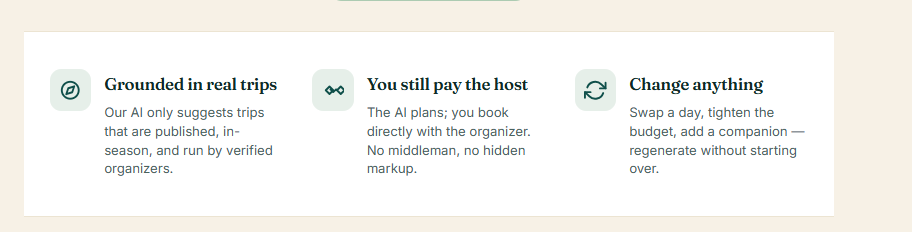
            "heading": "Grounded in real trips",
            "body": "Our AI only suggests trips that are published, in-season, and run by verified organizers."
        },
        {
            "icon": "handshake",
            "heading": "You still pay the host",
            "body": "The AI plans; you book directly with the organizer. No middleman, no hidden markup."
        },
        {
            "icon": "refresh",
            "heading": "Change anything",
            "body": "Swap a day, tighten the budget, add a companion — regenerate without starting over."
        }
    ]
Category Grid
Purpose:
Category grid shows different types of trips, services, or page categories in a card layout.
Use for:
Trip categories, destination categories, service types, package types.
Example content:
Adventure Trips
Cultural Tours
Family Holidays
Weekend Getaways
Wildlife Trips
Religious Tours
Beach Holidays
Mountain Experiences
{
    "_layout": {
        "width": "full",
        "spacing_top": "tight",
        "spacing_bottom": "loose",
        "align": "center"
    },
    "items": [
        {
            "icon": "user",
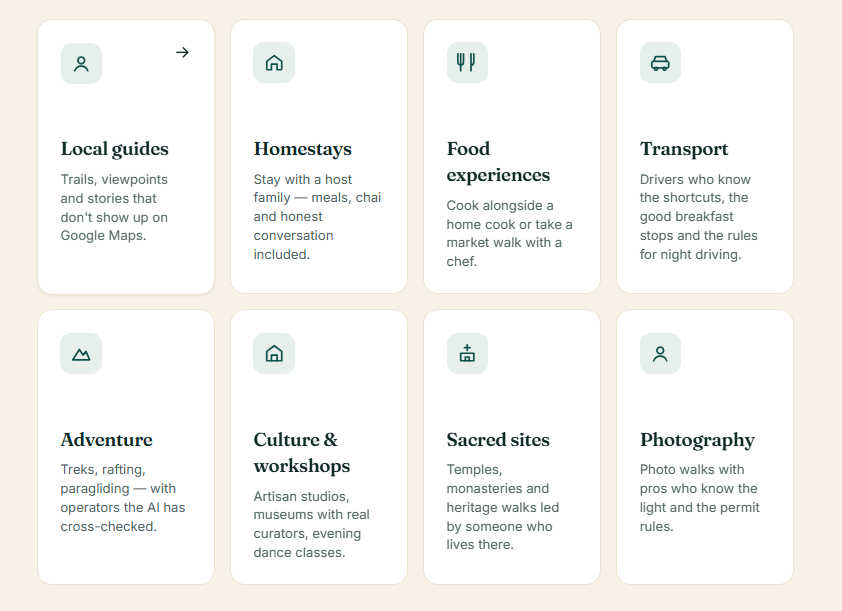
            "title": "Local guides",
            "body": "Trails, viewpoints and stories that don't show up on Google Maps.",
            "featured": true
        },
        {
            "icon": "home",
            "title": "Homestays",
            "body": "Stay with a host family — meals, chai and honest conversation included."
        },
        {
            "icon": "food",
            "title": "Food experiences",
            "body": "Cook alongside a home cook or take a market walk with a chef."
        },
        {
            "icon": "transport",
            "title": "Transport",
            "body": "Drivers who know the shortcuts, the good breakfast stops and the rules for night driving."
        },
        {
            "icon": "mountain",
            "title": "Adventure",
            "body": "Treks, rafting, paragliding — with operators the AI has cross-checked."
        },
        {
            "icon": "culture",
            "title": "Culture & workshops",
            "body": "Artisan studios, museums with real curators, evening dance classes."
        },
        {
            "icon": "temple",
            "title": "Sacred sites",
            "body": "Temples, monasteries and heritage walks led by someone who lives there."
        },
        {
            "icon": "user",
            "title": "Photography",
            "body": "Photo walks with pros who know the light and the permit rules."
        }
    ]
}
Featured Trips
Purpose:
Featured trips section highlights selected or popular trips on the page.
Use for:
Admin-selected trips, trending packages, recommended experiences, seasonal trips.
Example content:
Featured Trip Title: Jaipur Heritage Walk
Short Description: Explore forts, local markets, food streets, and royal history with expert local guides.
Details: 2 Days / Local Guide / Starting from ₹2,999
{
    "slot_key": "aiplan_showcase_itineraries"
}
Banner
Purpose:
Banner is a visual promotional section used to highlight one important message.
Use for:
Offers, announcements, seasonal campaigns, destination highlights, festival packages.
Example content:
Title: Plan Your Next Holiday with Trusted Local Experts
Description: Discover handpicked trips, real experiences, and secure booking options across top destinations.
Button: View Packages
{
    "title": "Free during beta — no plan limit",
    "body": "Generate as many itineraries as you like until 31 Aug. After that, 3 free plans per month for signed-in users."
}

CTA — Call-to-action
Purpose:
CTA pushes users to take one clear action. It is usually placed after important content or near the end of the page.
Use for:
Book now, contact us, register as organizer, explore trips, request callback.
Example content:
Title: Ready to Start Your Travel Journey?
Description: Find the right trip, connect with trusted organizers, and create memories that last forever.
Button: Book Your Trip Now
{
    "label": "Start planning — it's free",
    "url": "/trips/aiplan/start"
}

Rich Text
Purpose:
Rich text is a flexible content block where admin can add normal written content with headings, paragraphs, bullet points, links, and formatted text.
Use for:
About section, destination guide, travel instructions, terms, FAQs, detailed page explanation.
Example content:
HolidayLandmark helps travelers discover real local experiences through trusted organizers. Whether you are planning a family holiday, adventure trip, cultural tour, or weekend getaway, our platform makes it easy to compare options and choose the best experience.
You can use this section to explain the page in detail.
{
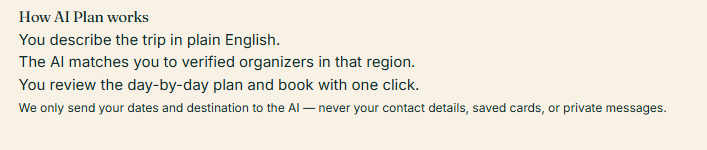
    "body": "<h3>How AI Plan works</h3><ol><li>You describe the trip in plain English.</li><li>The AI matches you to verified organizers in that region.</li><li>You review the day-by-day plan and book with one click.</li></ol><p><small>We only send your dates and destination to the AI — never your contact details, saved cards, or private messages.</small></p>"
}
Section Heading
Purpose:
Section heading is used to introduce a new section on the page. It gives structure and improves readability.
Use for:
Before category grid, featured trips, trust features, testimonials, FAQ, destination sections.
Example content:
Title: Explore Trips by Category
Subtitle: Choose from handpicked travel themes designed for every type of traveler.
Another example:
Title: Why Travelers Trust Us
Subtitle: We focus on verified organizers, clear information, and smooth booking experiences
{
    "heading": "Plan your trip in 60 seconds with AI",
    "eyebrow": "Tell us where, when, and who's coming. We'll return a day-by-day itinerary you can book directly with local hosts"
}

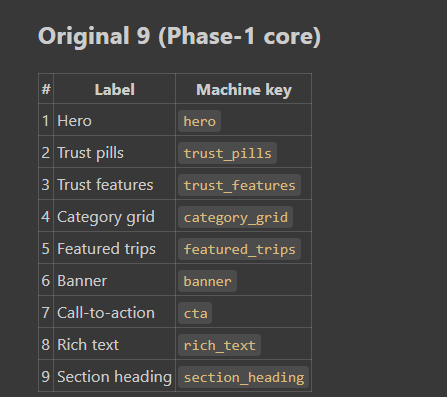
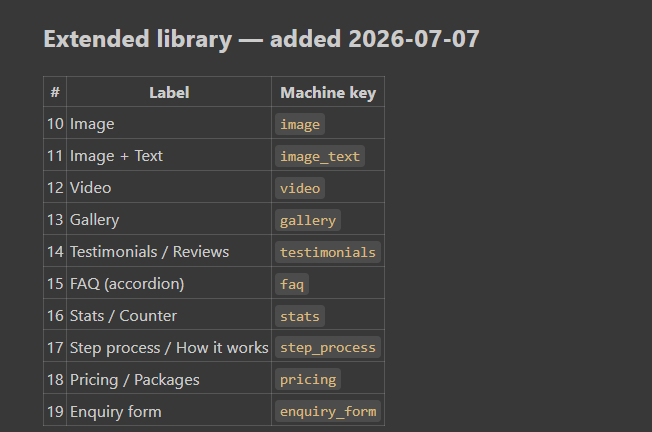
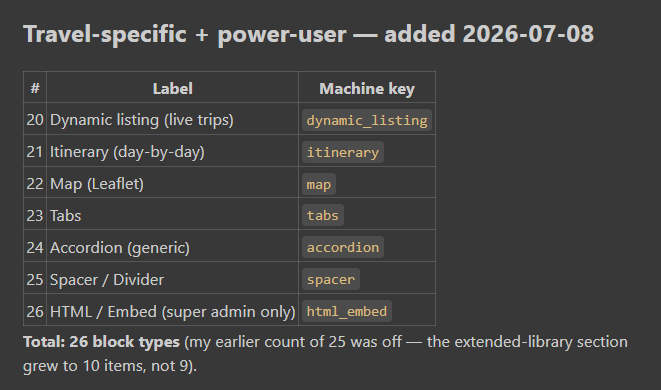
Default CMS Block Library
#  Label                  Machine Key
1  Hero                   hero
2  Trust pills            trust_pills
3  Trust features         trust_features
4  Category grid          category_grid
5  Featured trips         featured_trips
6  Banner                 banner
7  Call-to-action         cta
8  Rich text              rich_text
9  Section heading        section_heading
Extended Library — Added 2026-07-07
#   Label                         Machine Key
10  Image                         image
11  Image + Text                  image_text
12  Video                         video
13  Gallery                       gallery
14  Testimonials / Reviews        testimonials
15  FAQ (accordion)               faq
16  Stats / Counter               stats
17  Step process / How it works   step_process
18  Pricing / Packages            pricing
19  Enquiry form                  enquiry_form
Travel-Specific + Power-User Blocks — Added 2026-07-08
#   Label                              Machine Key
20  Dynamic listing (live trips)       dynamic_listing
21  Itinerary (day-by-day)             itinerary
22  Map (Leaflet)                      map
23  Tabs                               tabs
24  Accordion (generic)                accordion
25  Spacer / Divider                   spacer
26  HTML / Embed (super admin only)    html_embed



Top comments (0)